
Pre-Orders & Release Dates takes orders for products before they are released. Customers pay now or when the product is released, orders wait in a Pre-ordered status, and they move on by themselves on the release date.
Requirements
- WordPress 6.8 or newer
- WooCommerce 10.0 or newer
- PHP 7.4 or newer
- Works with simple and variable products, classic and block themes, the Cart and Checkout blocks, and High-Performance Order Storage.
Installation
- Download
pre-orders-release-dates.zipfrom My account > Downloads. - In WordPress, go to Plugins > Add New Plugin > Upload Plugin, choose the zip file and click Install Now.
- Click Activate. Turn on pre-orders in a product’s Pre-order tab. Products taking pre-orders are listed under WooCommerce > Pre-orders, and settings are under WooCommerce > Settings > Pre-orders.
Quick start: your first pre-order
- Edit a product and open its Pre-order tab.
- Tick Take orders for this product before it is released and set the release date.
- Choose how customers pay: now, at checkout, or when it’s released.
- Update the product. Its page now says “Pre-order now” with the release date.
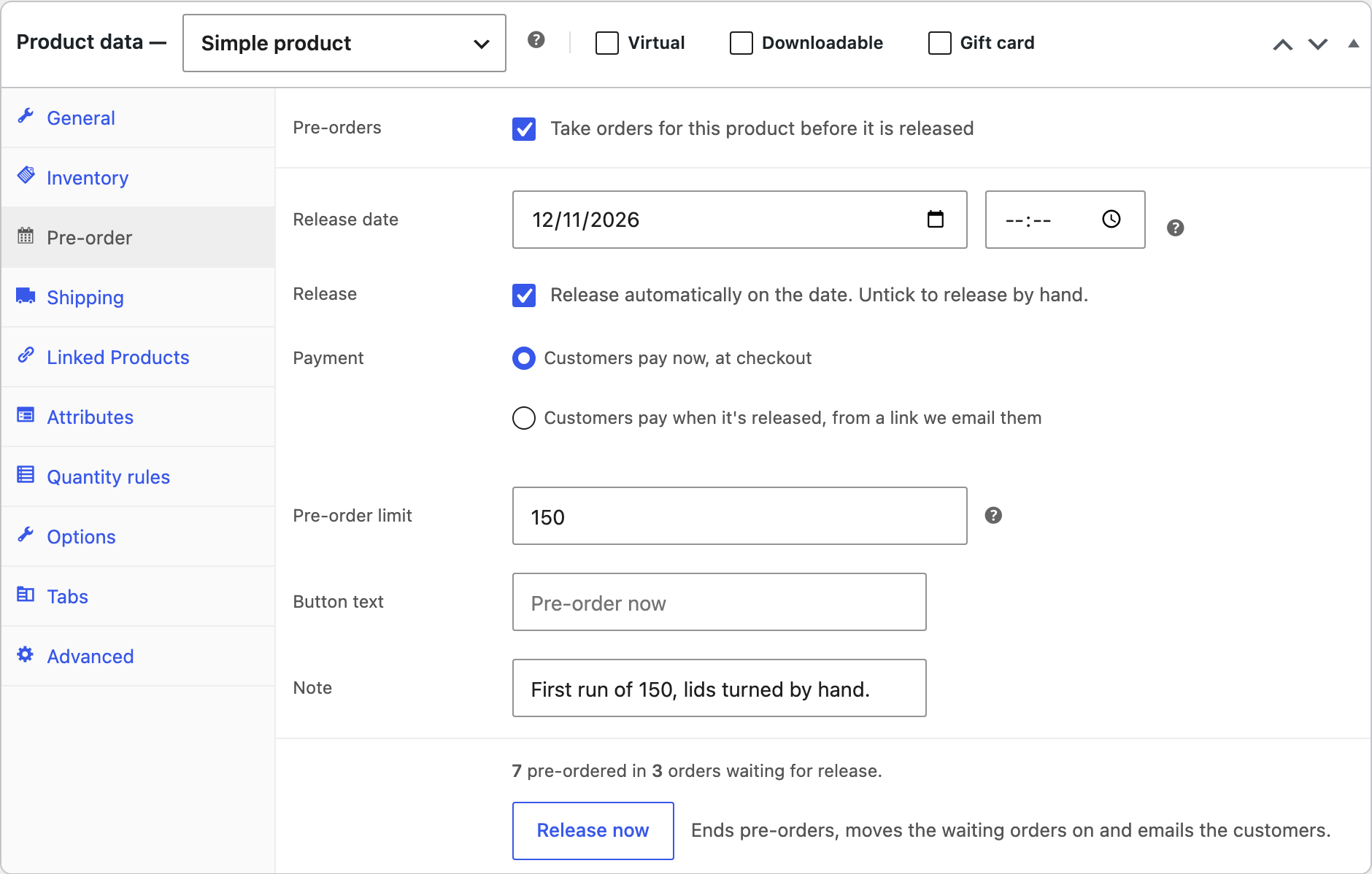
Pre-order a product
| Field | What it does |
|---|---|
| Release date | The date and time the product is released. Leave the date empty when it isn’t known yet. |
| Release | Release automatically on the date, or untick to release by hand. |
| Payment | Customers pay now, at checkout, or when it’s released, from a link we email them. |
| Pre-order limit | For limited runs. The page shows how many are left, and pre-orders stop when they are gone. |
| Button text, Note | Text for this product’s button, and a note under the release line. |
The button says “Pre-order now”, and the stock line says when it comes out, such as “Available on November 12, 2026 (in 38 days)”.
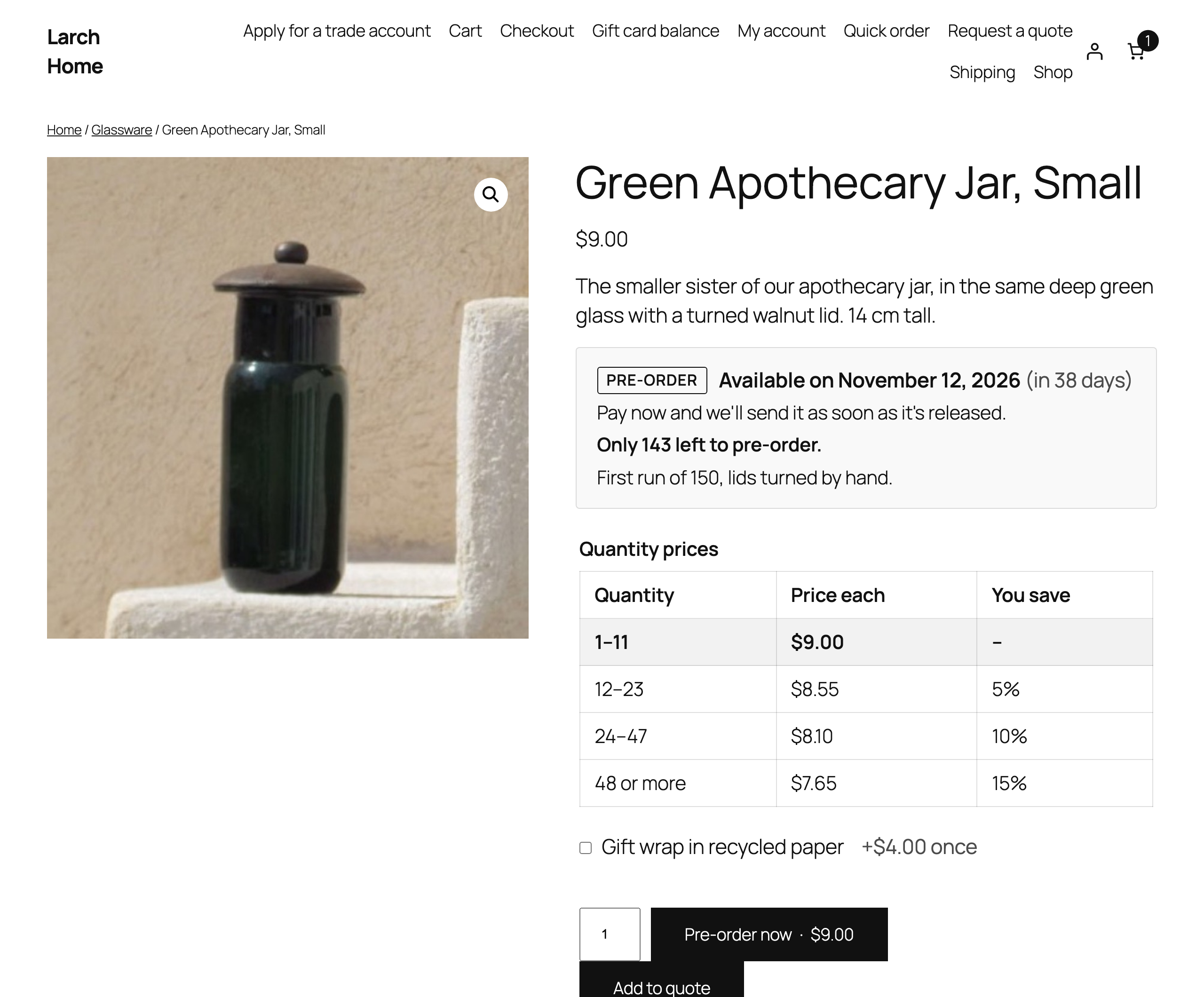
Pay now or on release
- Pay at checkout: customers pay as usual, and the order waits in the Pre-ordered status. Paid pre-orders can share a cart with products in stock, or be kept separate.
- Pay on release: customers place the order without paying, with the payment method Pay when it’s released. When the product is released, the order moves to Pending payment and the customer gets an email with a link to pay. Pay-on-release pre-orders are checked out on their own.
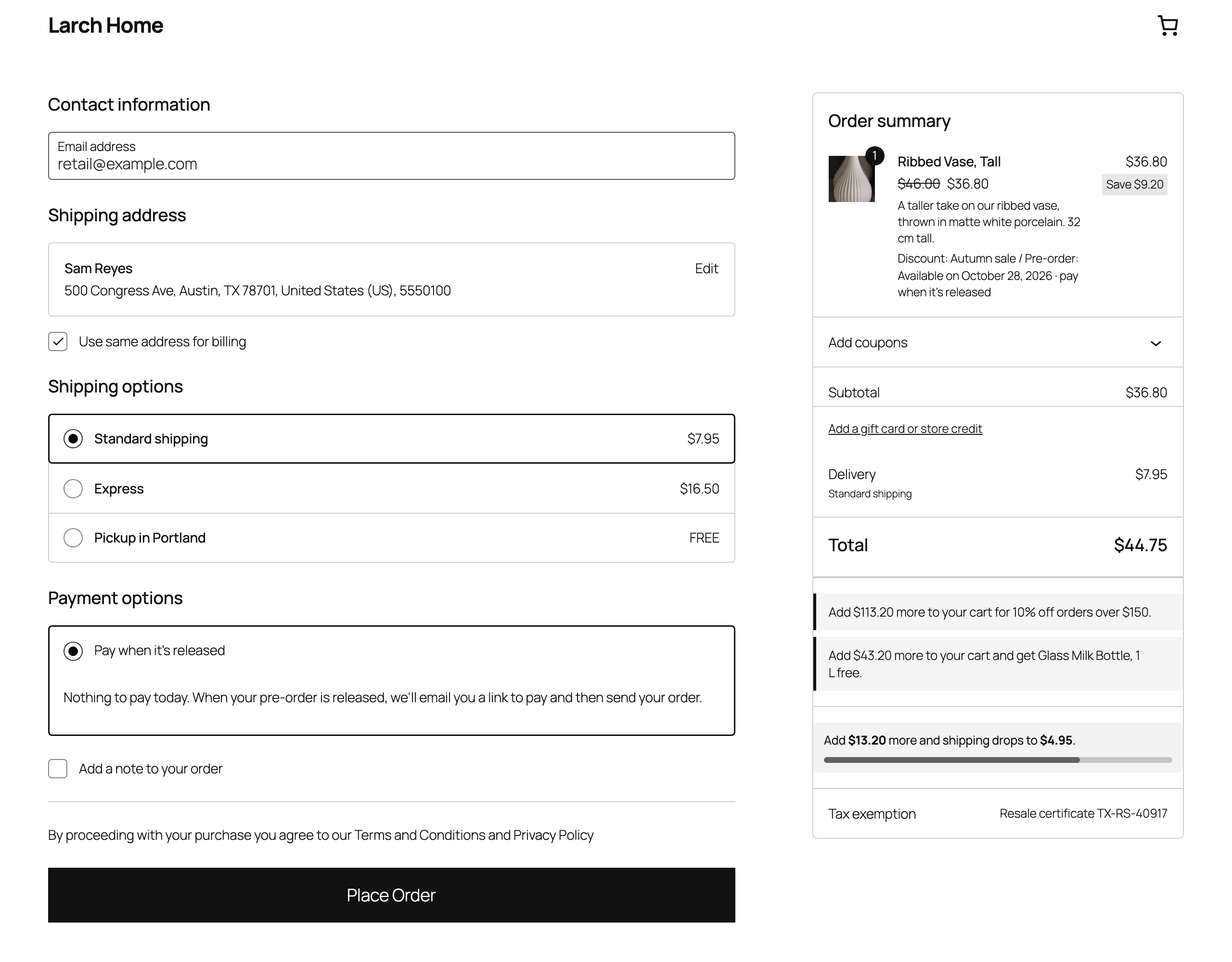
The Pay when it’s released method is under WooCommerce > Settings > Payments, where its title and description can be changed. It only shows for carts with pay-on-release pre-orders.
Release
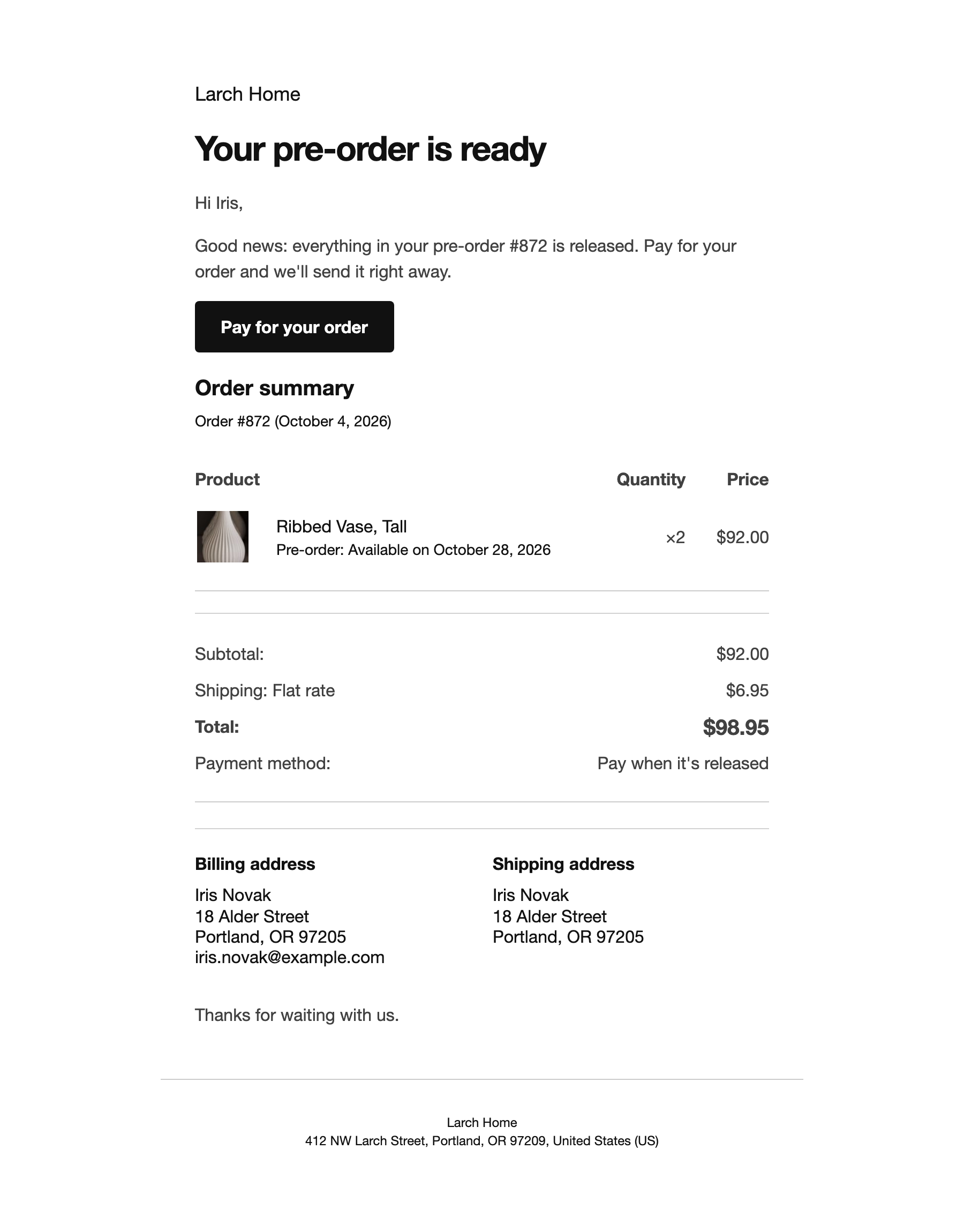
Products are released automatically at their date and time, or by hand with Release now. Paid pre-orders move to Processing; pay-on-release pre-orders move to Pending payment with a payment link. An order with several pre-order products waits until all of them are released.
WooCommerce > Pre-orders lists every product taking pre-orders, with its release date, how many orders and units wait for it, and a Release now button.
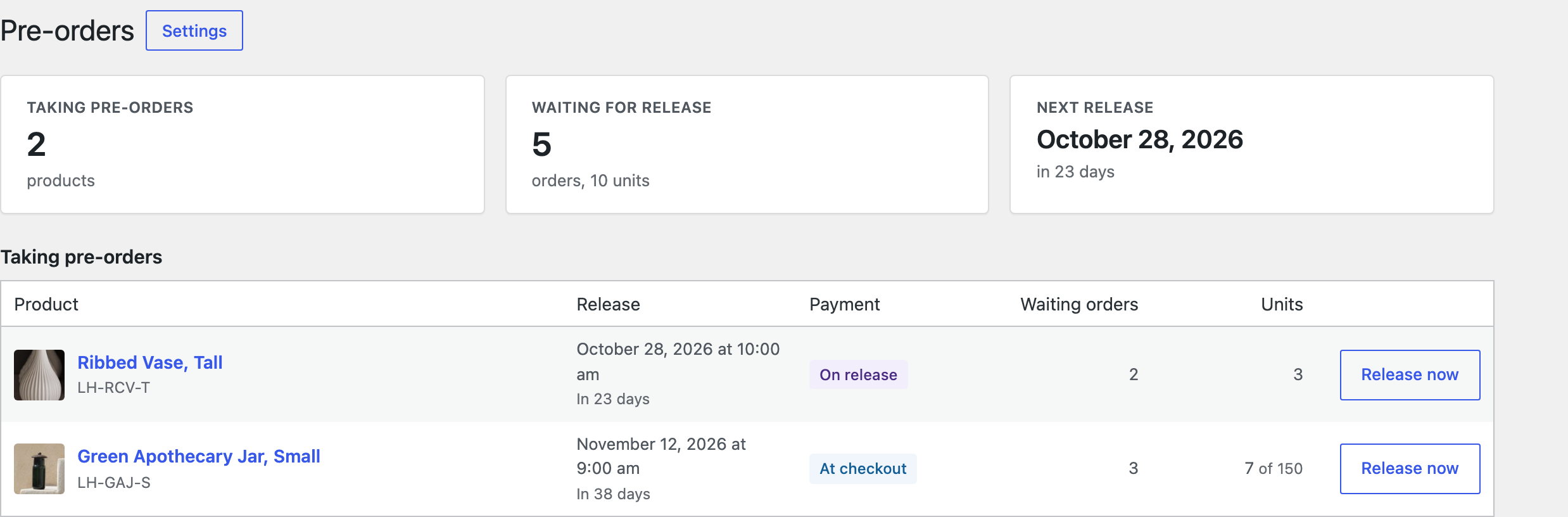
Change a release date and customers waiting for the product are emailed the new date.
Pre-ordered orders
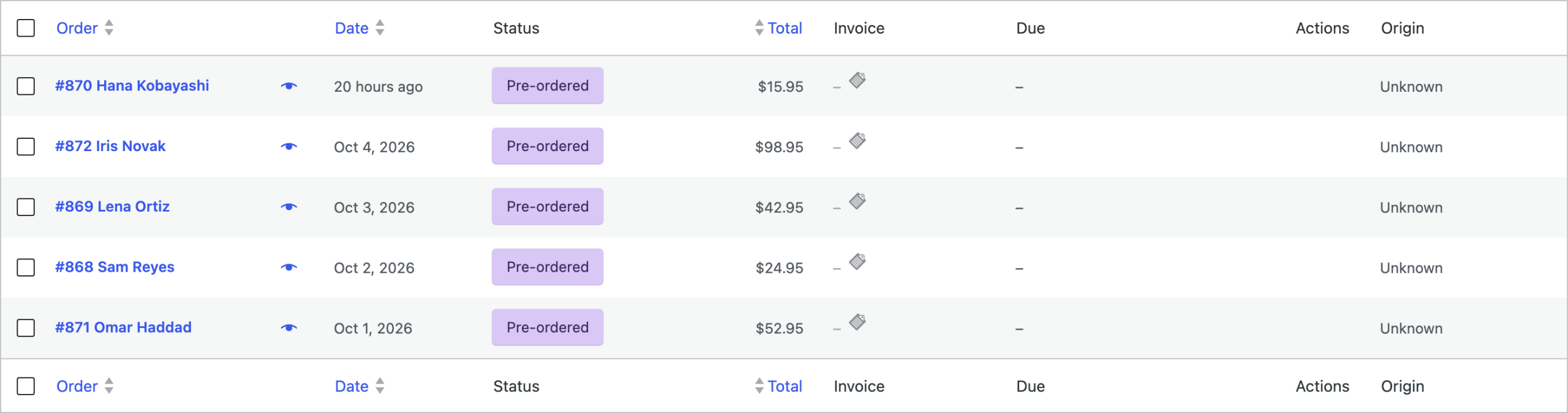
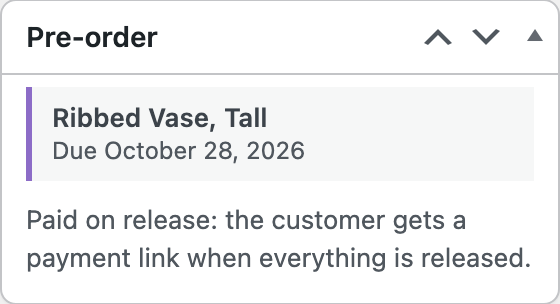
Pre-orders get their own status, Pre-ordered, so they stay apart from orders to ship. The Pre-order box on the order shows each product’s release date and how the order is paid. Customers see their pre-order and its release date in My account. Bank transfer and cheque orders wait On hold until you confirm the payment; then change them to Pre-ordered, also a bulk action on the orders list.
Emails
Customers get Pre-order confirmed, Pre-order released (with a payment link when they pay on release) and Pre-order release date changed. The store gets WooCommerce’s New order email for each pre-order. All use your WooCommerce email design and are under WooCommerce > Settings > Emails.
Settings
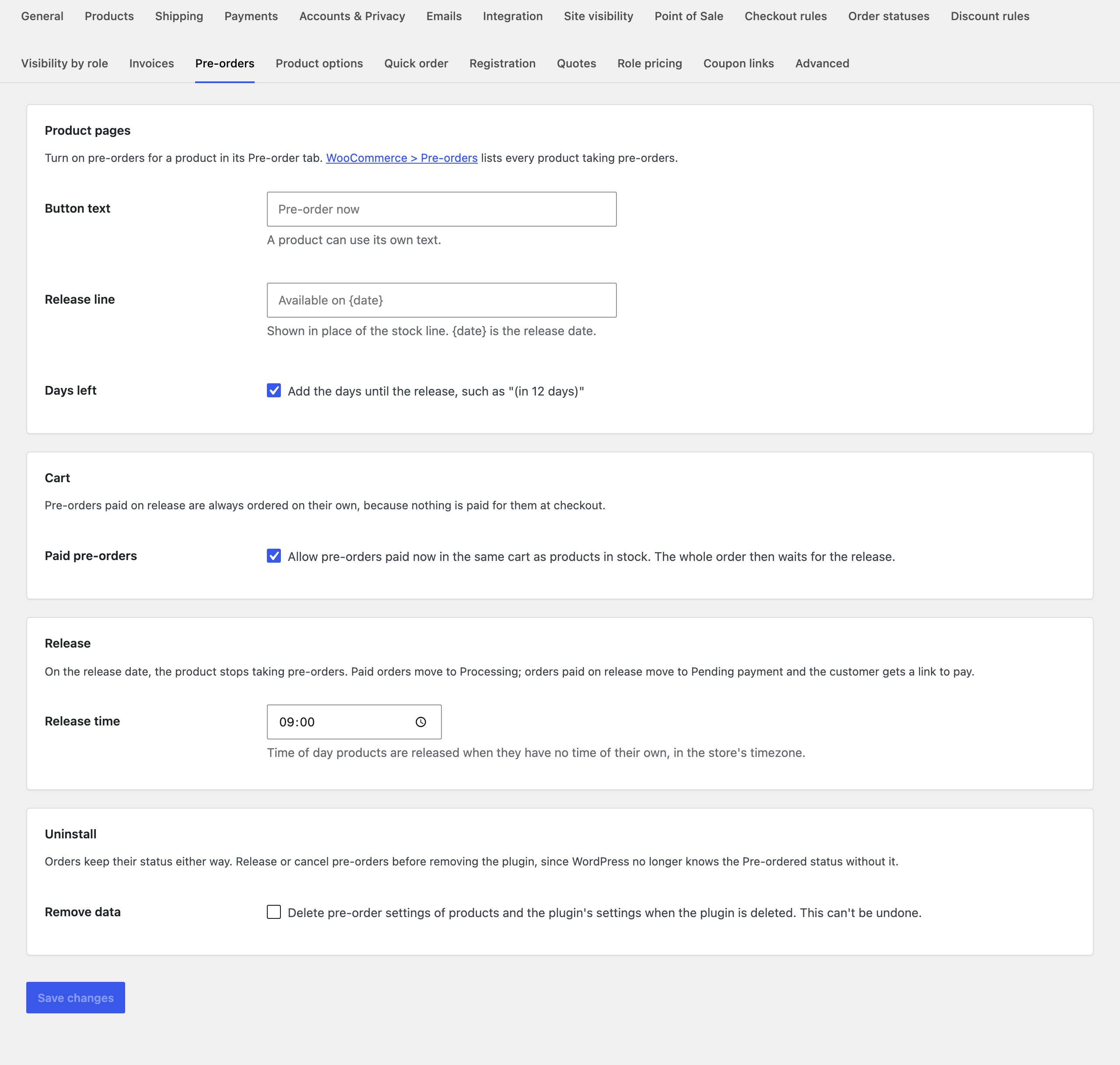
| Setting | What it does |
|---|---|
| Button text | The add to cart text for pre-orders. A product can use its own text. |
| Release line | Shown in place of the stock line. {date} is the release date. |
| Days left | Add the days until the release, such as “(in 12 days)”. |
| Paid pre-orders | Allow pre-orders paid now in the same cart as products in stock. The whole order then waits for the release. |
| Release time | Time of day products are released when they have no time of their own, in the store’s timezone. |
| Remove data | Deletes pre-order settings of products and the plugin’s settings when the plugin is deleted. |
For developers
| Hook | Use |
|---|---|
pord_is_pre_order | Whether a product takes pre-orders. |
pord_product_released, pord_order_released | Run when a product, and each waiting order, is released. |
pord_now | The time release dates are checked against. |
pord_before_notice, pord_after_notice | Run around the release line on the product page. |
pord_confirmed_email_after_message and the other email hooks | Add text to the emails. |
Copy public/templates/pre-order-notice.php, order-note.php or the emails in public/templates/emails/ to yourtheme/pre-orders-release-dates/ to change them.
Frequently asked questions
Can customers cancel a pre-order?
Cancel the order as usual. Its units go back to the pre-order limit.
What if nobody pays a pre-order after release?
It stays in Pending payment like any unpaid order. WooCommerce’s “Hold stock” setting can cancel unpaid orders after a while.
Changelog
1.4.1 · September 25, 2026
Maintenance
- Fixed a settings notice remaining visible after the configuration had been saved.
- Improved validation of saved settings during plugin updates.
1.4.0 · September 21, 2026
Compatibility update
- Updated compatibility checks for current WooCommerce releases.
- Improved translated notices and settings labels.
1.3.2 · May 20, 2026
Maintenance
- Fixed a cancelled pre-order continuing to reduce the available allocation.
1.3.0 · May 6, 2026
Feature update
- Added quantity limits for limited pre-order runs.
- Improved notices when the remaining pre-order allocation is low.
1.2.3 · January 10, 2026
Hotfix
- Fixed a scheduled release being retried after the product had already been released.
1.2.0 · December 31, 2025
Feature update
- Added an automatic release schedule and a Release now action.
- Added a clearer preview of products due for release.
1.1.3 · September 12, 2025
Maintenance
- Fixed a release payment link showing an already paid order as awaiting payment.
1.1.0 · August 31, 2025
Feature update
- Added pay-on-release pre-orders with a customer payment link.
- Improved the release email and payment instructions.
1.0.1 · May 9, 2025
Hotfix
- Fixed a release date being displayed in UTC instead of the store timezone.
1.0.0 · April 30, 2025
Initial release
- Initial release.
- Accept pre-orders with a release date and an order status for unreleased products.