 Maxima Plugins
Description
Engraving, gift wrapping, sizes, finishes, warranties, a photo to print: many products need a choice or an extra before they can be ordered. Product Options & Add-ons adds these fields to your product pages, shows the price of each option, and updates the total before customers add to cart.
Product options
Add the choices your products need
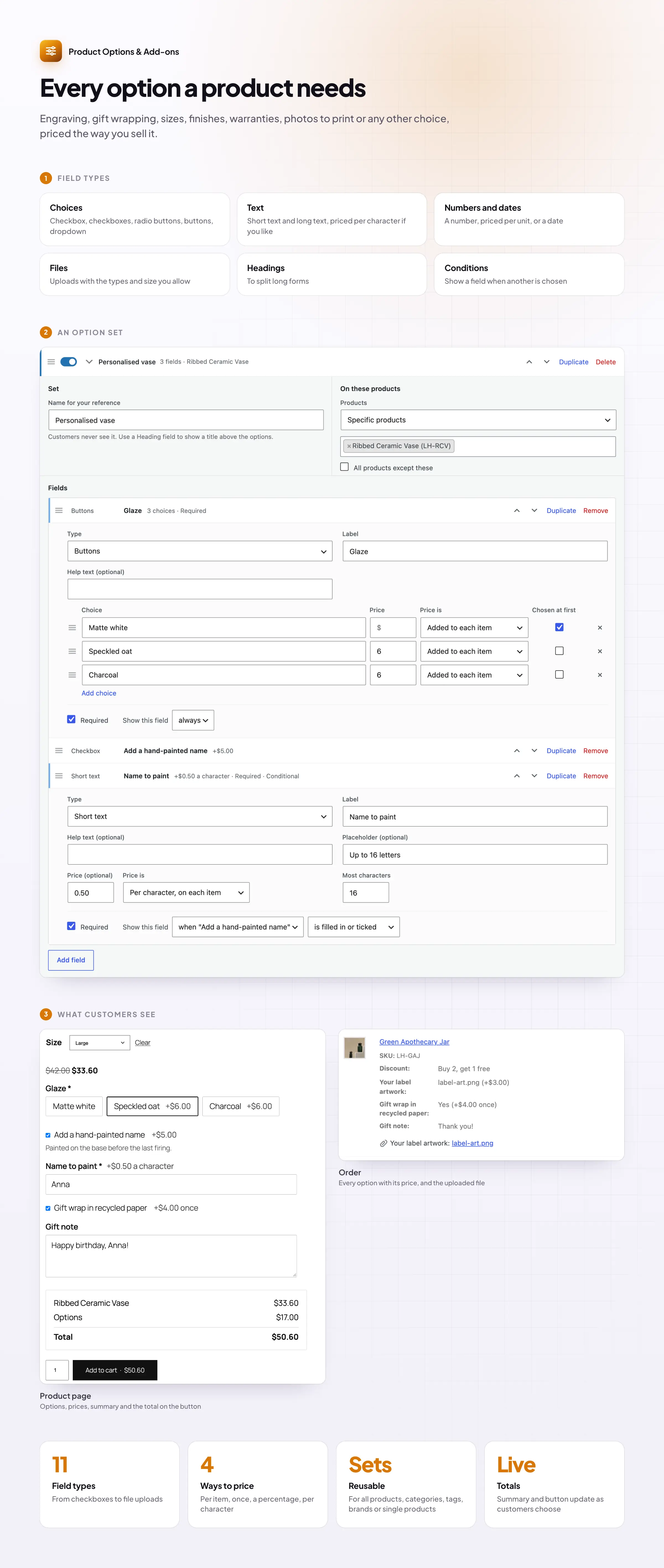
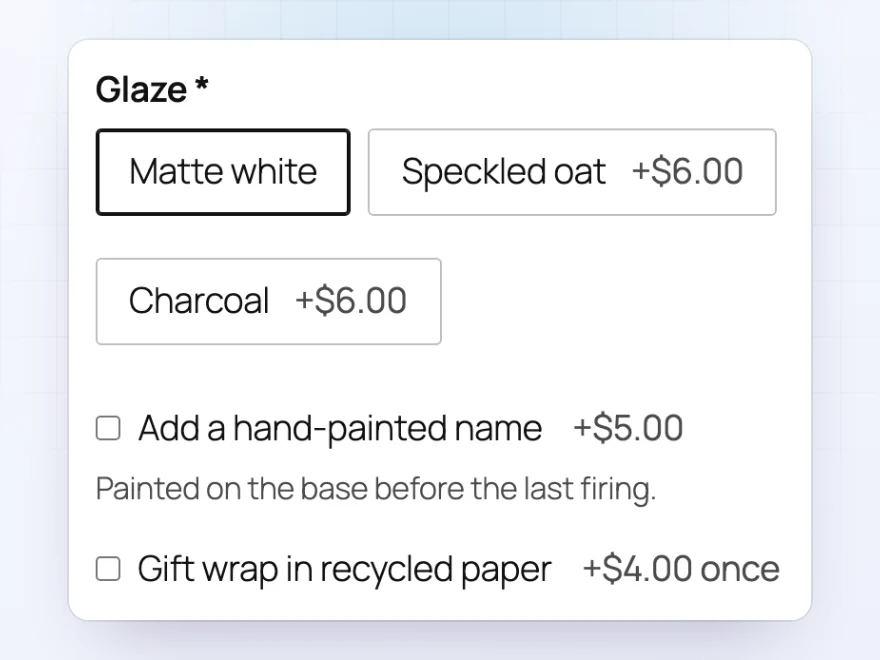
Add buttons, dropdowns, checkboxes, color and image swatches, text boxes, dates and more above the add to cart button. Each choice can carry its own price, so a premium glaze, a larger size or a gift box is charged automatically, without creating a variation for every combination.
- More than 20 field types, including swatches and sliders
- Other products as add-ons, such as a stand or a warranty
- Required fields, and the least or most choices a customer can pick
Option prices
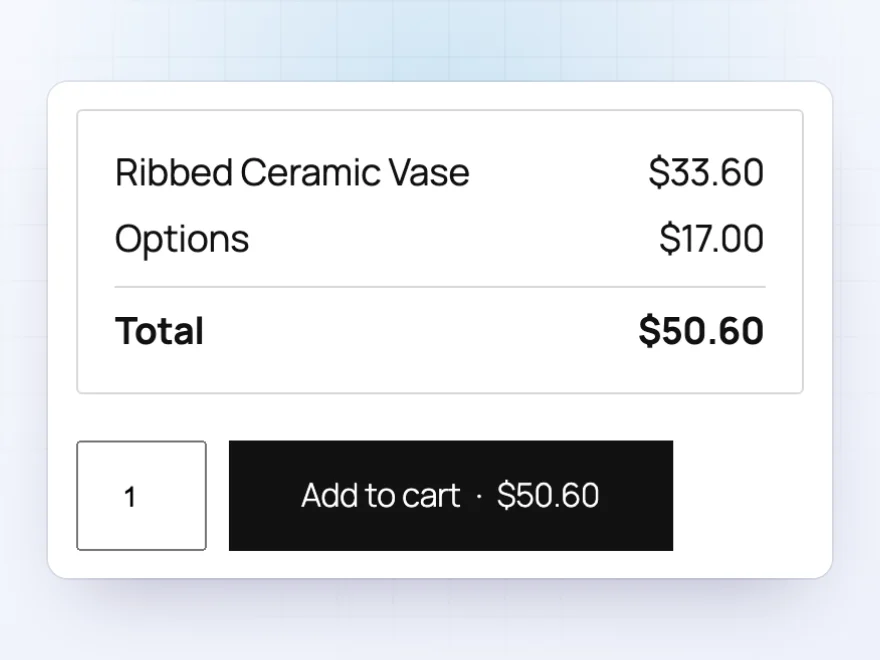
The total updates as customers choose
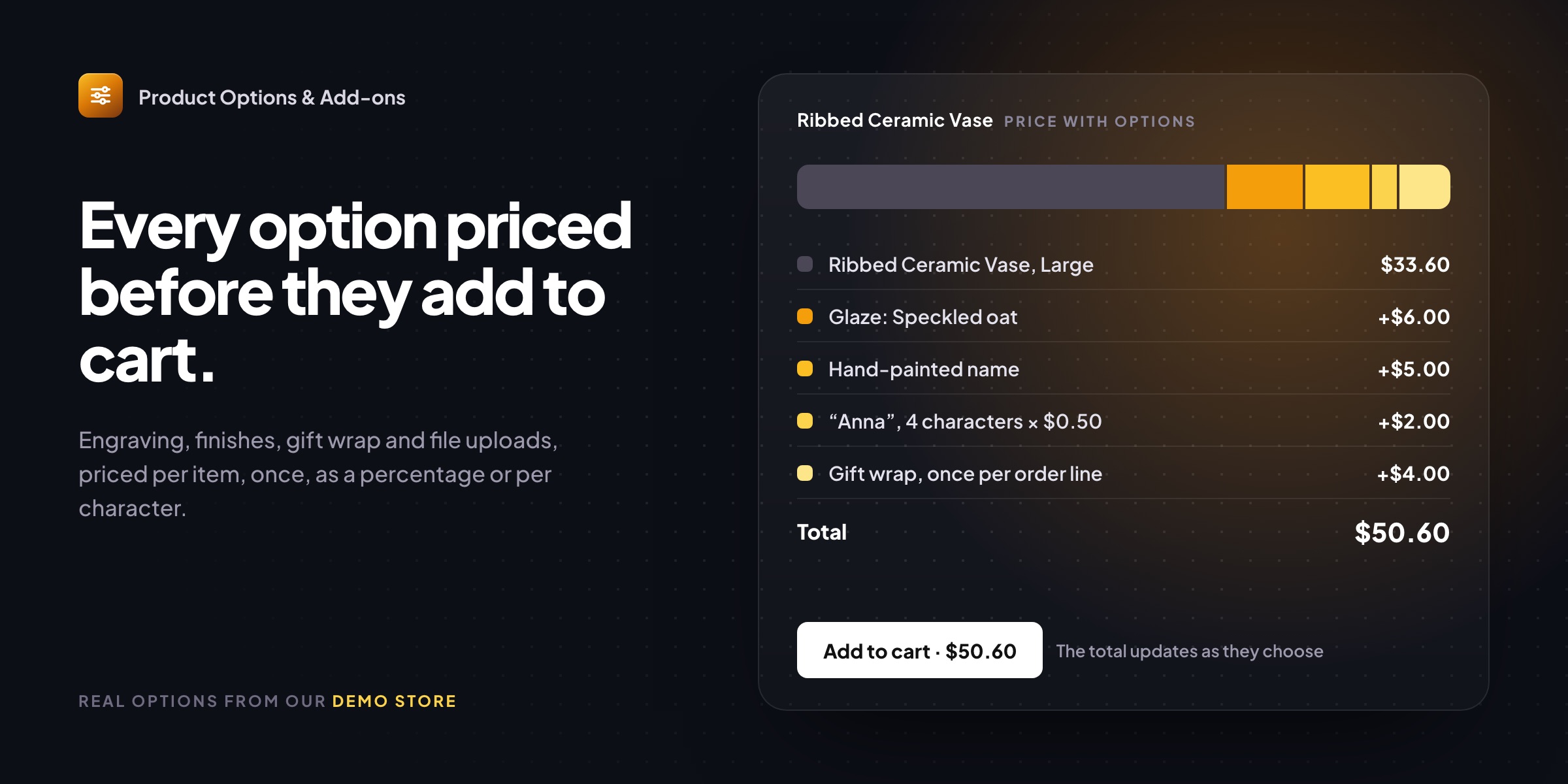
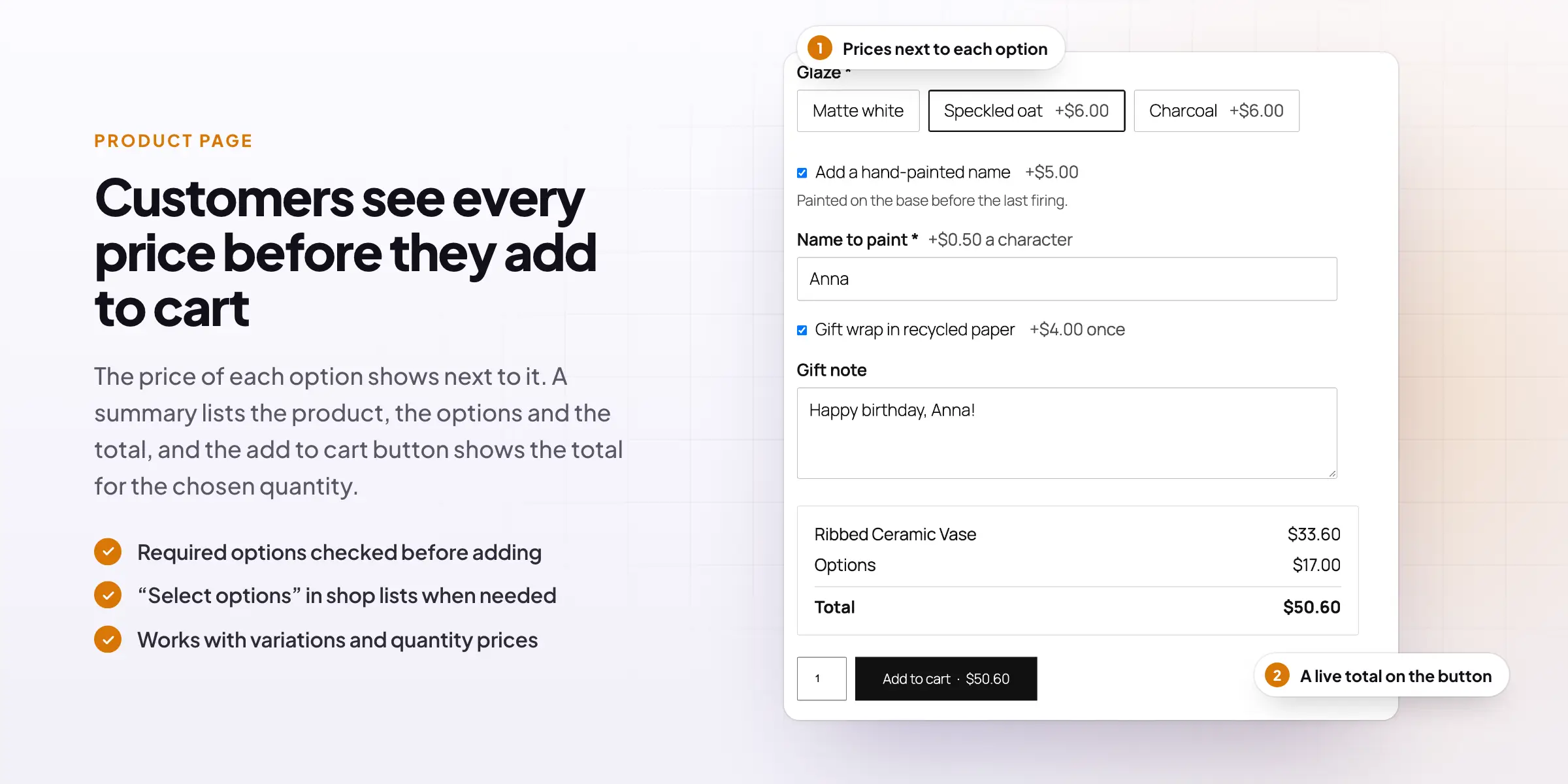
Price each option as a fixed amount per item, a one-off fee per order line, a percentage of the product price, or a price per character for engraving. A summary under the options shows the product price, the options and the total, and the add to cart button shows the same total for the chosen quantity, so there are no surprises in the cart.
- Price formulas for made-to-measure products, such as width × height
- Added on top of sale prices and discounts
- Option prices in the cart, at checkout and on the order
Conditional fields
Fields that appear only when needed
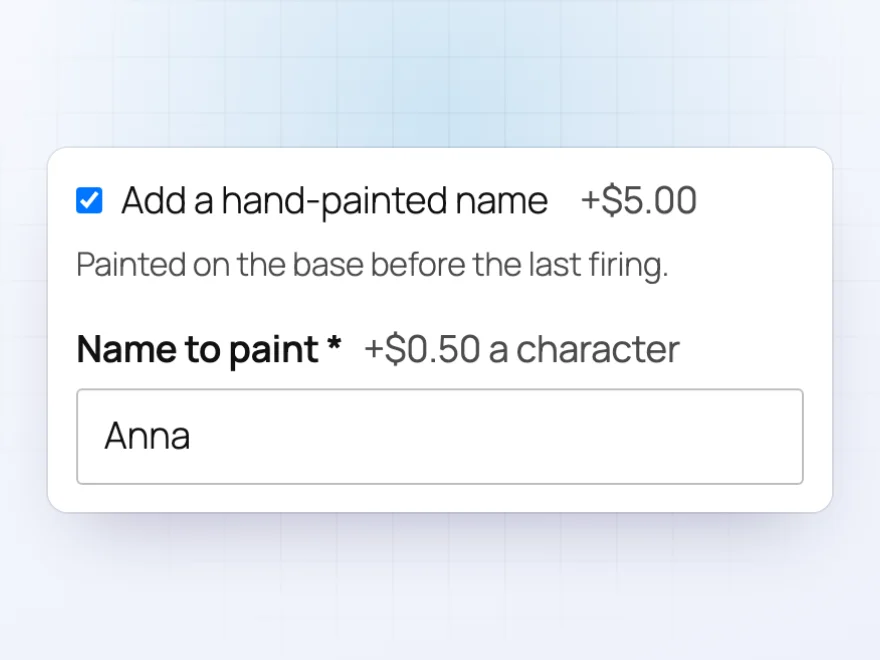
Keep product pages short by showing a field only when it matters. Ask for the name to paint after a customer ticks “Add a hand-painted name”, or show extra choices only for the Large size. A field can depend on another field’s answer or on the variation chosen, and a heading can hide a whole group of fields at once.
- Based on a tick, a choice, text entered or the variation
- Combine conditions with “all” or “any”
- Set up in a few clicks, with no code
File uploads
Let customers upload a photo or a logo
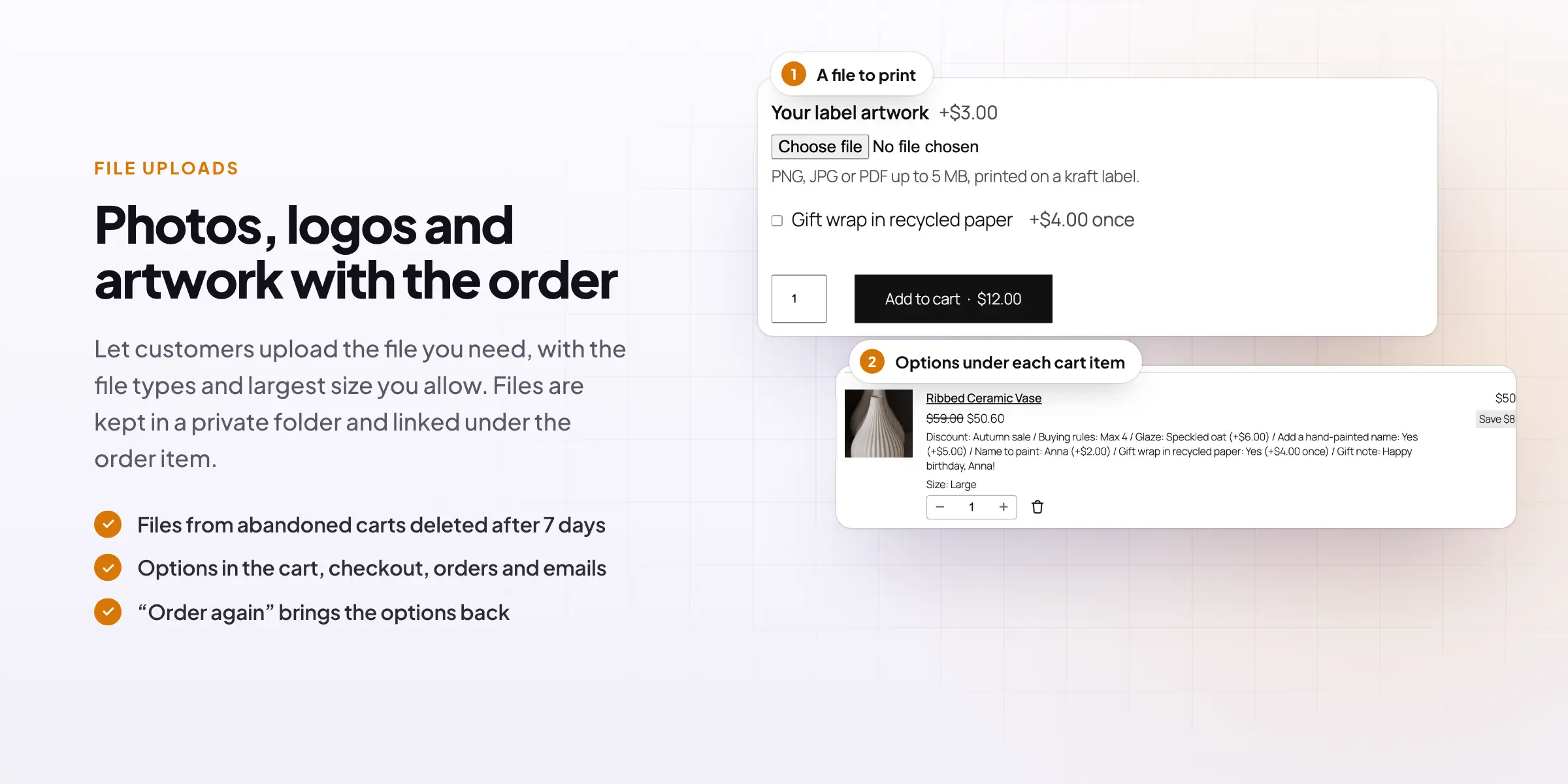
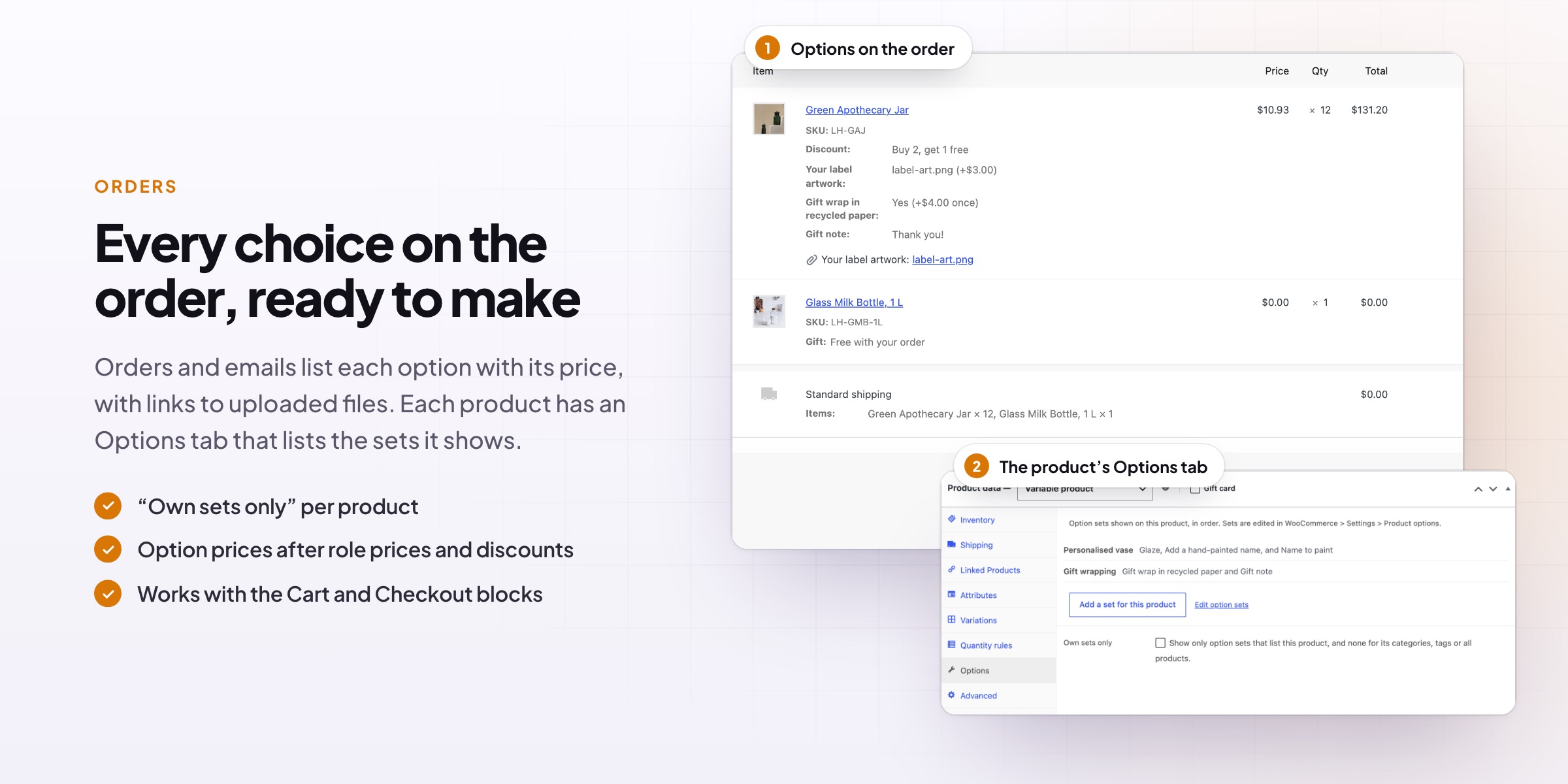
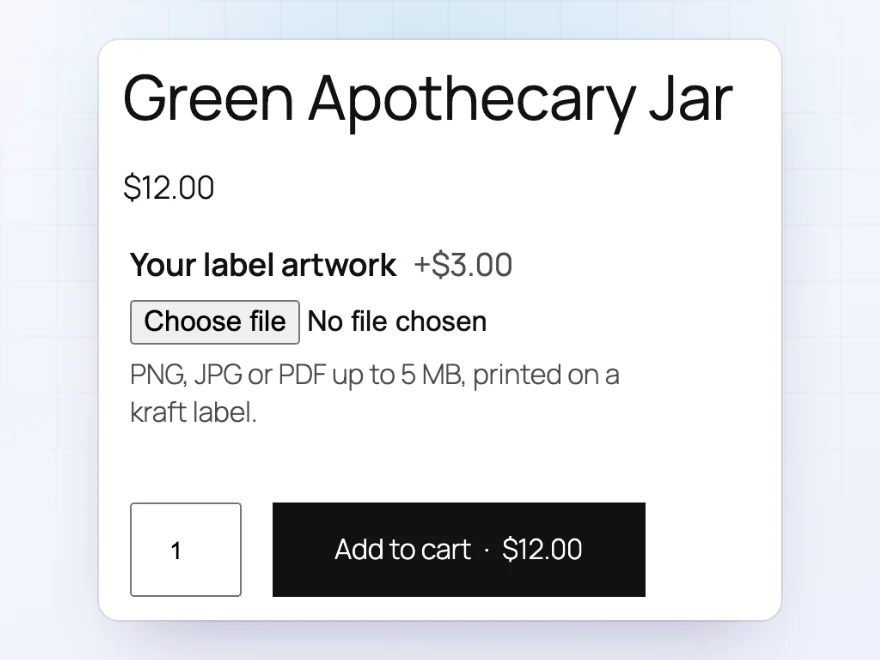
Add an upload field for artwork, photos or documents, and choose the file types and the largest size you accept. Charge for it if you like, such as $3.00 for printing a label. The file is linked under the order item, so you can open it right from the order, and it’s kept in a private folder rather than your public media library.
- PNG, JPG, PDF or any file type you allow
- A price for the upload, if you want one
- Files from carts that were never ordered are deleted after 7 days
Cart and orders
Every choice carried through to the order
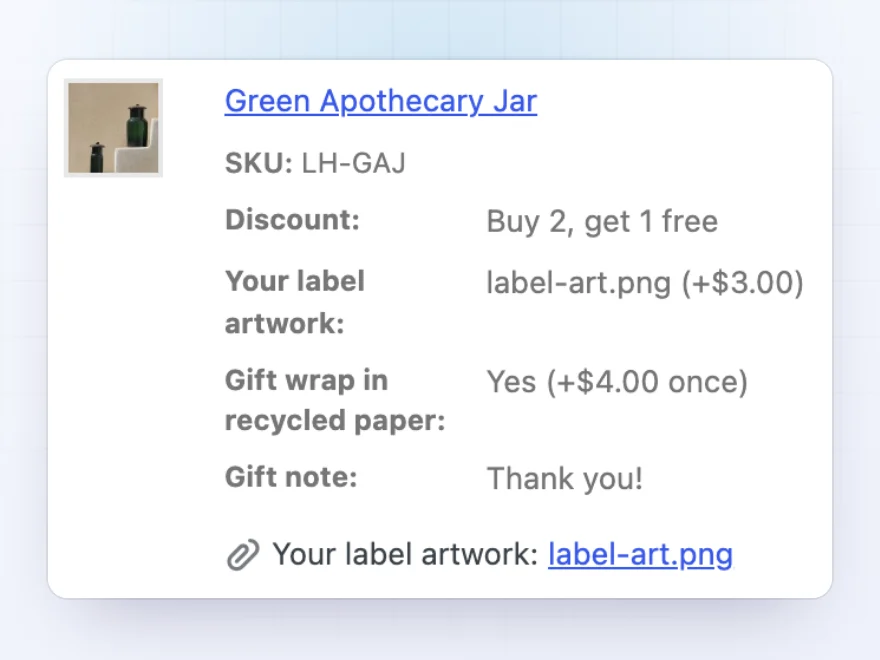
The options a customer picks are listed under the item in the cart, at checkout, in the mini cart, on the order and in order emails, so nothing gets lost between the product page and the packing table. Customers can open an item from the cart to change their options, and “Order again” puts the same choices back in the cart.
- Works with the Cart and Checkout blocks and the classic pages
- Each option shown with its price
- Options can be changed from the cart
Option sets
Set up once, use on many products
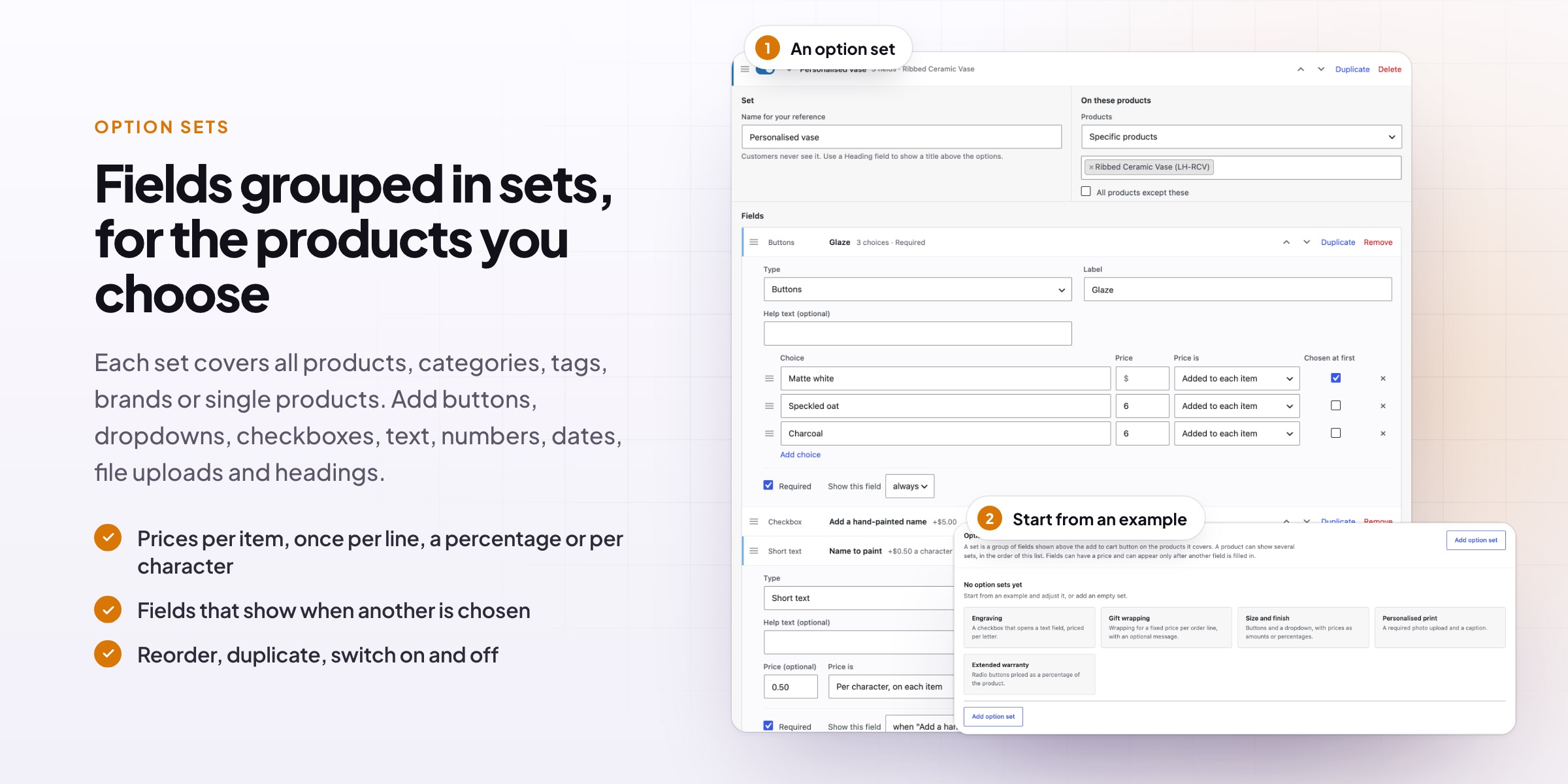
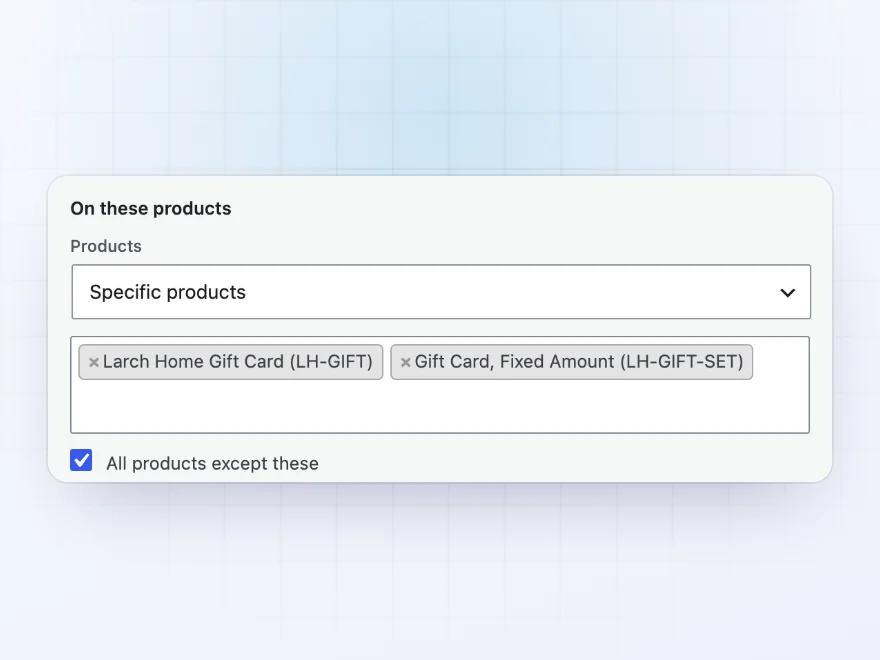
Options are grouped in sets, and each set can cover all products, chosen categories, tags or brands, or single products. Add gift wrapping to the whole store except gift cards in one go, a personalization set to one category, and a custom label to a single product. Each product has an Options tab that lists the sets it shows.
- Export option sets and import them on another store
- Translate labels with WPML or Polylang
- Option prices in the customer’s currency with popular currency switchers
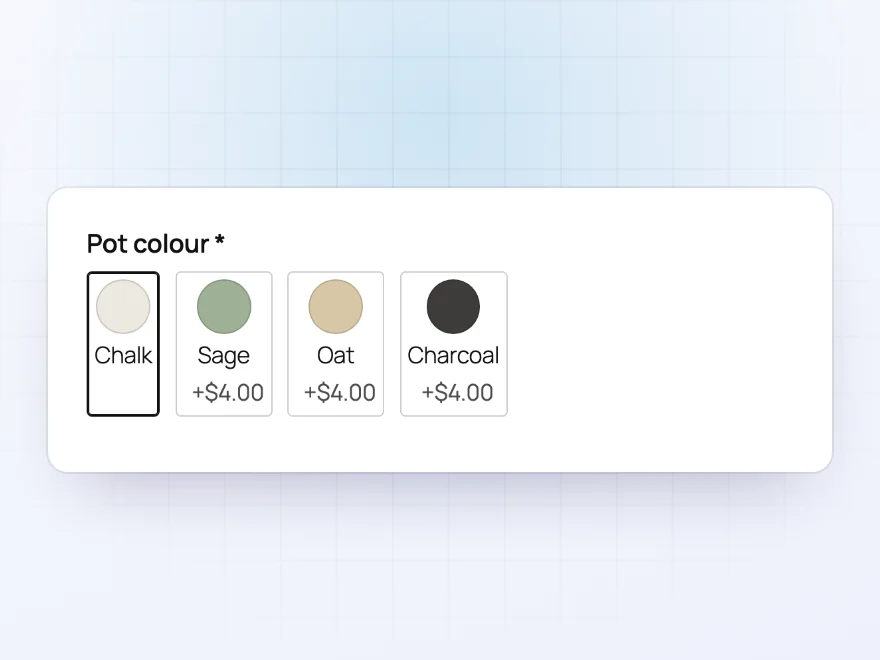
Swatches
Image and colour swatches
Show choices as image swatches or colour swatches instead of a drop-down, such as glazes, fabrics or finishes, each with its own price. Buttons work for short lists such as sizes.
- Image swatches
- Colour swatches
- A price for each choice
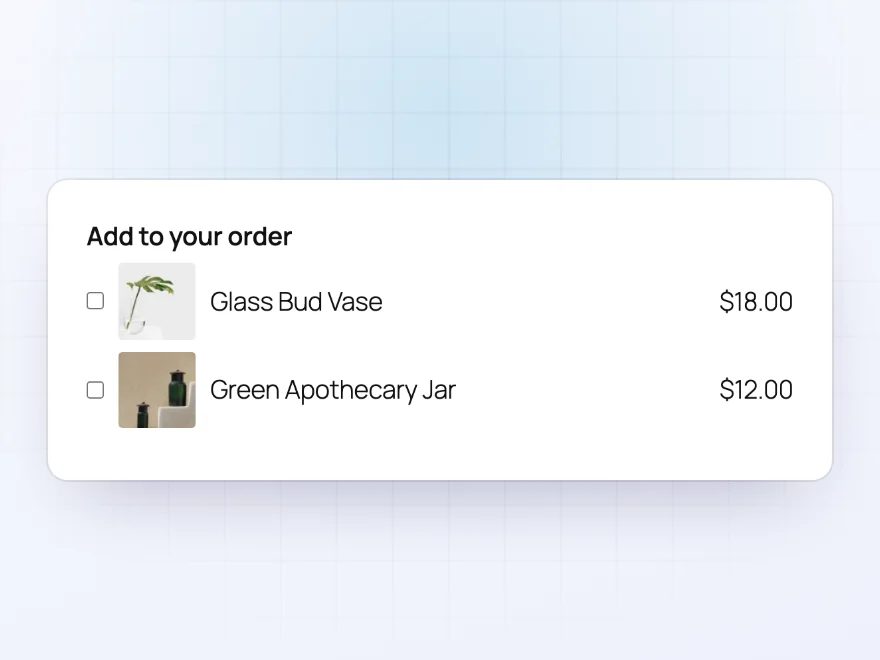
Products as add-ons
Sell a stand, a refill or a warranty with the product
Offer other products as options. Chosen products go into the cart as lines of their own, with their own price and stock, and follow the quantity of the main product.
- Added as their own cart lines
- Their own price and stock
- Follow the main product’s quantity
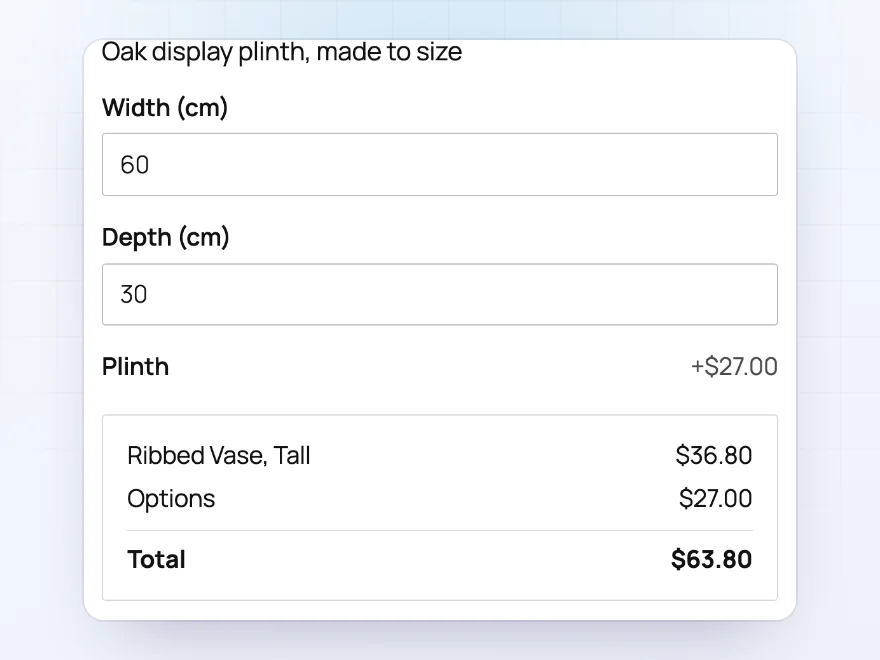
Price formulas
Made-to-measure prices
Work out a price from other fields, such as width × height × price per cm², with minimum, maximum and rounding. Charge per character for engraving, a percentage of the product price, or once per order line for a setup fee.
- Formulas from other fields
- Per character or per number
- Percentages and one-off fees
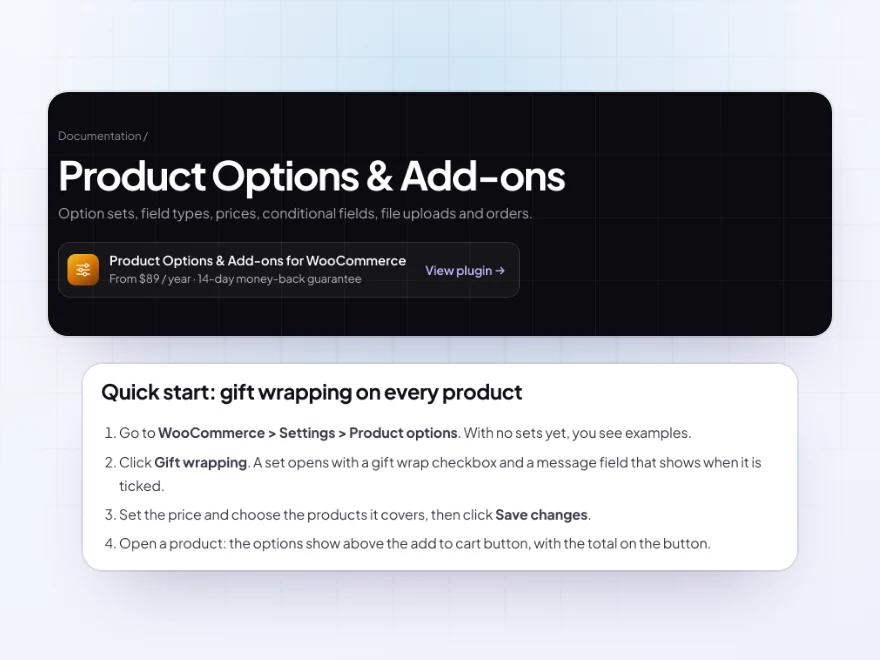
Docs and support
Try it, set it up, ask us anything
Try Product Options & Add-ons in a live demo store before you buy. The docs start with a quick start and cover option sets, fields and prices. Support tickets are answered by the developers who make the plugin, and updates are included.
- A live demo store to try it first
- Step-by-step docs with a quick start
- Most tickets answered within 12–24 hours
WooCommerce product add-ons and extra product options
Product Options & Add-ons adds WooCommerce product add-ons and extra fields to your products: engraving, gift wrap, sizes, finishes, file uploads, swatches and other products sold alongside. Options are grouped in sets that cover all products, some categories or single products.
Each option can have its own price, a percentage, a per-character price or a formula such as width × height, and fields can appear only when another answer needs them. The total updates as customers choose, and every choice is carried through the cart, checkout, emails and the order.
Common setups
- Engraving: a text field priced per character, shown only after “Add engraving” is ticked.
- Gift wrapping: a fixed price per order line, with an optional message.
- Size and finish: buttons, dropdowns or swatches with amounts or percentages.
- Personalized print: a photo upload with the file types and size you allow.
- Made to measure: width and height fields with a price formula.
Questions before you buy
Does it work with variable products?
Yes. Options work with simple and variable products, and a field can appear only for a chosen variation, such as Size: Large.
Can I add the same options to many products at once?
Yes. One option set can cover all products, or chosen categories, tags or brands. A product shows every set that covers it, or only its own sets if you prefer.
Are option prices taxed?
Yes. Option prices are added to the item price, so they’re taxed the same way as the product.
Will it work with my theme and the Cart block?
Yes. Options show on product pages in classic and block themes, and the customer’s choices appear in the Cart and Checkout blocks as well as the classic cart.
Can I change how the fields look?
Fields follow your theme’s styles. For bigger changes, the templates can be copied into your theme and edited.
Requirements
WordPress 6.8 or newer, WooCommerce 10.0 or newer and PHP 7.4 or newer. Works with simple and variable products, classic and block themes, the Cart and Checkout blocks, and High-Performance Order Storage.
Documentation
Step-by-step setup, every setting explained, and examples: read the documentation. Questions before you buy? Ask us.




Petra Bakes –
Engraving fields work properly, character limit and all. good plugin
Niels G. –
No issues
Works as expected. Field types were the only thing I had to look up. No issues.
Viktor –
the upload field only shows when its needed. first option set took a while. Michael was patient. works well
clombardi –
Great for personalised products
We sell personalised items, so we needed more than variations. The conditional logic keeps it tidy. It took a while to build the first set, but reusing it is quick. Michael sorted the upload field for me. Recommended.