
Product Options & Add-ons adds extra fields and paid options to product pages: engraving, gift wrapping, sizes, finishes, warranties or a photo to print. Options are grouped in option sets, and the total updates on the add to cart button as customers choose.
Requirements
- WordPress 6.8 or newer
- WooCommerce 10.0 or newer
- PHP 7.4 or newer
- Works with simple and variable products, classic and block themes, the Cart and Checkout blocks, and High-Performance Order Storage.
Installation
- Download
product-options-addons.zipfrom My account > Downloads. - In WordPress, go to Plugins > Add New Plugin > Upload Plugin, choose the zip file and click Install Now.
- Click Activate. Option sets and settings are under WooCommerce > Settings > Product options.
Quick start: gift wrapping on every product
- Go to WooCommerce > Settings > Product options. With no sets yet, you see examples.
- Click Gift wrapping. A set opens with a gift wrap checkbox and a message field that shows when it is ticked.
- Set the price and choose the products it covers, then click Save changes.
- Open a product: the options show above the add to cart button, with the total on the button.
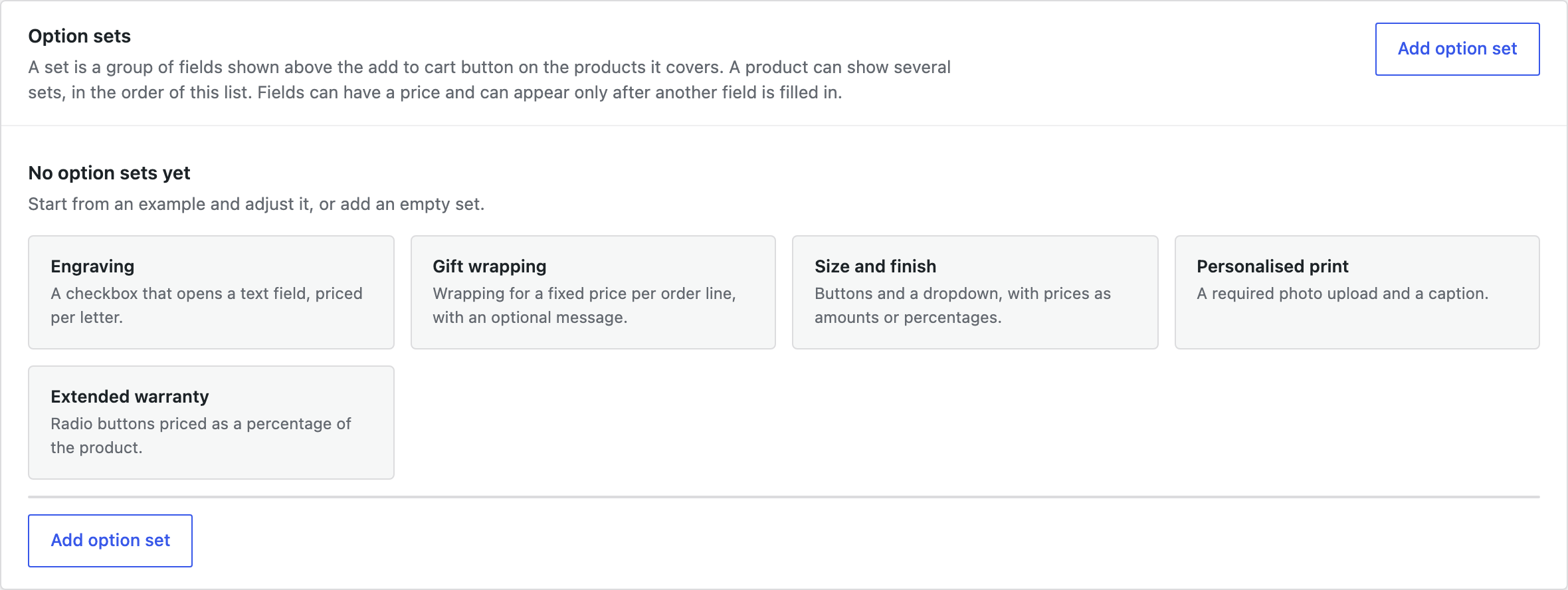
Option sets
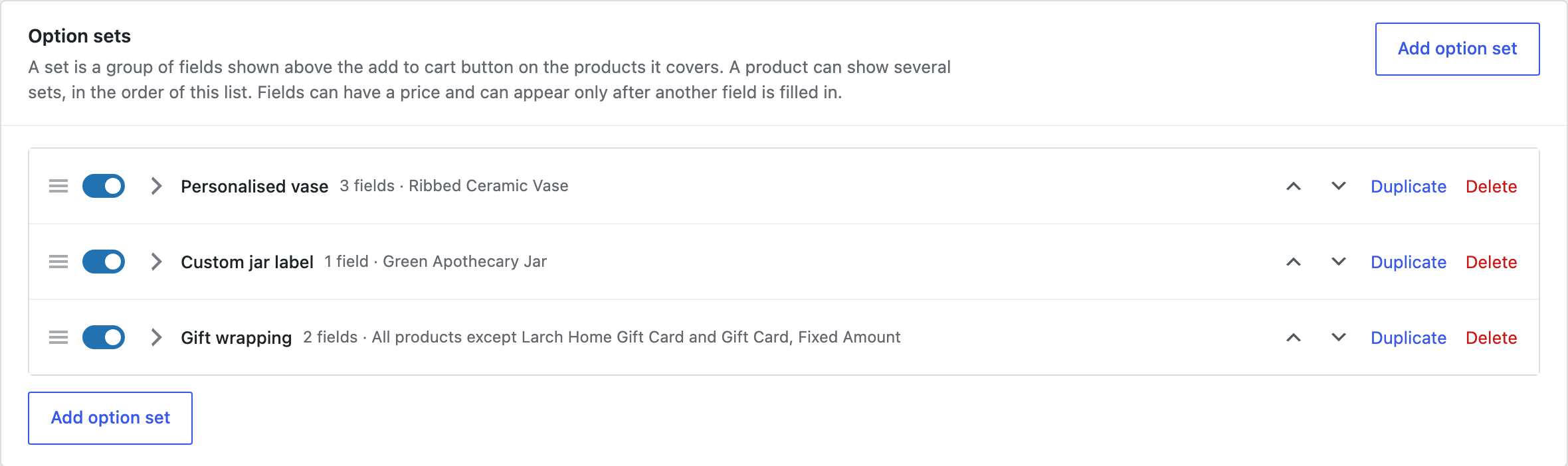
A set holds the fields that belong together, and covers all products, categories, tags or brands, or single products. A product shows every set that covers it, in the order of the list.
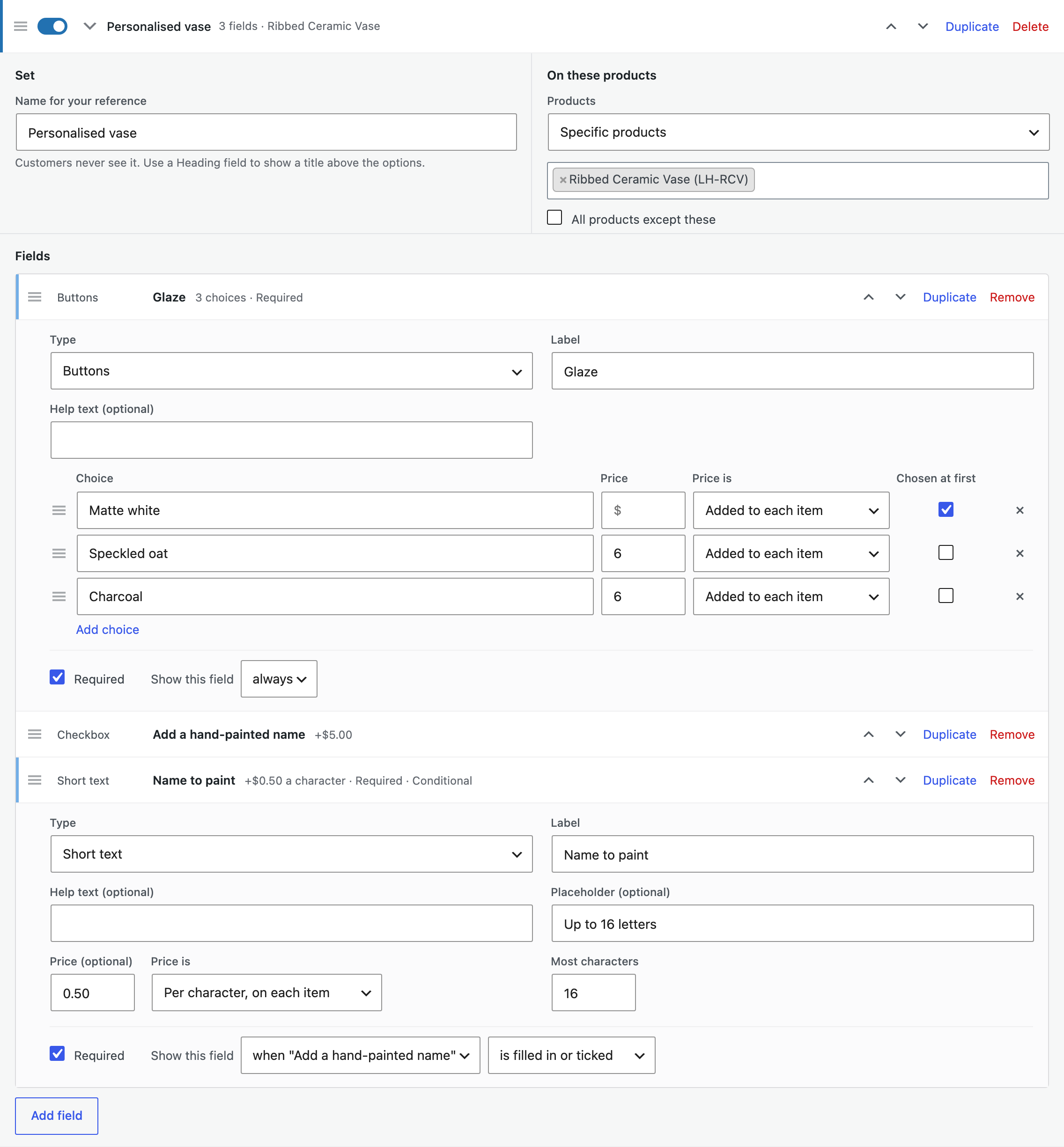
Fields
| Field | Use |
|---|---|
| Checkbox | One option, such as “Add gift wrapping”. |
| Checkboxes, radio buttons, buttons, dropdown | A choice between options, each with its own price. |
| Short text, long text | Engraving text or a message, with a character limit. |
| Number, date | A number entered, or a date such as a delivery day. |
| File upload | A photo, logo or artwork, with the file types and largest size you allow. |
| Heading | Splits a long form into parts. |
Each field can be required, and can show only when a field above it is ticked, filled in, empty or set to a choice. For example, show “Engraving text” only after “Add engraving” is ticked.
Prices
| Price | Example |
|---|---|
| Per item | Gift wrapping at $4.00 for each item. |
| Once | A $15.00 setup fee for the order line, whatever the quantity. |
| Percentage | 10% of the product price for a larger size. |
| Per character, per number | $0.50 per engraved character, or a price for each unit entered. |
Option prices are added after role prices and discounts from our other plugins, and are taxed like the product.
What customers see
The price of each option shows next to it, with a summary of the product price, the options and the total under them. The add to cart button shows the total for the chosen quantity, updated as they choose.
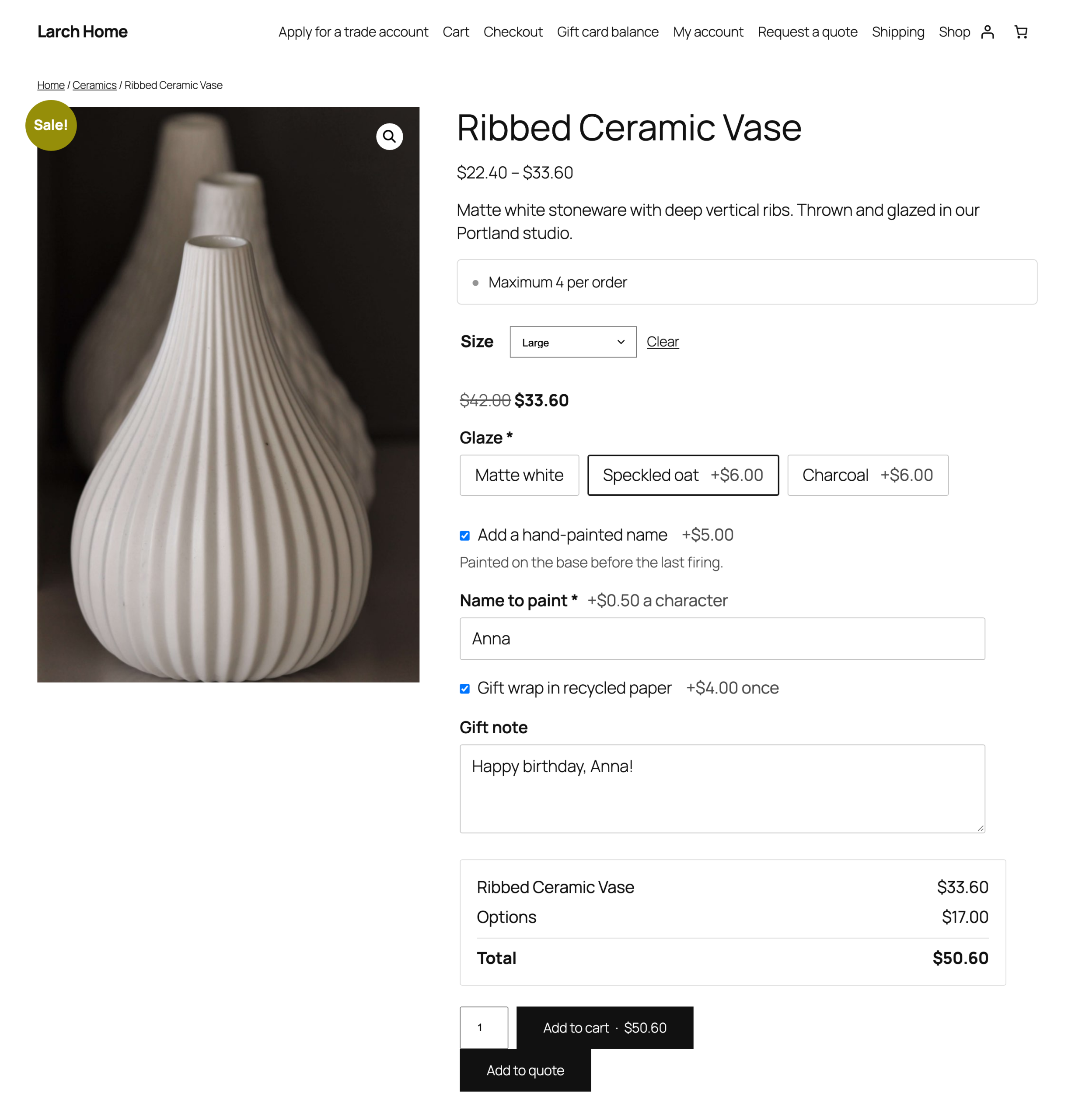
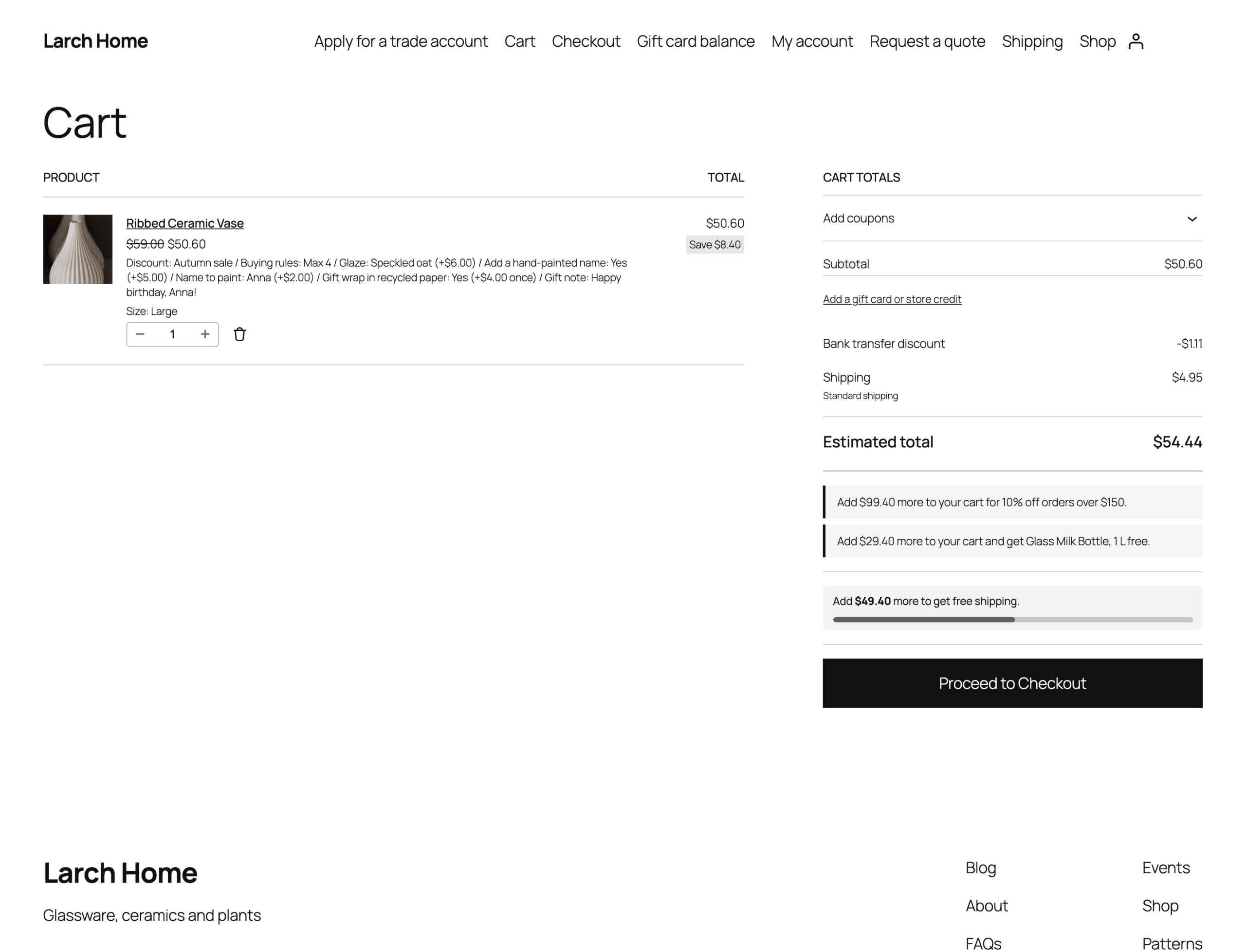
The options show under each item in the cart, the Cart and Checkout blocks, the mini cart, orders and emails. In shop pages and blocks, products with required options show Select options, linking to the product page.
Orders and uploaded files
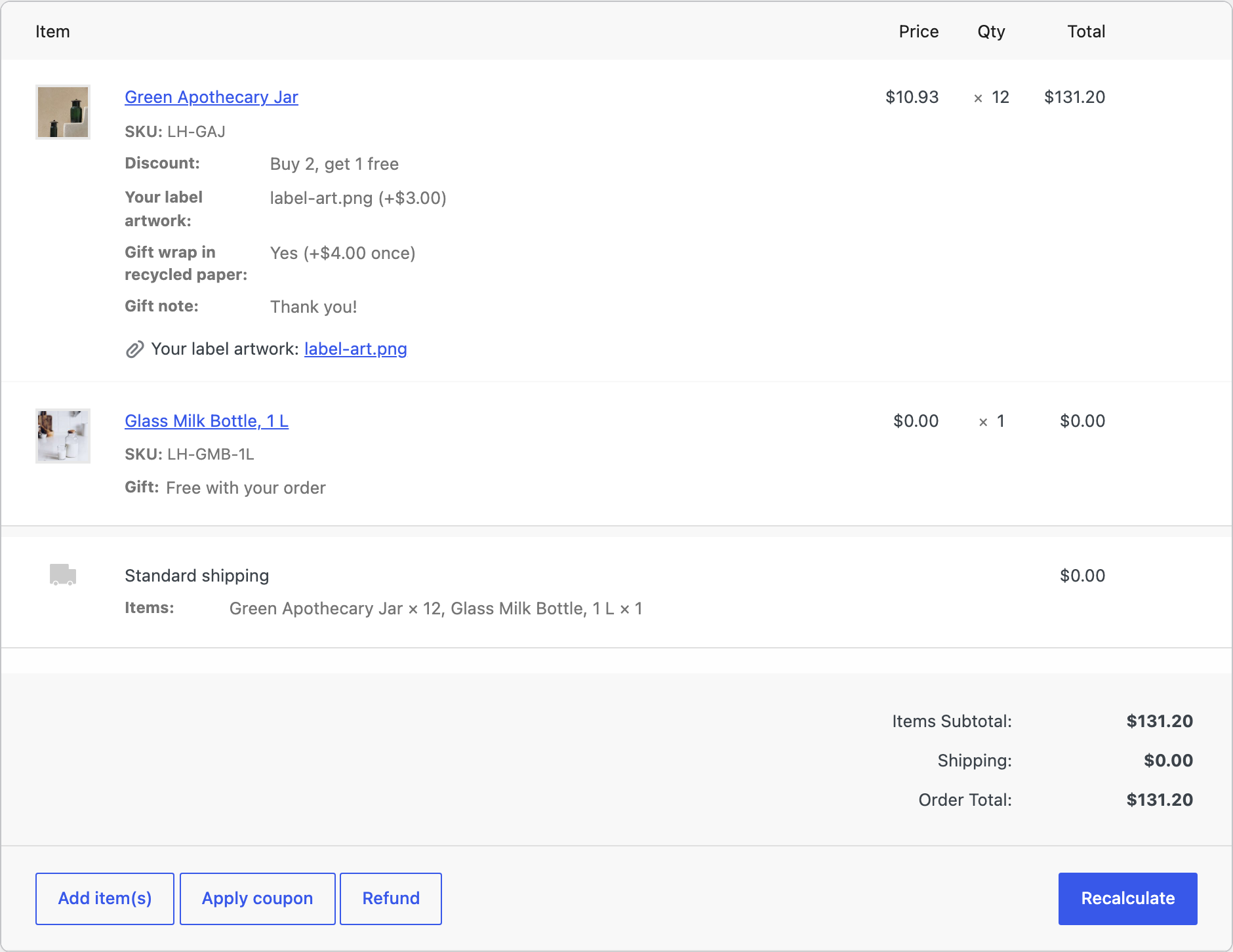
The options are saved under each order item. Uploaded files are kept in a private folder and linked under the item, for shop managers only. Files from carts that were never ordered are deleted after 7 days. “Order again” puts the same options back in the cart.
The Options tab on a product
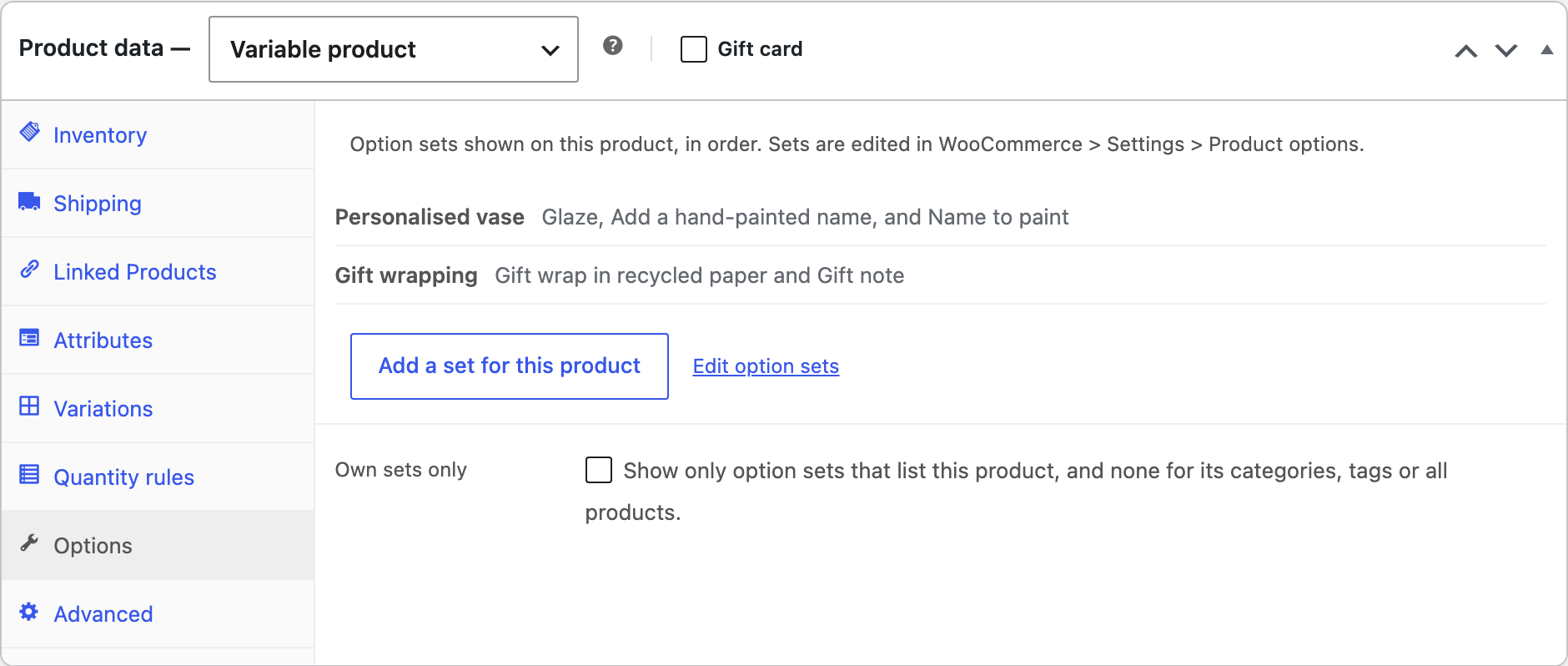
Each product has an Options tab listing the sets it shows, with a link that starts a set for that product. Tick Own sets only to leave out sets for categories and all products.
Settings
| Setting | What it does |
|---|---|
| Option prices | Show the price next to each option, such as “Gift box (+$5.00)”. |
| Price summary | Show the product price, the options and the total under the options. |
| Total on the button | Show the total for the chosen quantity and options on the add to cart button. |
| Required options | Show “Select options” in shop pages and blocks for products with options customers must choose. |
| Remove data | Deletes all option sets, settings and uploaded files when the plugin is deleted. Options saved on orders stay. |
For developers
| Hook | Use |
|---|---|
poad_sets, poad_product_fields | All option sets, and the fields a product shows. |
poad_product_types | The product types that can have options. |
poad_read_options | The options read from an add to cart request. |
poad_cart_upload_days | Days before files from carts that were never ordered are deleted. |
poad_before_options, poad_after_options | Run around the options on the product page. |
poad_example_sets, poad_admin_capability | The examples, and the capability needed to change sets. |
Copy public/templates/options.php or field.php to yourtheme/product-options-addons/ to change how fields look. Keep the data attributes and input names.
Frequently asked questions
Can a product show options from several sets?
Yes. A product shows every set that covers it, in the order of the list. Tick “Own sets only” on the product to show only the sets that list it.
Does it work with the variation grid?
Yes. With Quick Order Form & Variation Grid, options show under the grid and apply to every variation added from it. Products with a file upload field keep the dropdowns.
Changelog
1.4.2 · September 15, 2026
Maintenance
- Fixed a settings notice remaining visible after the configuration had been saved.
- Improved validation of saved settings during plugin updates.
1.4.0 · September 10, 2026
Compatibility update
- Updated compatibility checks for current WooCommerce releases.
- Improved translated notices and settings labels.
1.3.2 · April 14, 2026
Hotfix
- Fixed an uploaded filename being repeated in the order item details.
1.3.0 · April 1, 2026
Feature update
- Added file upload fields and improved the display of chosen filenames.
- Added clearer file type and size validation messages.
- Compatibility: updated integration checks for WooCommerce 10.x.
1.2.2 · November 29, 2025
Hotfix
- Fixed a hidden required option preventing a product from being added to the cart.
1.2.0 · November 17, 2025
Feature update
- Added conditional visibility between product option fields.
- Improved validation when a field becomes hidden.
1.1.5 · July 9, 2025
Hotfix
- Fixed an excluded product still receiving a category-level option set.
1.1.0 · July 1, 2025
Feature update
- Added reusable option sets for categories and individual products.
- Added an option to exclude selected products from a shared set.
1.0.2 · February 26, 2025
Hotfix
- Fixed selected option values being lost after a required-field validation error.
1.0.0 · February 17, 2025
Initial release
- Initial release.
- Add text, choice and checkbox options to WooCommerce product pages.