 Maxima Plugins
Description
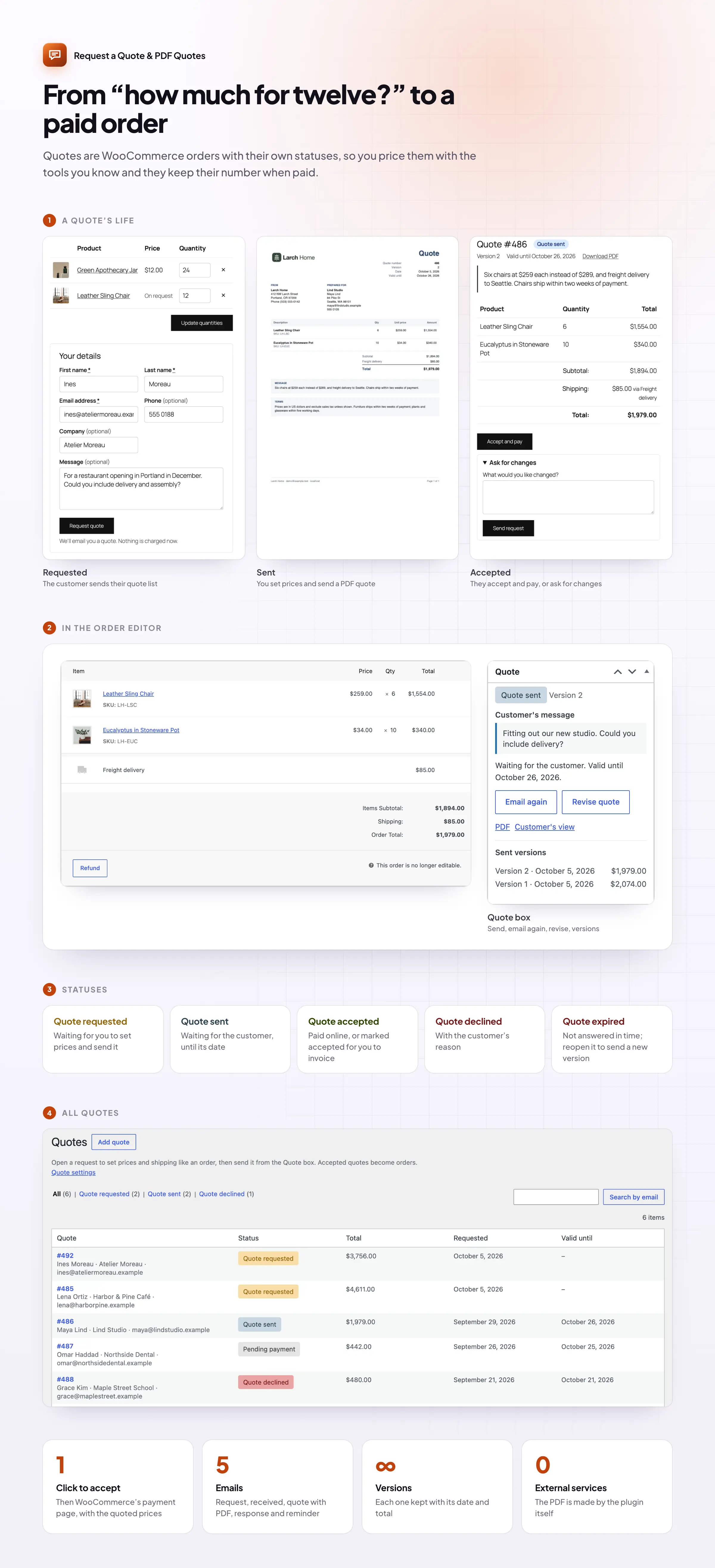
When the price talk moves to email, quotes get lost and orders have to be typed in again. Request a Quote & PDF Quotes keeps the whole process in WooCommerce: a quote list for the customer, a PDF quote from you, and a link the customer can accept and pay from.
Quote buttons
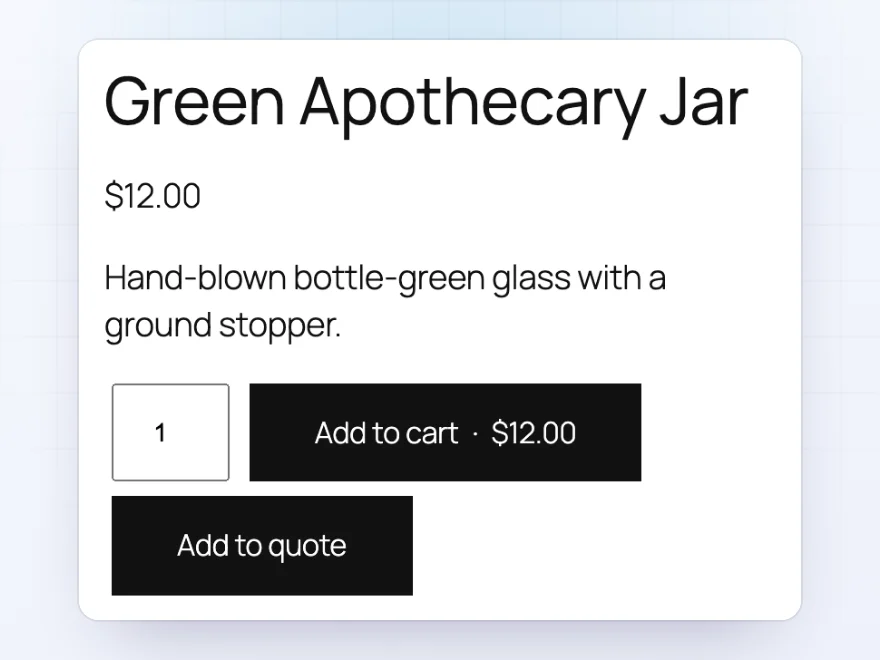
“Add to quote” next to Add to cart
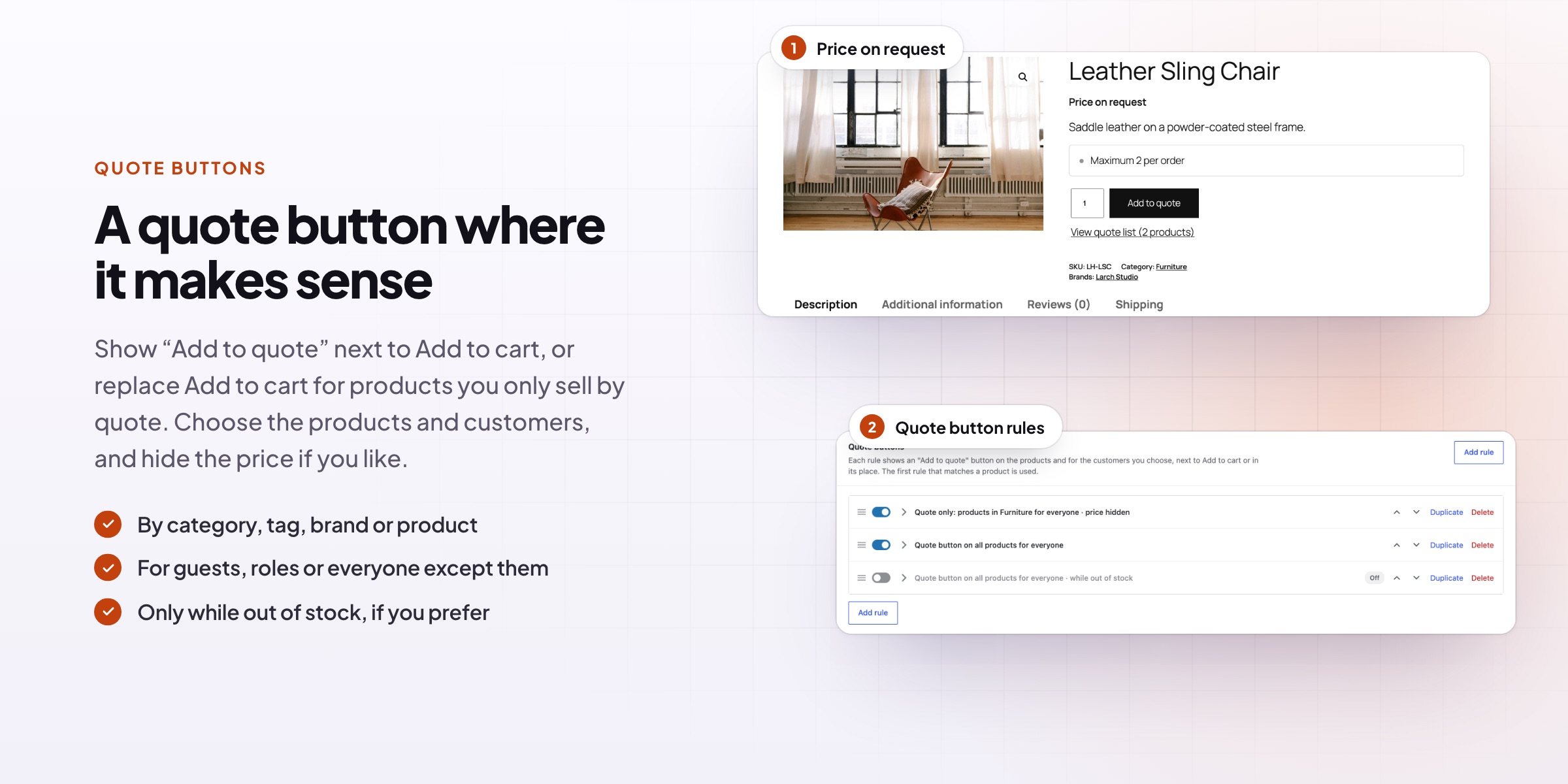
Show an Add to quote button next to Add to cart, or replace Add to cart so a product can only be ordered by quote. Choose the products by category, tag, brand or product, and the customers by role, guests or name. Hide the price with your own text, such as “Price on request”, or offer quotes only while a product is out of stock.
- On product pages, in shop lists and in product blocks
- Quote only, or quote and cart side by side
- Quotes for out-of-stock products
The request
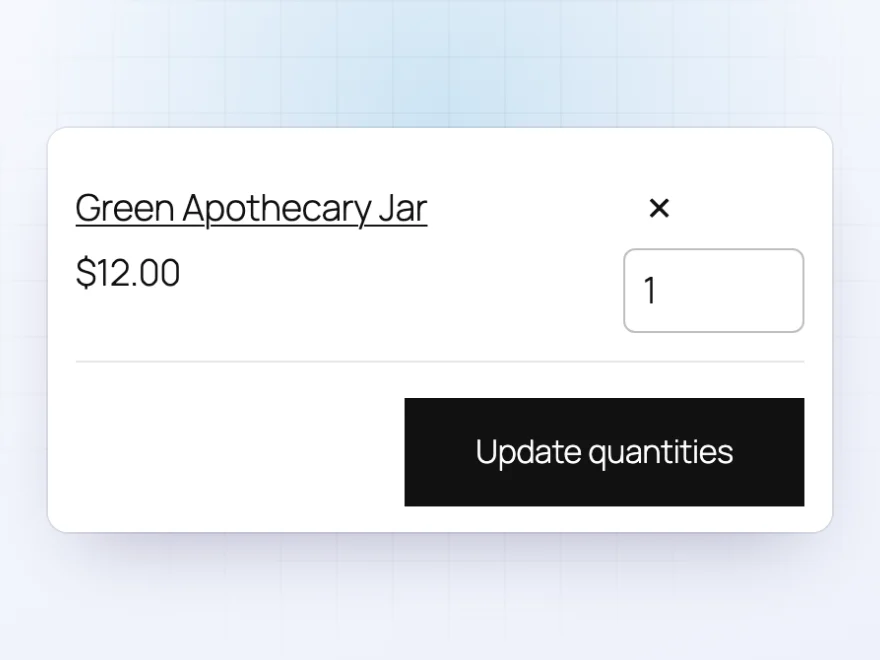
A quote list that works like a cart
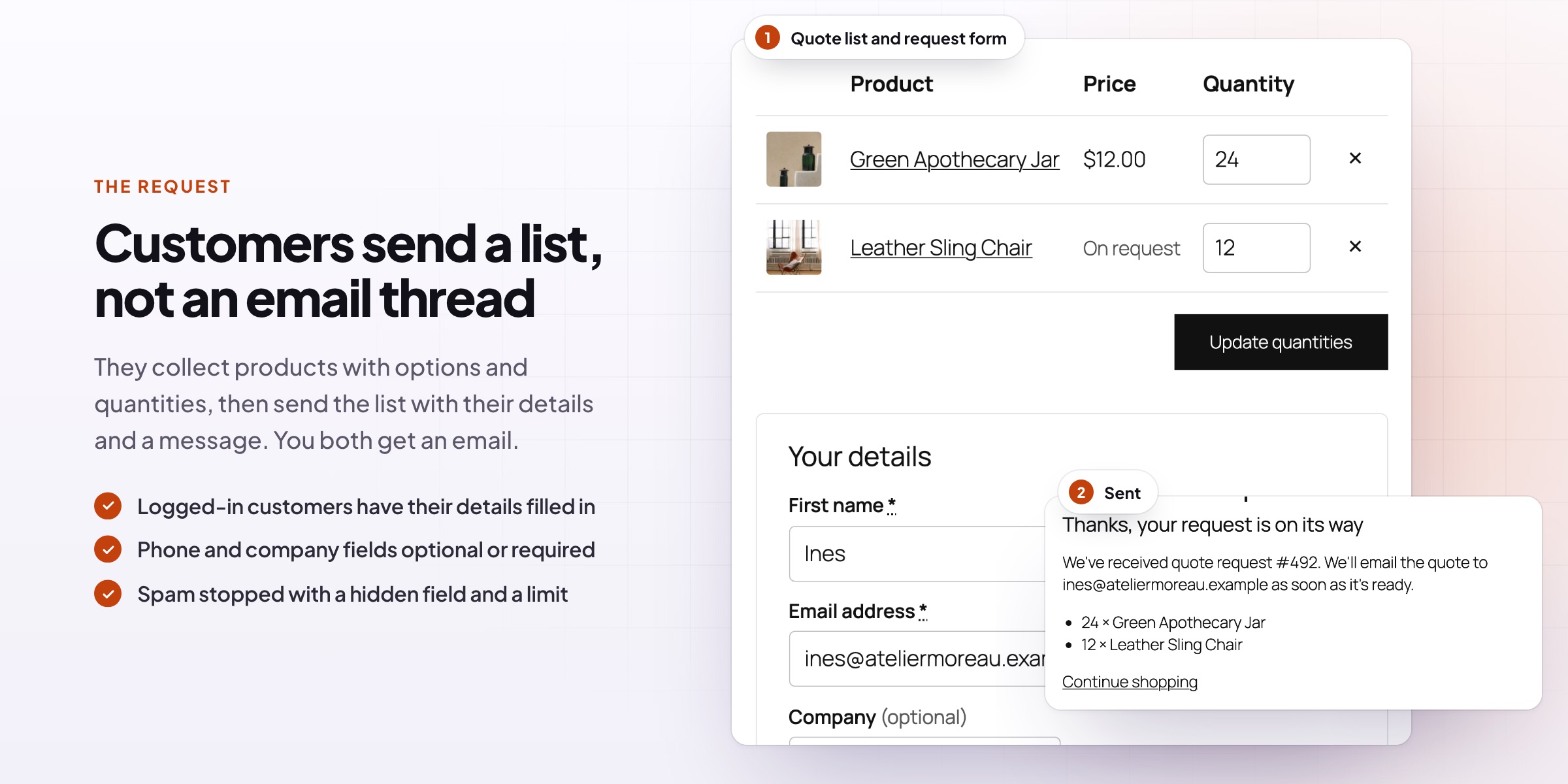
Customers collect products with their options and quantities in a quote list, then send it with their name, email, company and a message. Logged-in customers have their details filled in. Add your own questions, including file uploads, and let customers suggest the price they’d like to pay.
- A quote list link for your header or menu
- Turn a full cart into a quote request in one click
- Your own questions, including file uploads
The quote
Prepare the quote in the order editor
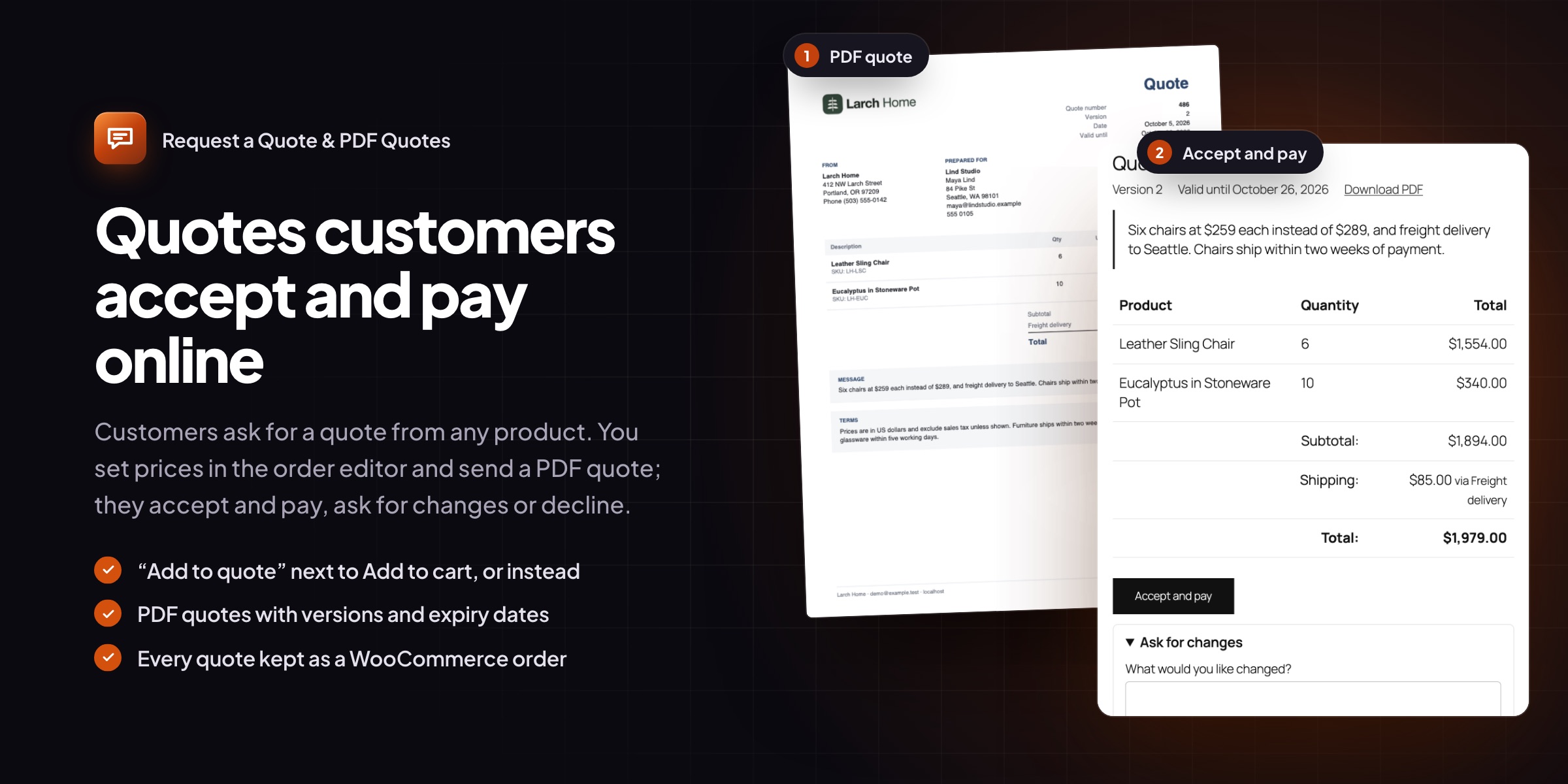
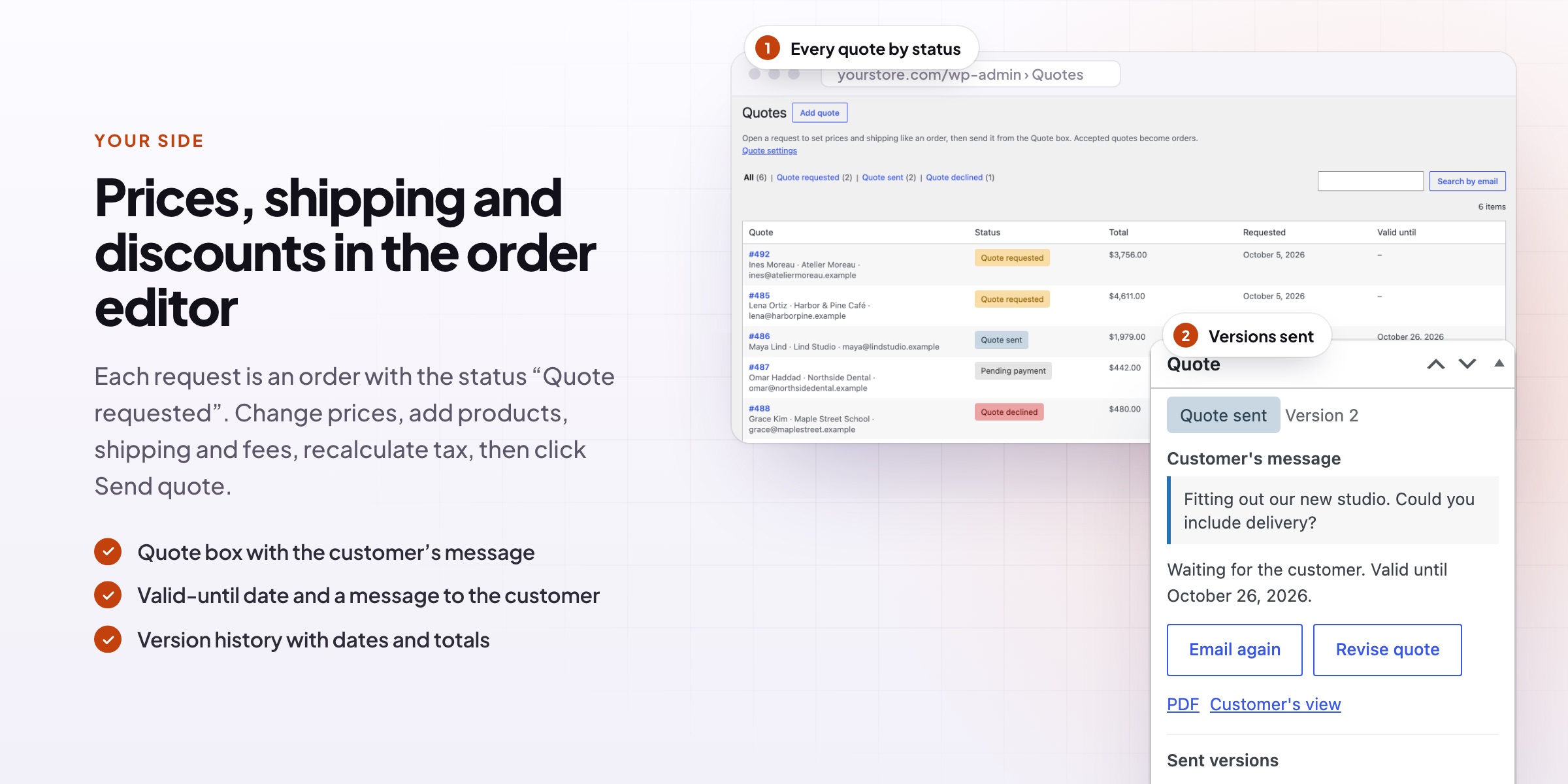
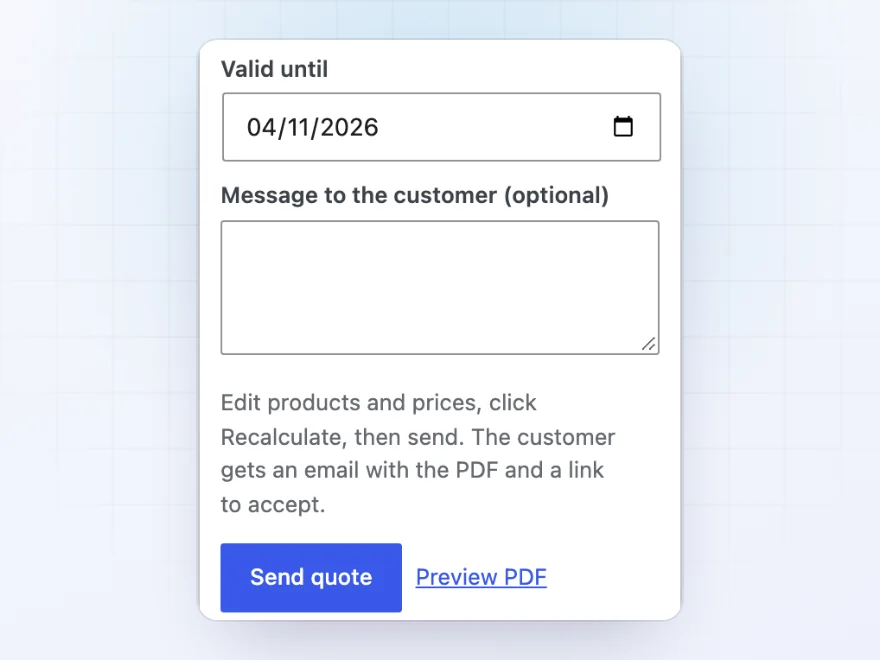
Every request becomes a WooCommerce order with the status Quote requested. Change prices, add products, shipping, fees or discounts, and recalculate tax as usual. Set how long the quote is valid, add a message, and click Send quote: the customer gets an email with the PDF and a link to the quote.
- The order editor you know, no new screens to learn
- A valid-until date on every quote
- Preview the PDF before you send it
PDF quotes
A professional PDF with every quote
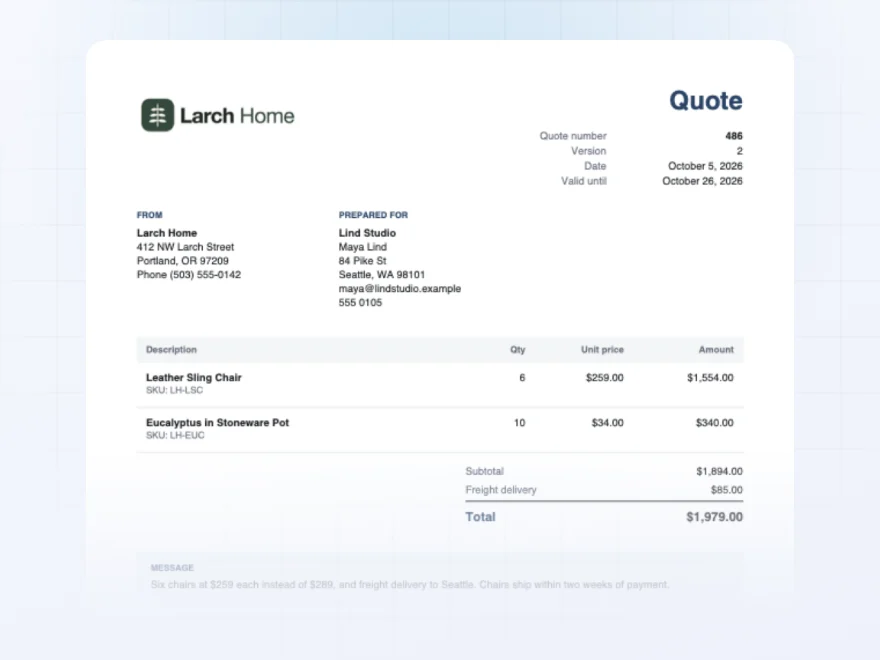
The PDF has your logo and address, the customer’s details, the products with prices and totals, your message and your terms. It’s made by the plugin itself, with no outside service, and it’s attached to the email and available from the quote.
- Your logo, address and terms
- Lines, shipping and totals
- Attached to the quote email
The answer
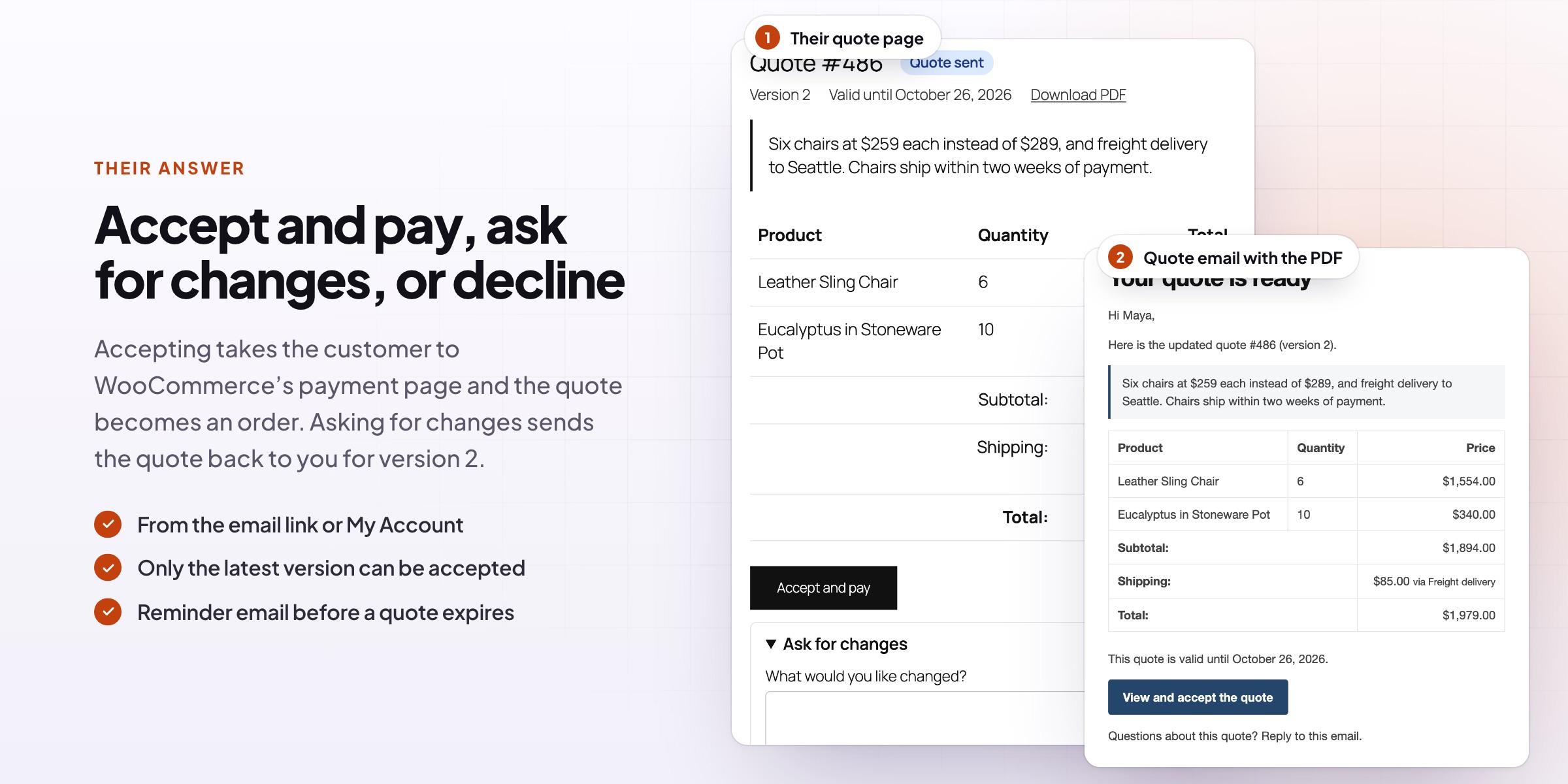
Accept and pay in one click
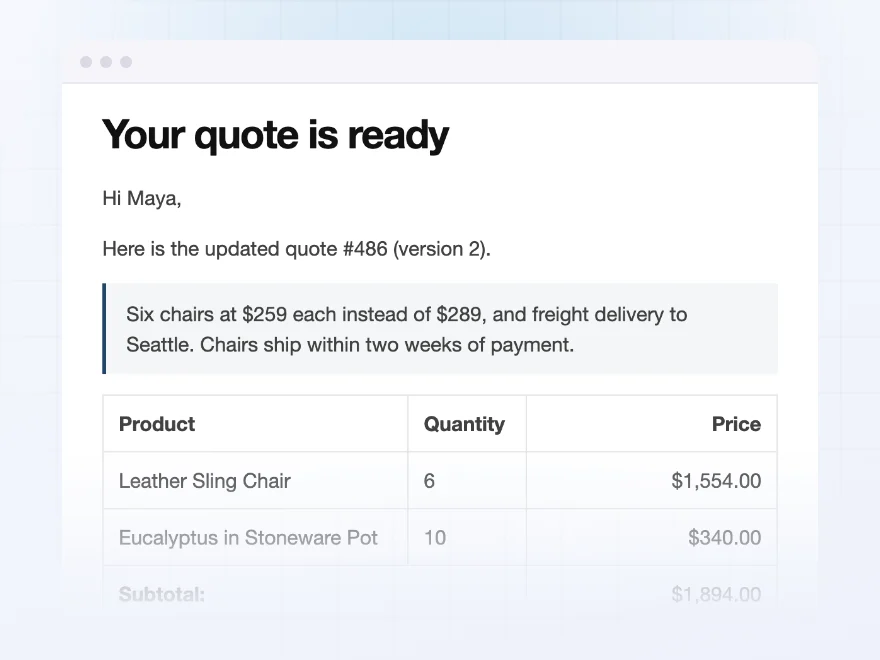
The customer opens the quote from the email and accepts it on WooCommerce’s payment page, and the quote becomes a normal order. They can also ask for changes, or decline with a reason, and you get an email for every answer. Unanswered quotes expire on their date, with an optional reminder a few days before.
- Accept and pay, or accept only and invoice later
- Ask for changes, or decline with a reason
- Reminders before a quote expires
Versions
Every version of the quote kept
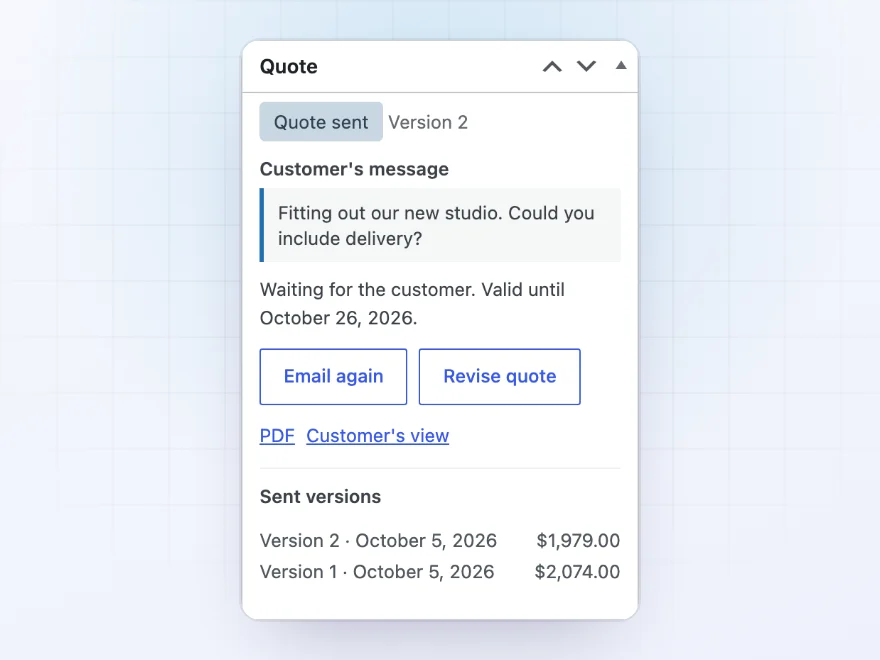
When a customer asks for changes, the quote comes back to you, and you send version 2. Every version is kept with its date and total, so you always know what was offered. Quotes stay out of your orders list, My Account orders and reports until they’re accepted.
- Each version with its date and total
- WooCommerce › Quotes lists every quote by status
- Customers see their quotes in My Account
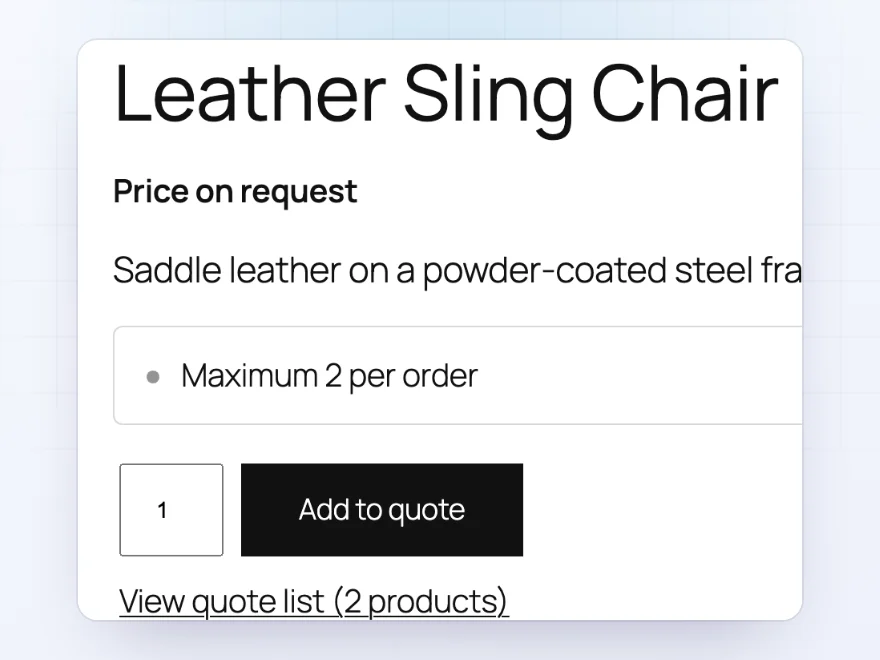
Price on request
Products that can only be ordered by quote
Replace Add to cart with Add to quote, and hide the price with your own text such as “Price on request”. Choose the products by category, tag or brand and the customers by role, guests or name.
- Quote only, or quote and cart
- Your own text instead of the price
- By product and by customer
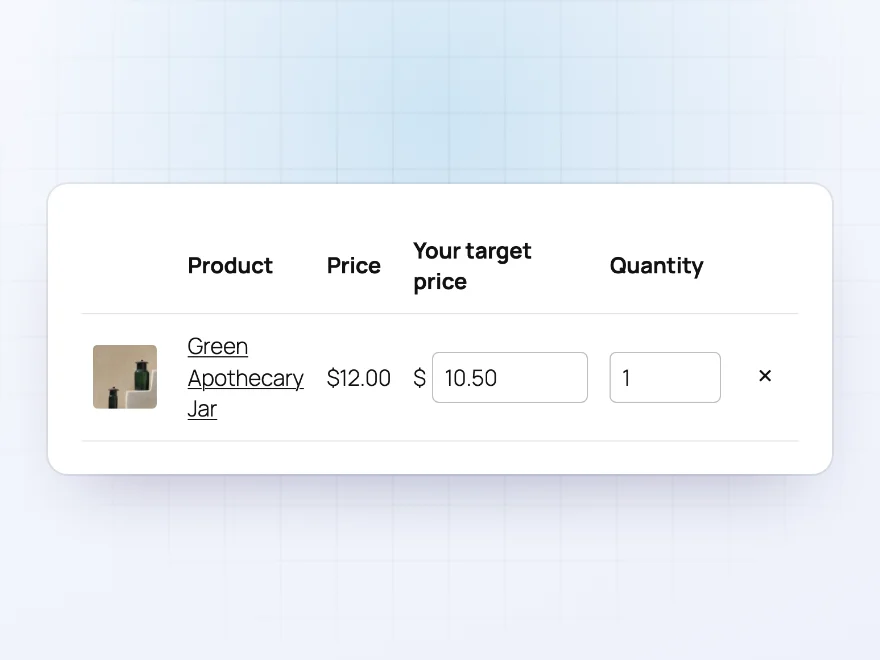
Their price
Customers can suggest a price
Let customers enter the price they would like to pay for each product in their quote request. You see it under each product when you prepare the quote.
- A price field per product
- Shown when you prepare the quote
- Optional
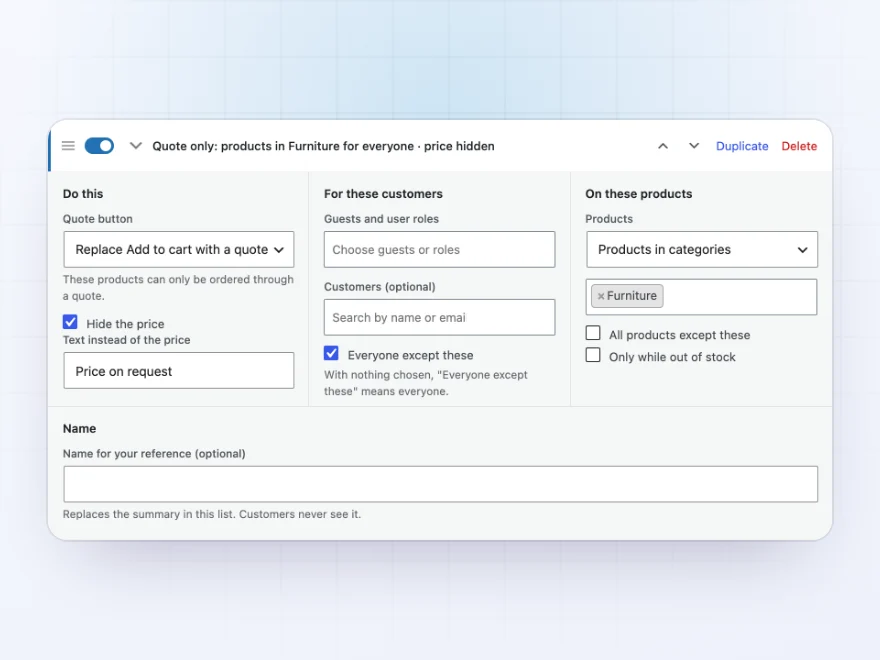
Quote rules
Quotes for the products and customers you choose
Each quote rule says which products get a quote button and for whom, such as all furniture for trade customers, or out-of-stock products for everyone. Rules show a one-line summary and can be switched on and off.
- Products, categories, tags or brands
- Roles, guests or chosen customers
- Quotes only while out of stock
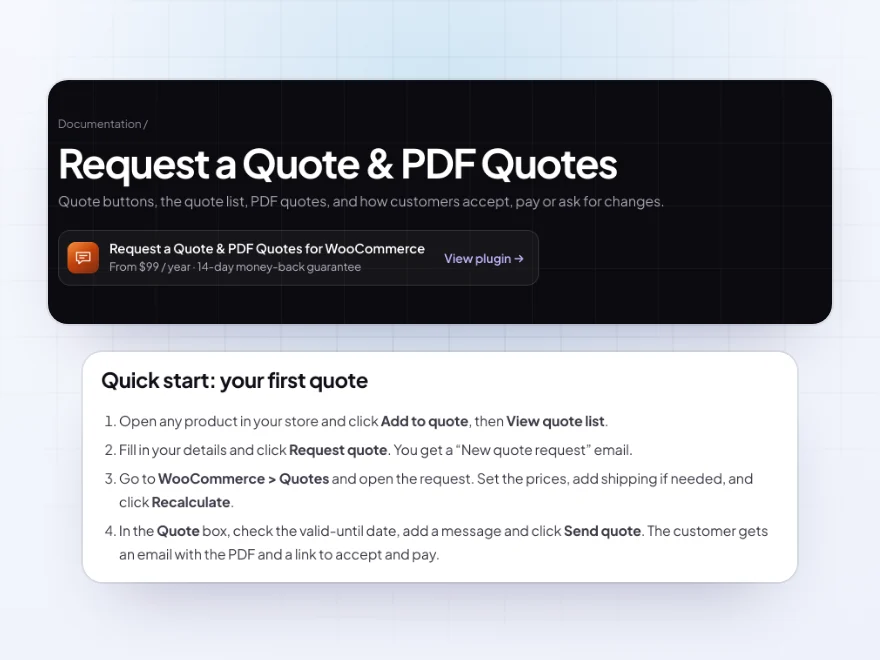
Docs and support
Try it, set it up, ask us anything
Try Request a Quote & PDF Quotes in a live demo store before you buy. The docs start with a quick start and cover quote buttons, the quote list and pricing a quote. Support tickets are answered by the developers who make the plugin, and updates are included.
- A live demo store to try it first
- Step-by-step docs with a quick start
- Most tickets answered within 12–24 hours
A WooCommerce request a quote plugin with PDF quotes
Request a Quote & PDF Quotes adds an “Add to quote” button to WooCommerce, next to Add to cart or in its place, for chosen products and customers. Customers collect products in a quote list and send a request, and you price it in the order editor you already know.
Unlike most WooCommerce request a quote plugins, it doesn’t stop at the form: every quote goes out as a PDF with a link the customer can accept and pay from, ask for changes or decline, and every version you send is kept.
Common setups
- Bulk orders: “Add to quote” next to Add to cart, for customers who want a better price on large quantities.
- Price on request: made-to-measure products sold by quote only, with the price hidden.
- Out of stock: a quote form instead of a dead end while a product is unavailable.
- Purchase orders: customers accept the quote and you invoice them yourself.
- Projects: a quote with delivery and a message, valid for two weeks.
Questions before you buy
Can customers pay for an accepted quote online?
Yes. They accept and pay on WooCommerce’s payment page with your usual payment methods. Or switch to accept only and arrange payment yourself.
Can I hide prices and only take quote requests?
Yes. Replace Add to cart with Add to quote for the products you choose, and show your own text instead of the price.
Do quotes show up as orders in my reports?
No. Quotes stay out of the Orders list’s All view, My Account orders and WooCommerce Analytics until they’re accepted.
Can guests request a quote?
Yes. Guests fill in their details on the quote page and open their quote from the email link.
Does it stop spam requests?
Yes. A hidden field and a limit per hour stop most spam bots, with no setup.
Can I change a quote after sending it?
Yes. Revise the order and send it again as a new version. Every version is kept with its date and total.
Does a quote expire?
Yes, on the date you set. You can also send customers a reminder email a few days before.
Requirements
WordPress 6.8 or newer, WooCommerce 10.0 or newer and PHP 7.4 or newer. Works with classic and block themes, the Cart and Checkout blocks, and High-Performance Order Storage. The PDF is made by the plugin itself, without external services.
Documentation
Step-by-step setup, every setting explained, and examples: read the documentation. Questions before you buy? Ask us.




Helene –
does what we need. The revisions are the bit we use most
Amelie –
Good for a small catalogue
Small catalogue, mostly PDF quotes with our logo. Michael was really helpful. Recommended.
lucia.m –
Great plugin and the support team are lovely, they helped me with a customisation. absolutely love it, couldnt be happier!
Jelle –
We wanted quote requests handled simply. Setup took an afternoon. Thomas is quick and helpful. The PDF looks smart.
Ines –
Good support
Practical plugin. The PDF is what customers see and it looks smart. Still makes sense months later.
Johan J. –
Reliable for the few months we have used it. I would like the customer email wording to be easier to change, we ended up editing it ourselves
Mikkel –
Glad we got it
Replaced a spreadsheet of enquiries. Michael answered my setup question quickly. Good plugin.
Milan –
Works well. Quotes in and out with no problems.
lottet –
Good
branded quotes that look professional. the revisions feature works well
Klara –
Does the job and i only use a small part of it. 4 stars because the quote page needed a style tweak to match our theme, support helped with that
Claire –
Great plugin and great support
We get a lot of enquiries for several products at once and this keeps it all in one place. Thomas is really responsive, he helped me tweak the quote email. Highly recommended!
Miguel Garcia –
Much better than quoting over email. The customer sends the list, we price it, and they get a PDF. Thomas walked me through the acceptance link. Good plugin.