 Maxima Plugins
Description
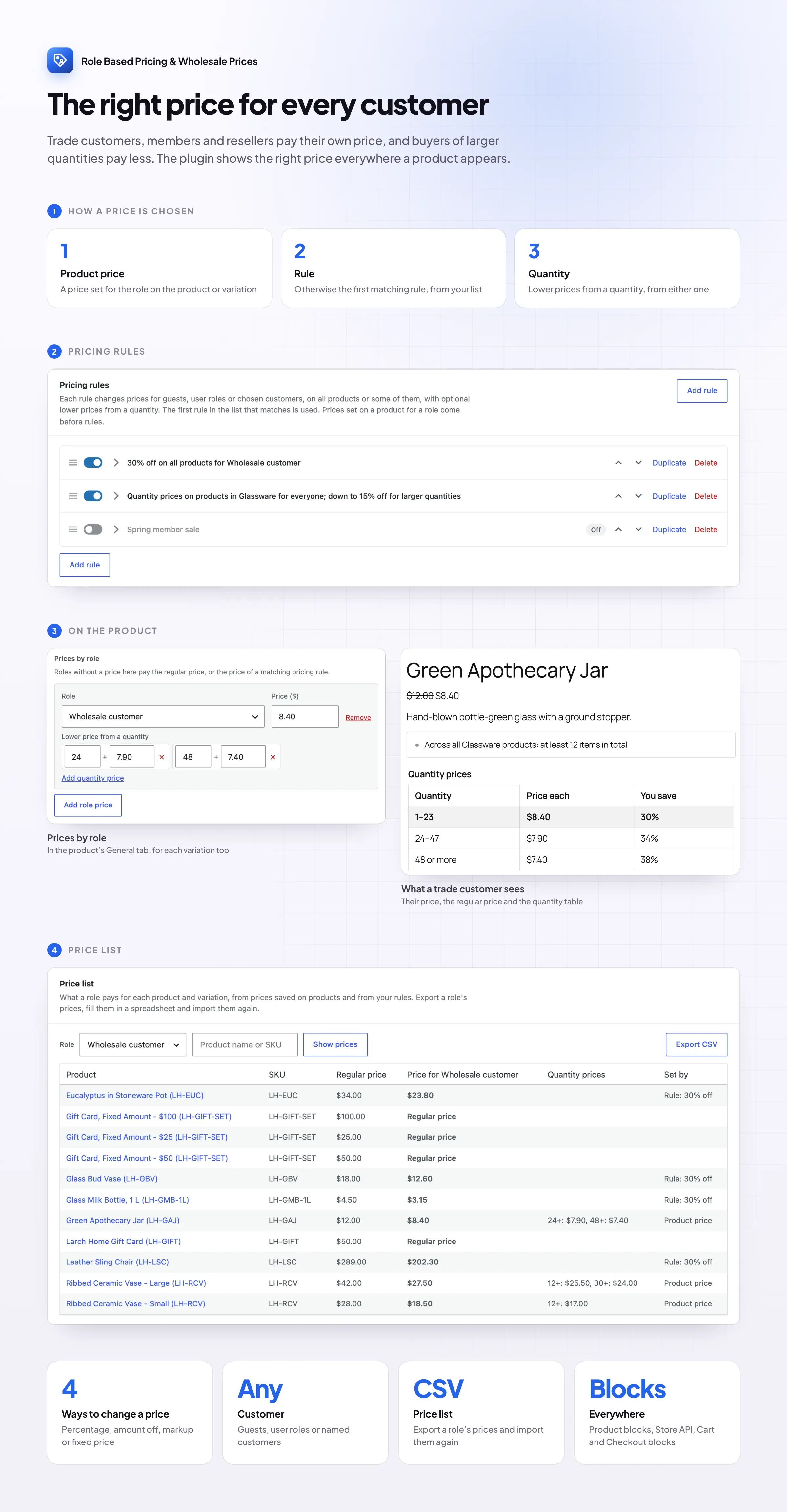
Trade customers, members and resellers often pay a different price than retail shoppers, and buyers of larger quantities expect a better price. Role Based Pricing & Wholesale Prices handles both, and shows the right price everywhere a product appears.
Wholesale prices
A different price for each customer role
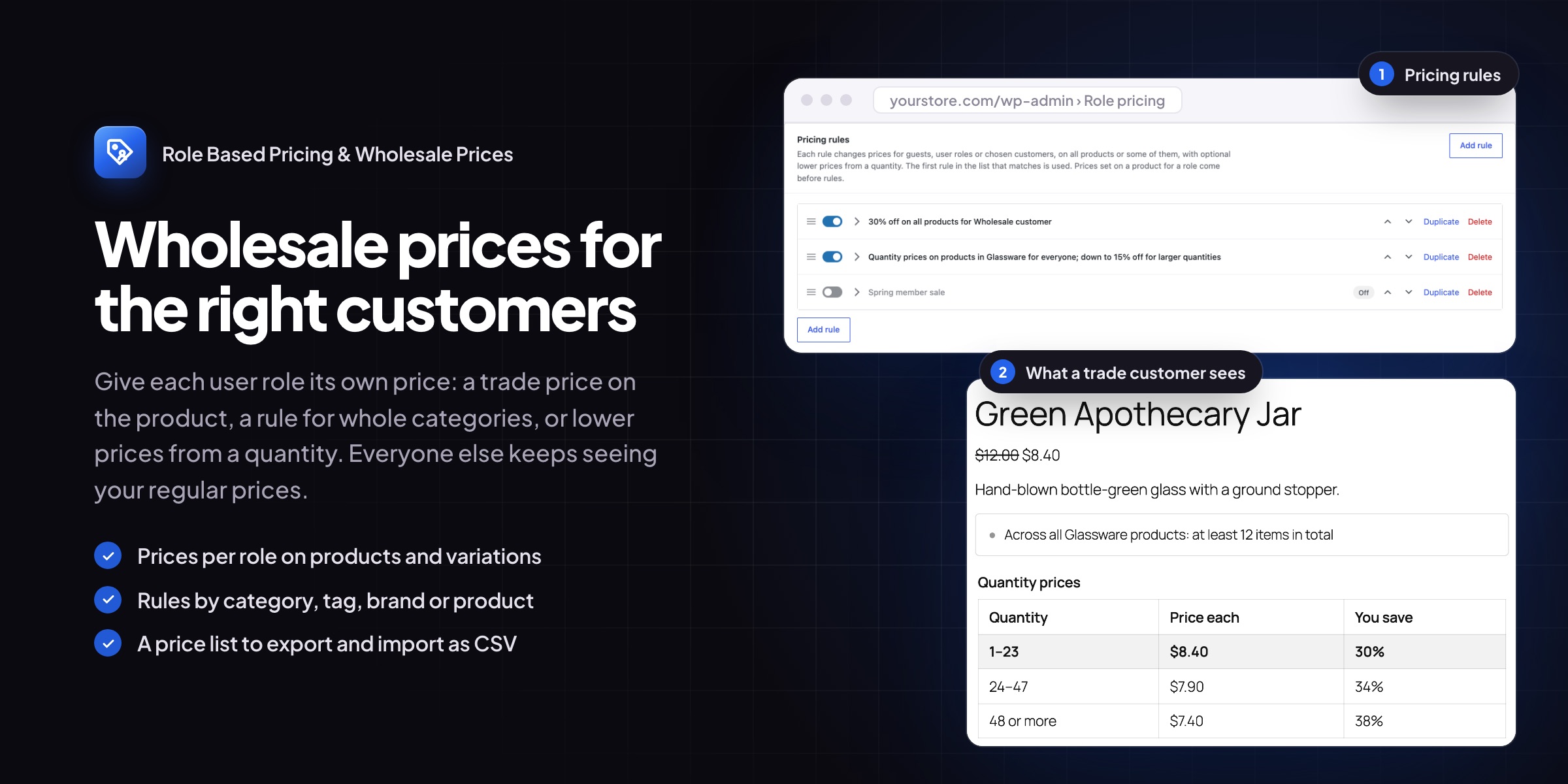
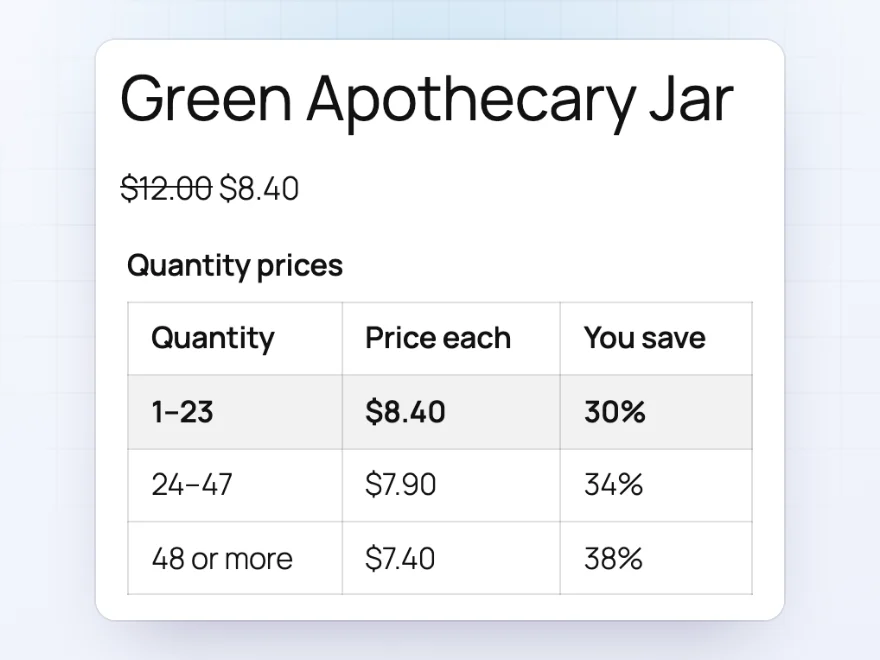
Set a price per user role on any product or variation, such as a wholesale price for the Wholesale customer role, or use a rule such as 30% off everything for trade accounts. Logged-in customers see their own price everywhere, with the regular price crossed out if you like.
- On product pages, in shop lists, blocks, the cart and checkout
- An optional label, such as “Trade price”
- Trade-only products without a retail price
Quantity prices
Lower prices for larger quantities
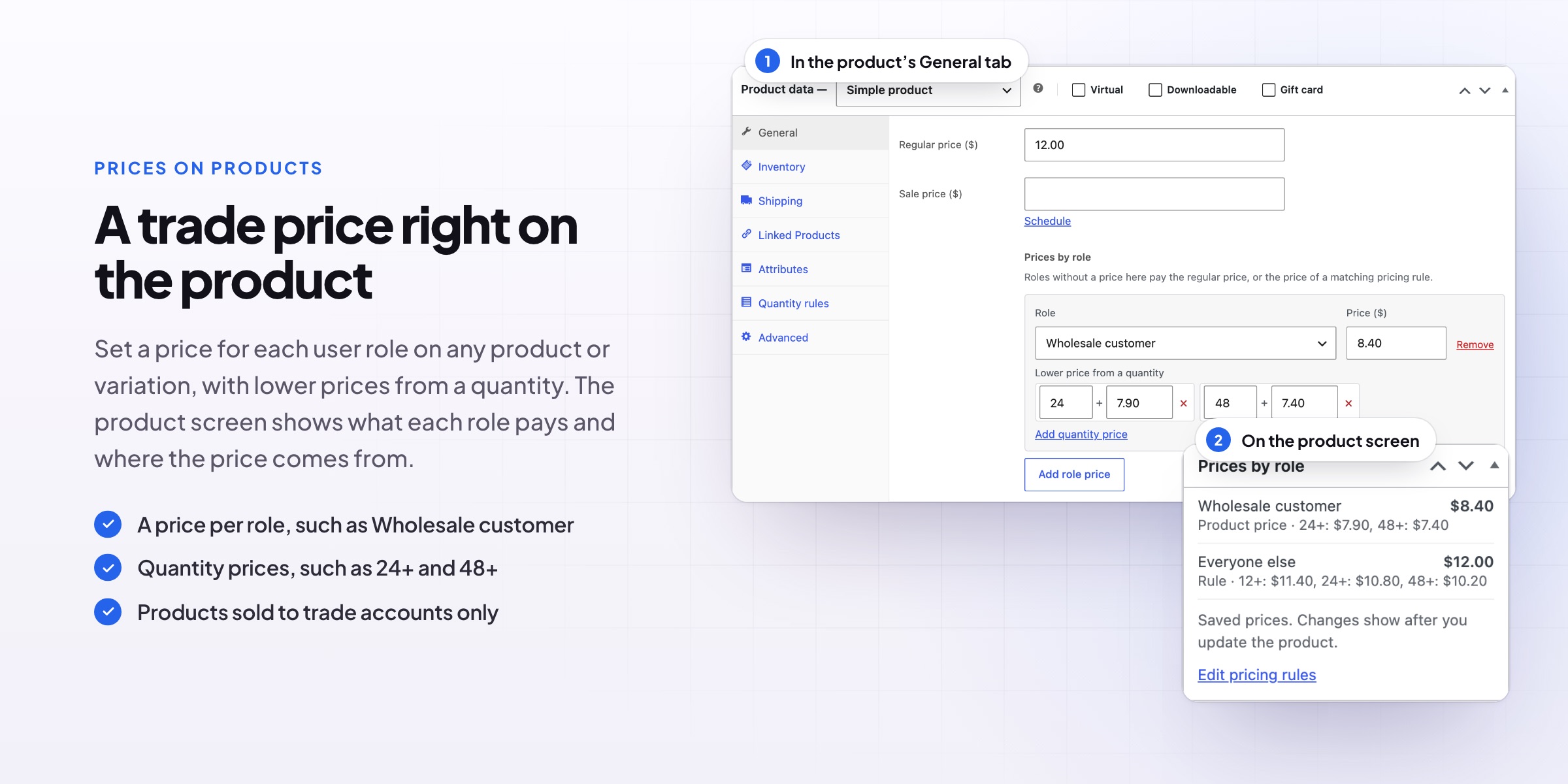
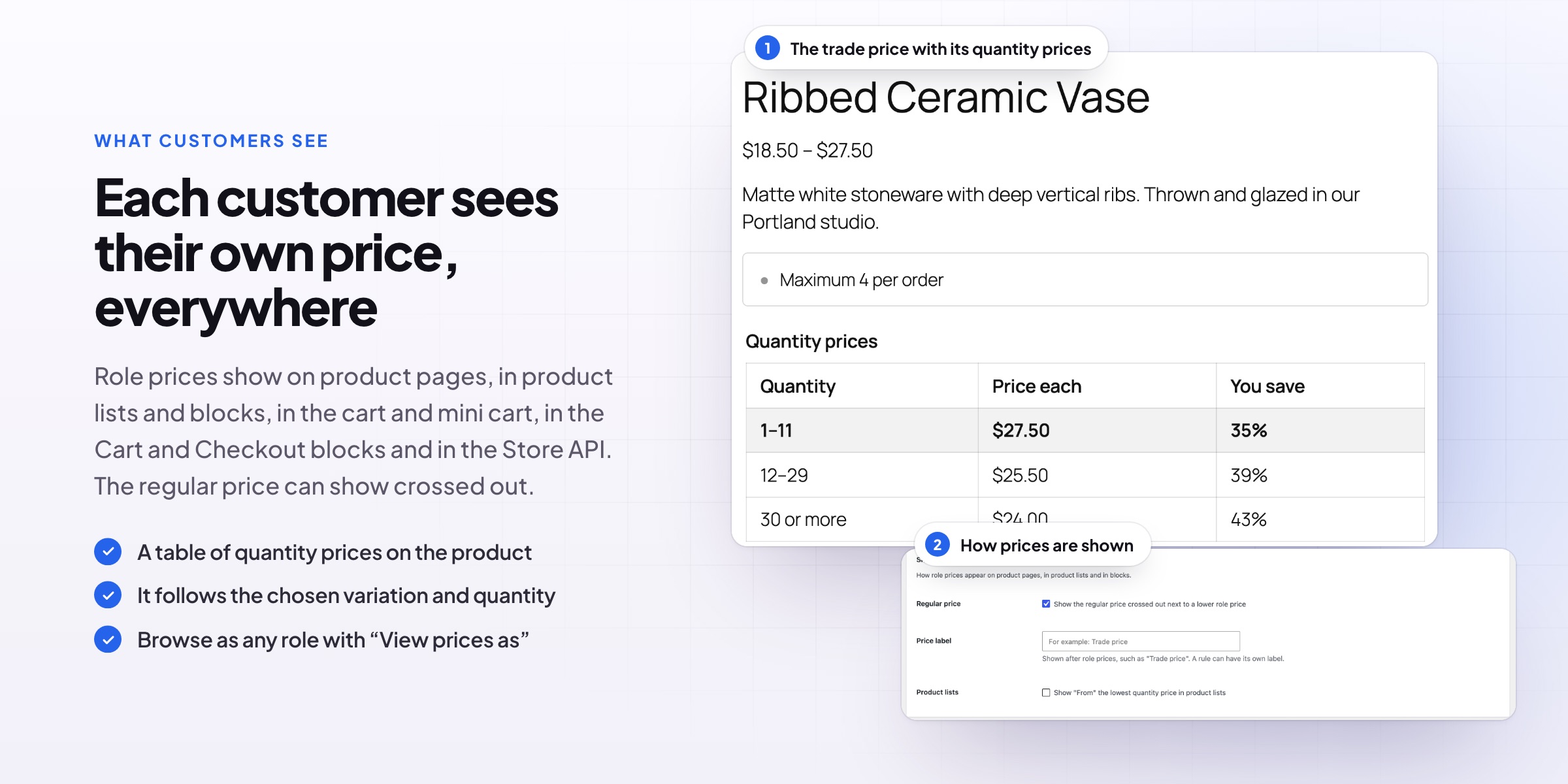
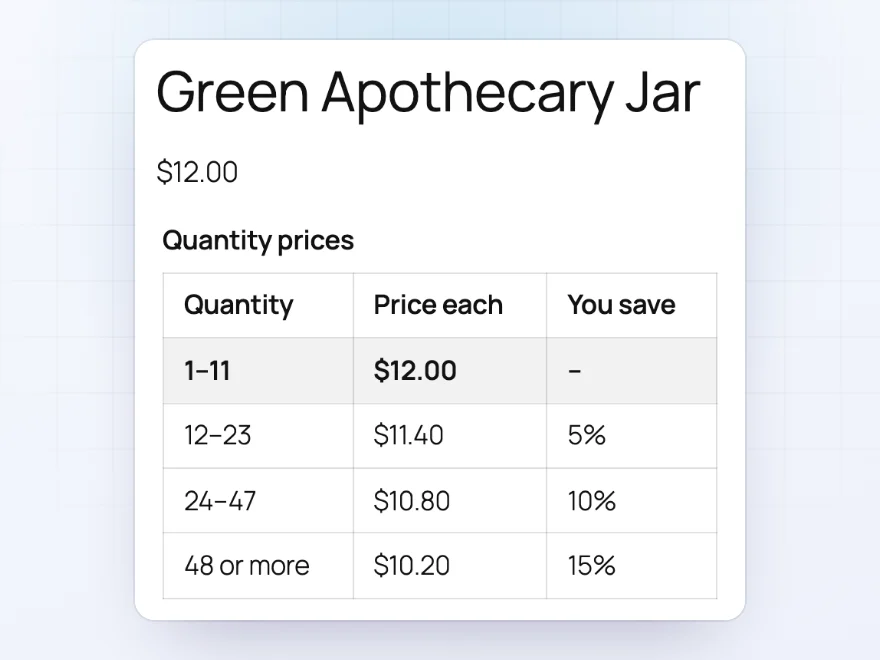
Add lower prices from a quantity, such as $11.40 from 12 items and $10.20 from 48. A table on the product page lists each price step and follows the variation and quantity the customer chooses. Count each product on its own, the variations of a product together, or everything a rule covers together.
- For everyone, or for chosen roles
- Counted per product, per variation group or across a rule
- The table shows what customers save
On each product
Every role’s price at a glance
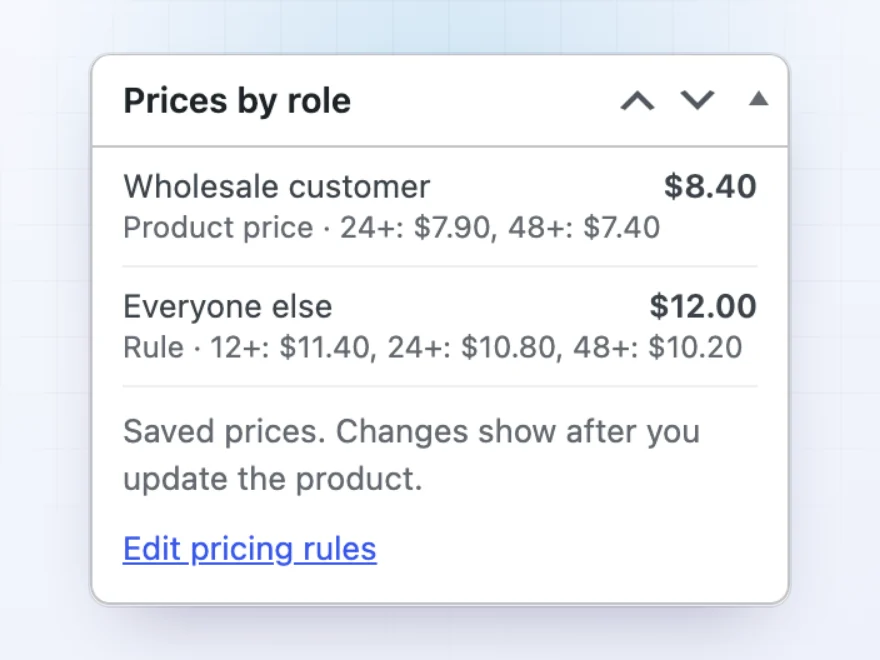
The product edit screen shows what each role pays and where the price comes from, a price saved on the product or one of your rules, with its quantity prices. You can also set a minimum and maximum quantity per role, such as 12 or more for wholesale customers.
- Product price or rule, clearly labelled
- Minimum and maximum quantities per role
- A link to the pricing rules
Pricing rules
Rules for roles, customers and categories
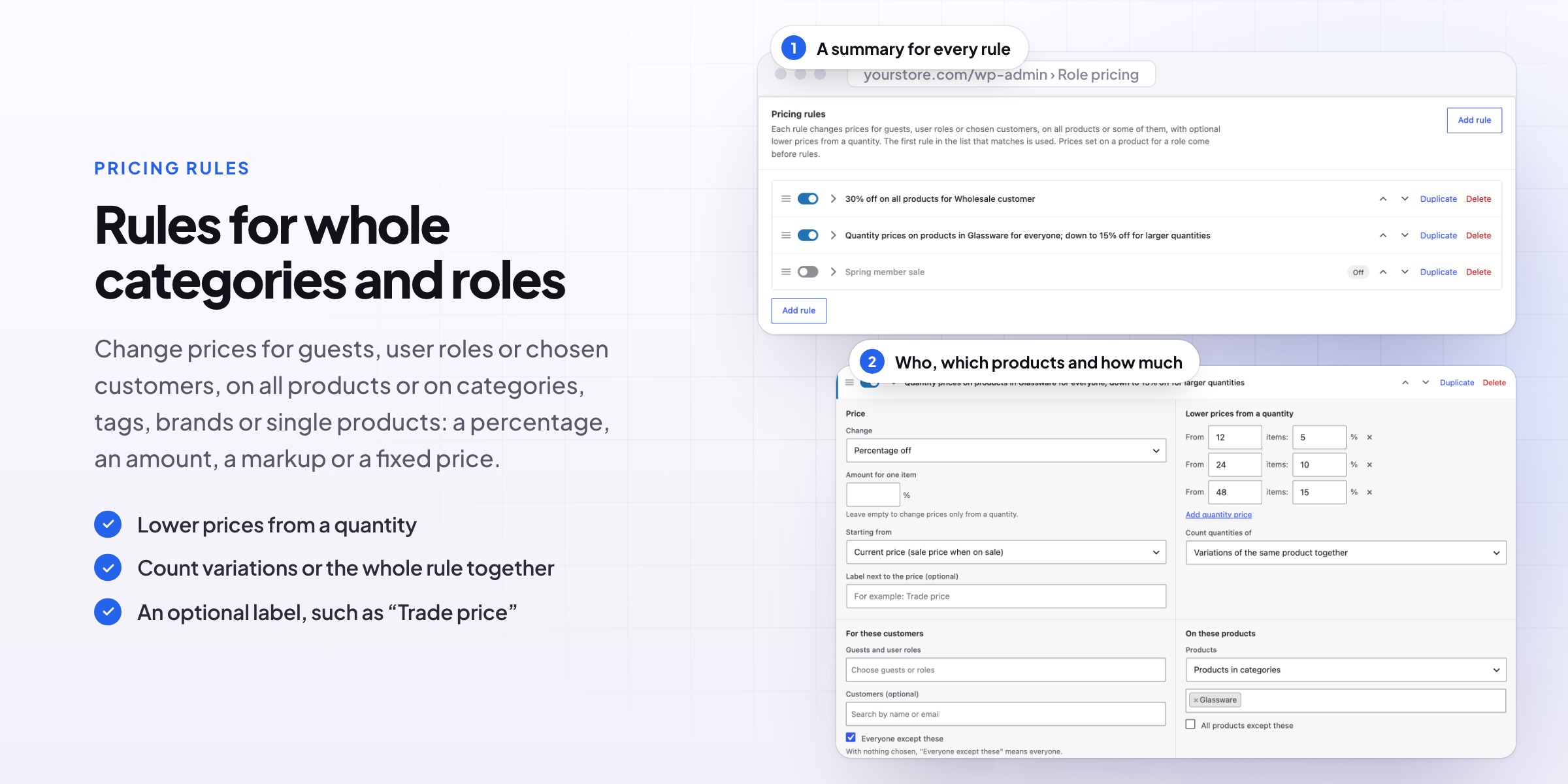
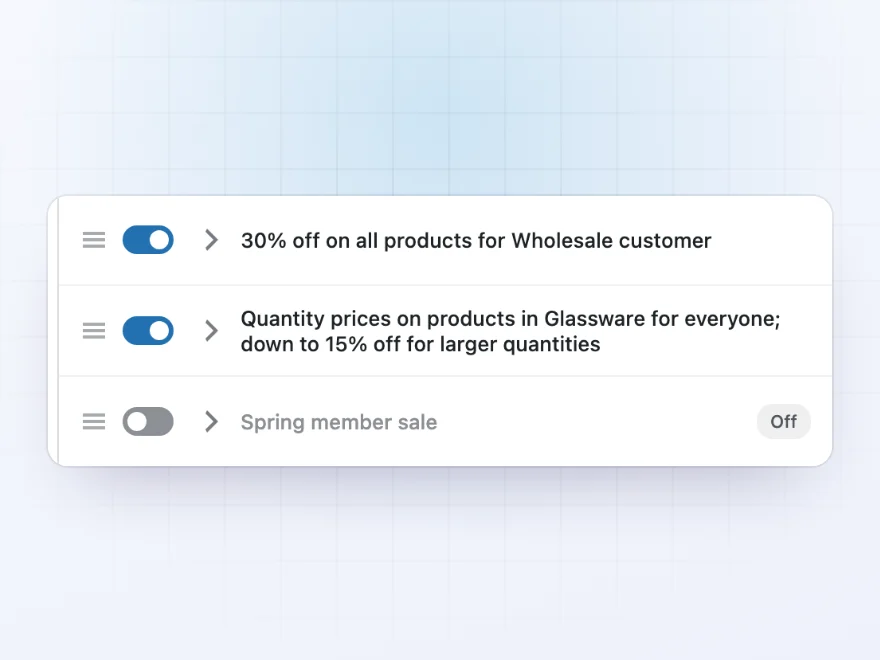
Change prices for guests, user roles, chosen customers or everyone except them, on all products, categories, tags, brands or single products. Use a percentage off, a markup, an amount off or a fixed price, starting from the regular or the sale price. Every rule has a one-line summary and can be switched on and off.
- Percentage off, markup, amount off or fixed price
- Start from ready-made examples
- Seasonal rules switched on when you need them
Price list
See what each role pays for everything
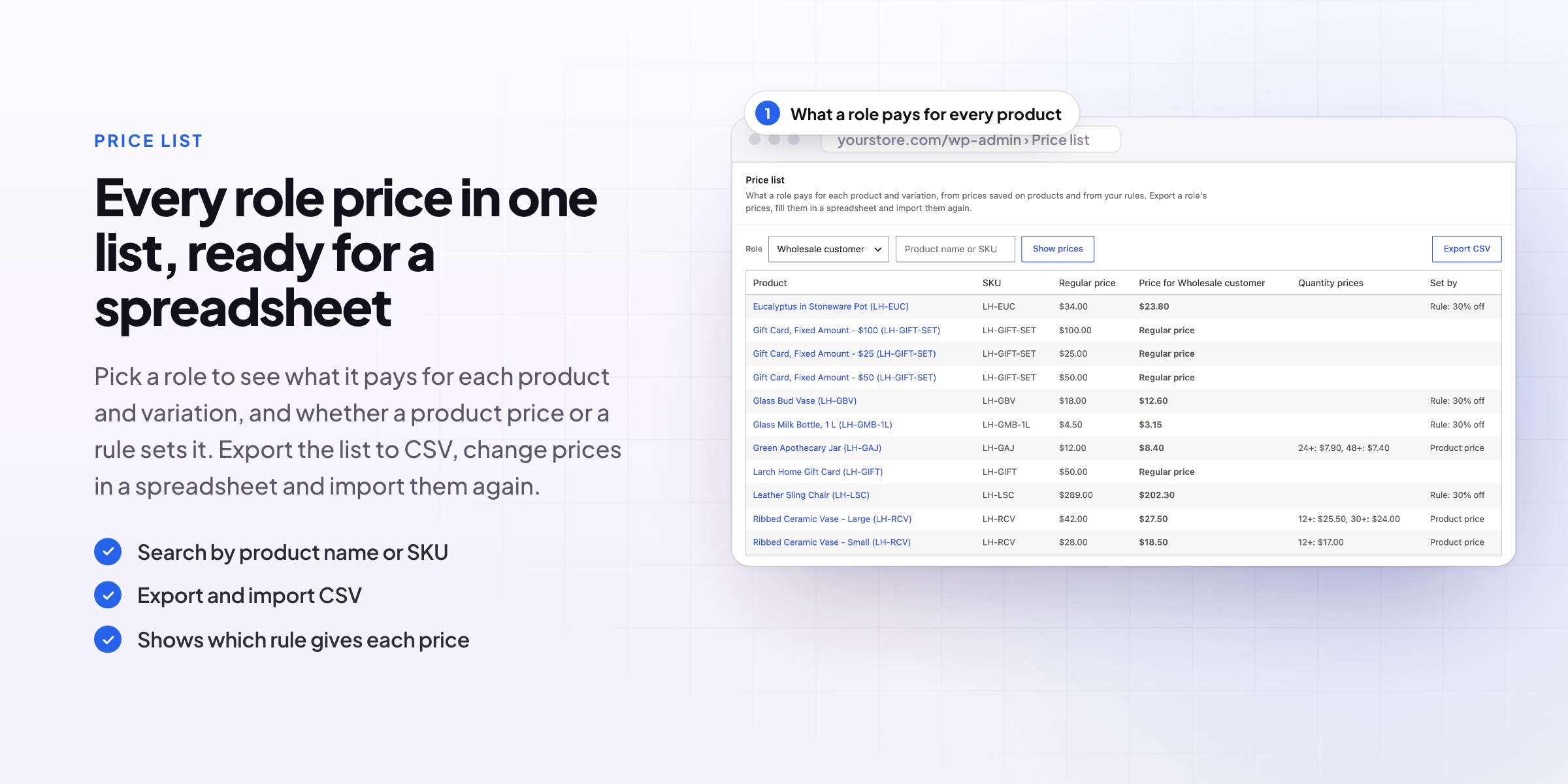
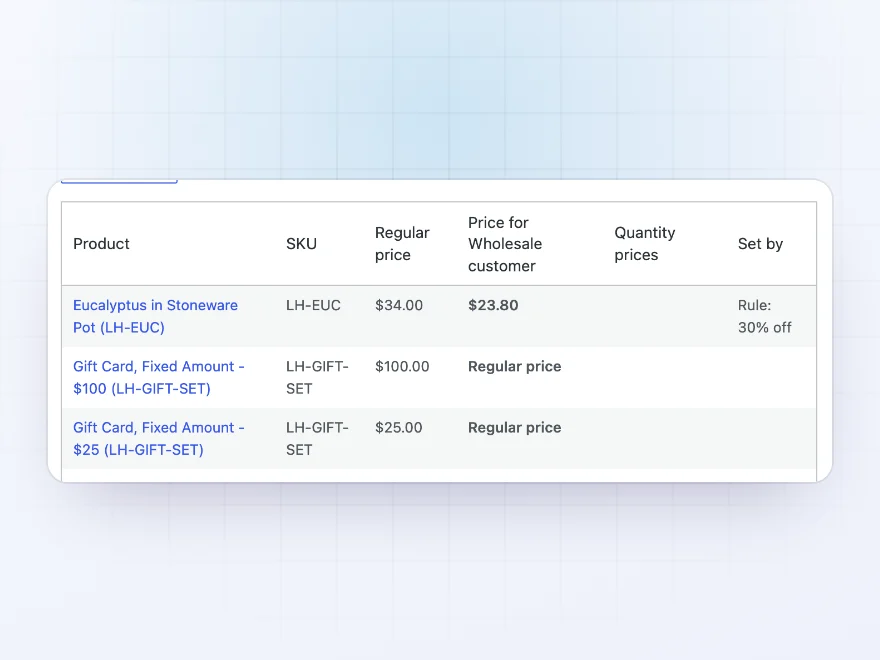
The price list shows, for any role, the regular price and the role’s price for every product and variation, with its quantity prices and whether a product price or a rule sets it. Export a role’s prices to a spreadsheet, fill them in, and import them again.
- Every product and variation in one table
- Export and import as CSV
- Shows where each price comes from
View prices as
Check prices the way a customer sees them
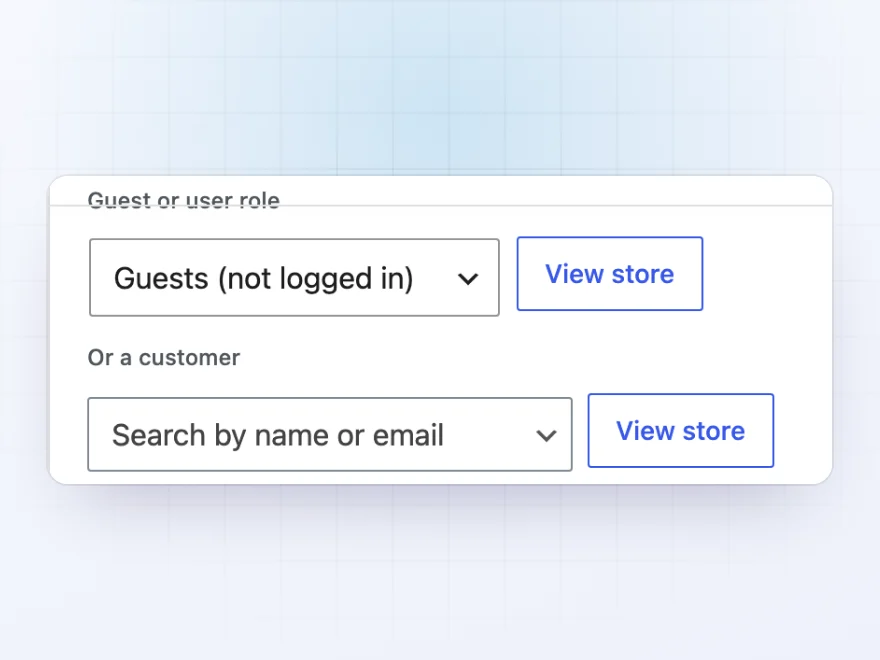
Browse the store with the prices of a guest, a user role or a single customer, from the toolbar or the rules screen. You can also add roles such as Wholesale customer or Reseller from the plugin, with the same permissions as Customer, and hide prices from guests with your own text.
- As a guest, a role or one customer
- Add customer roles without a role editor
- Hide prices from guests with your own text
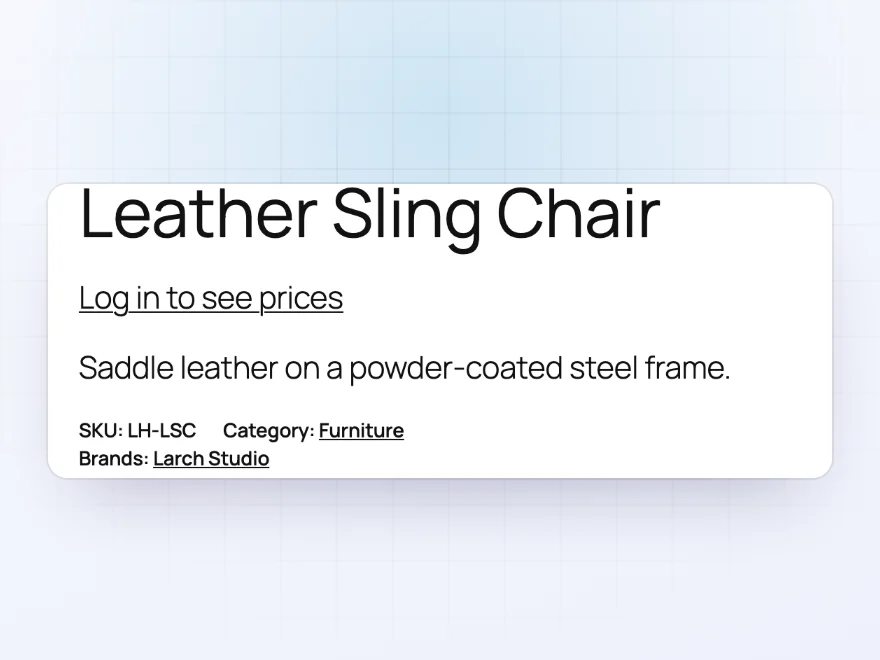
Hidden prices
Prices for logged-in customers only
Hide prices and Add to cart from guests, or from any role, on every product or in chosen categories. Show your own text instead, such as “Log in to see prices”, linked to the login page.
- Hide prices from guests
- Or from any role, or some categories
- Your own text, linked to the login
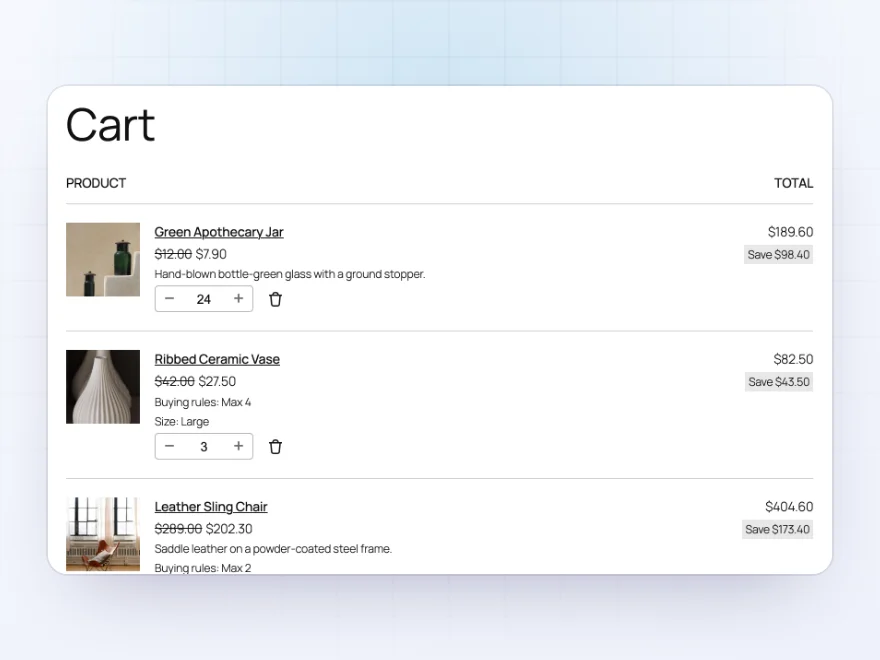
Cart and checkout
Trade prices all the way to the order
Role prices appear in the cart and mini cart, the Cart and Checkout blocks and on the order, with the regular price crossed out if you want it.
- Cart, mini cart and checkout
- Regular price crossed out
- Saved on the order
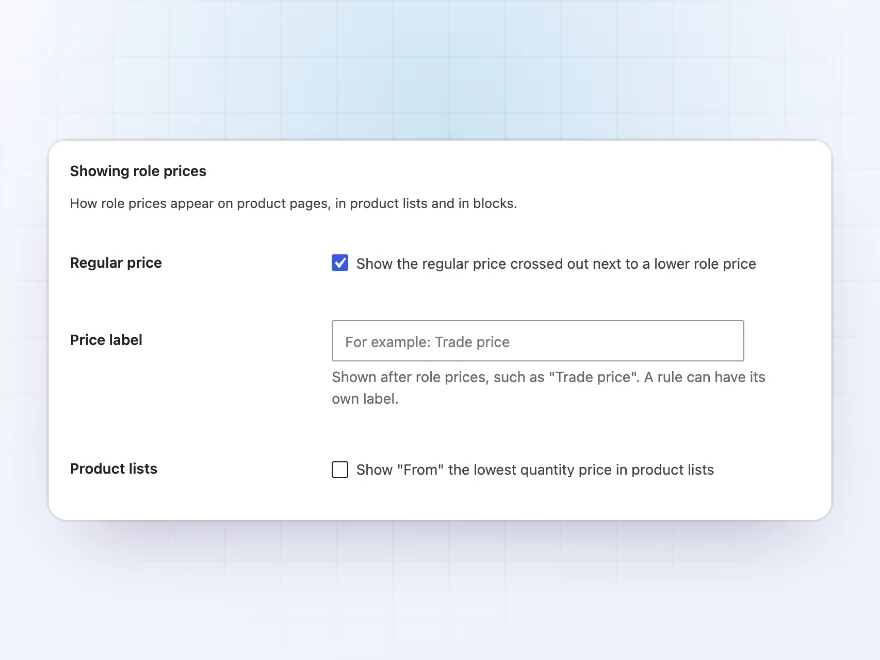
Settings
How prices are shown
Choose whether the regular price shows crossed out next to a lower role price, the label next to role prices, and the text guests see when prices are hidden.
- Crossed-out regular prices
- A label such as “Trade price”
- Text for hidden prices
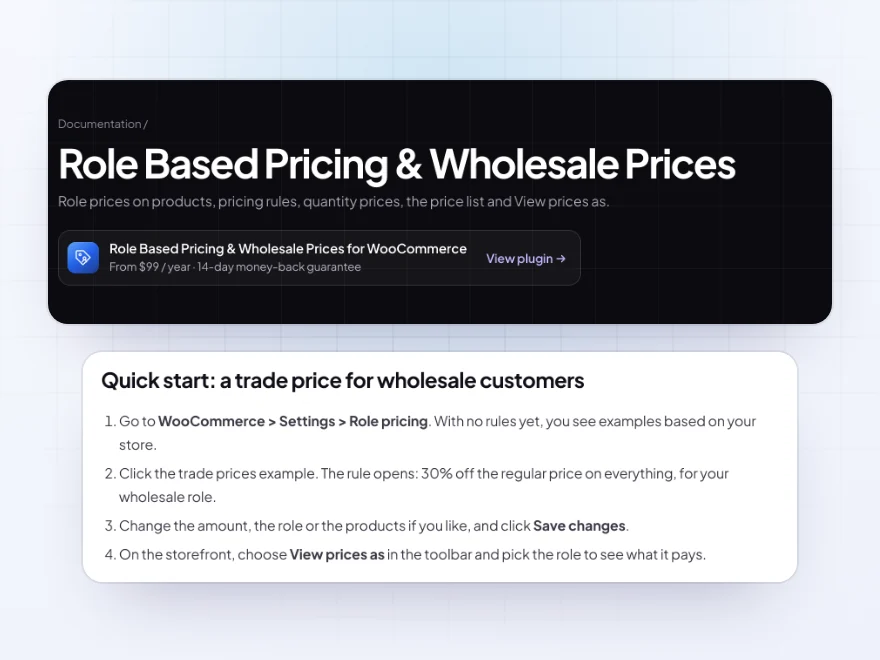
Docs and support
Try it, set it up, ask us anything
Try Role Based Pricing & Wholesale Prices in a live demo store before you buy. The docs start with a quick start and cover prices on a product, pricing rules and what customers see. Support tickets are answered by the developers who make the plugin, and updates are included.
- A live demo store to try it first
- Step-by-step docs with a quick start
- Most tickets answered within 12–24 hours
WooCommerce role based pricing and wholesale prices
Role Based Pricing & Wholesale Prices sets a different price for each customer role, such as a trade price for wholesale customers, and lower prices for larger quantities. WooCommerce role based pricing shows on product pages, in the shop, blocks, the cart and checkout.
Prices can be set on each product or with rules for roles, customers and categories, as a percentage off, a markup or a fixed price, which makes a WooCommerce user role discount a few clicks. A price list shows what each role pays for everything and exports to a spreadsheet.
Common setups
- Wholesale prices: 30% off everything for the Wholesale customer role, with the regular price crossed out.
- Trade-only range: products without a retail price, sold only to trade accounts.
- Quantity prices: lower prices from 12, 24 and 48 items, counting variations together.
- Member prices: 10% off one category for logged-in customers.
- Reseller role: a new role with its own prices, added from the plugin.
Questions before you buy
Do wholesale customers see their prices in the cart?
Yes. Role prices appear on product pages, in product lists and blocks, in the cart and mini cart, and in the Cart and Checkout blocks.
Can I set prices in a spreadsheet?
Yes. Export a role’s prices from the price list, fill them in, and import the file again.
Can I sell some products to trade accounts only?
Yes. A product without a regular price can still have a role price, so only that role can buy it.
How do customers get the wholesale role?
Give it to them on their user profile, or let them apply with Registration Fields & Account Approval, which gives approved trade accounts the role.
Does it work with Dynamic Pricing & Discount Rules?
Yes. With both active, discounts start from the customer’s role price.
Can quantity prices count all variations together?
Yes. Count each product on its own, the variations of a product together, or everything a rule covers together.
Can I hide prices from guests?
Yes. Hide prices and Add to cart from guests or any role, on every product or in chosen categories, with your own text such as “Log in to see prices”.
Requirements
WordPress 6.8 or newer, WooCommerce 10.0 or newer and PHP 7.4 or newer. Works with classic and block themes, the Cart and Checkout blocks, and High-Performance Order Storage.
Documentation
Step-by-step setup, every setting explained, and examples: read the documentation. Questions before you buy? Ask us.




Frida –
easy to setup. Works well for us. no complaints at all
Daniel Krause –
CSV import is great
Our price list was already in a spreadsheet, so the CSV import was perfect. Michael checked the import for me. Good plugin.
carolinet –
Separate wholesale prices, works well. No complaints
Agnieszka B. –
Great support
We needed retail and trade on one site. The tricky part was how it works with product-level prices, and Michael was excellent checking this with me. Recommended.
Arnaud H. –
Good plugin for a small store. Thomas is quick and helpful. Does what we need.
lena.littleshop –
Good, support helped a lot
The role preview is very handy. It took me a while to be confident about how it works with sale prices, and Michael explained it well. Happy now.
Piotr W. –
trade customers see their prices after login, retail dont. exactly what we wanted. Thomas set the tiers up with me. recommended