 Maxima Plugins
Description
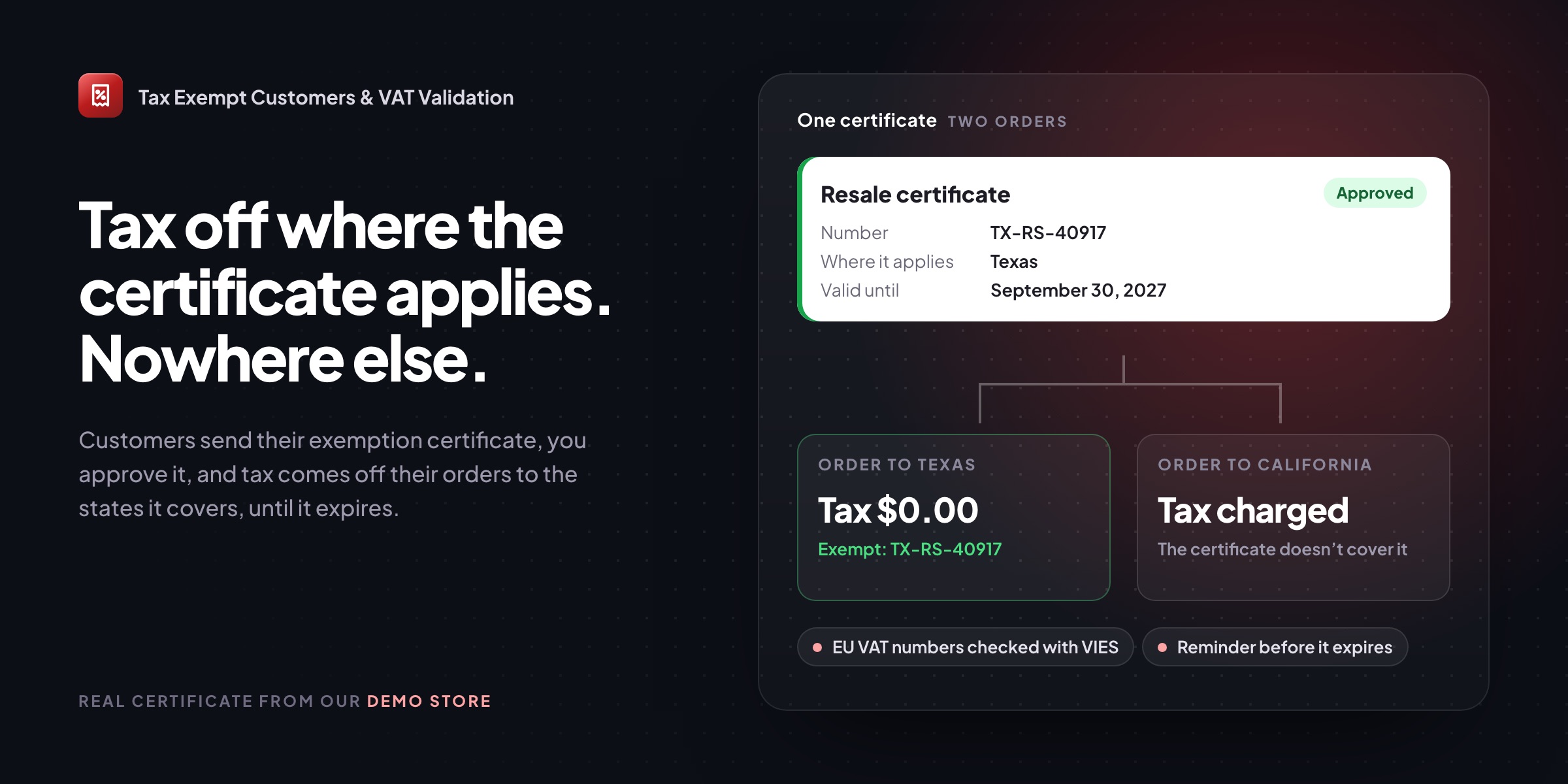
Resellers, schools, charities and government buyers often don’t pay sales tax, but only with a valid certificate, only where it applies, and only until it expires. Tax Exempt Customers & VAT Validation keeps the certificate on file and applies it correctly.
Applying
Customers send their certificate from My Account
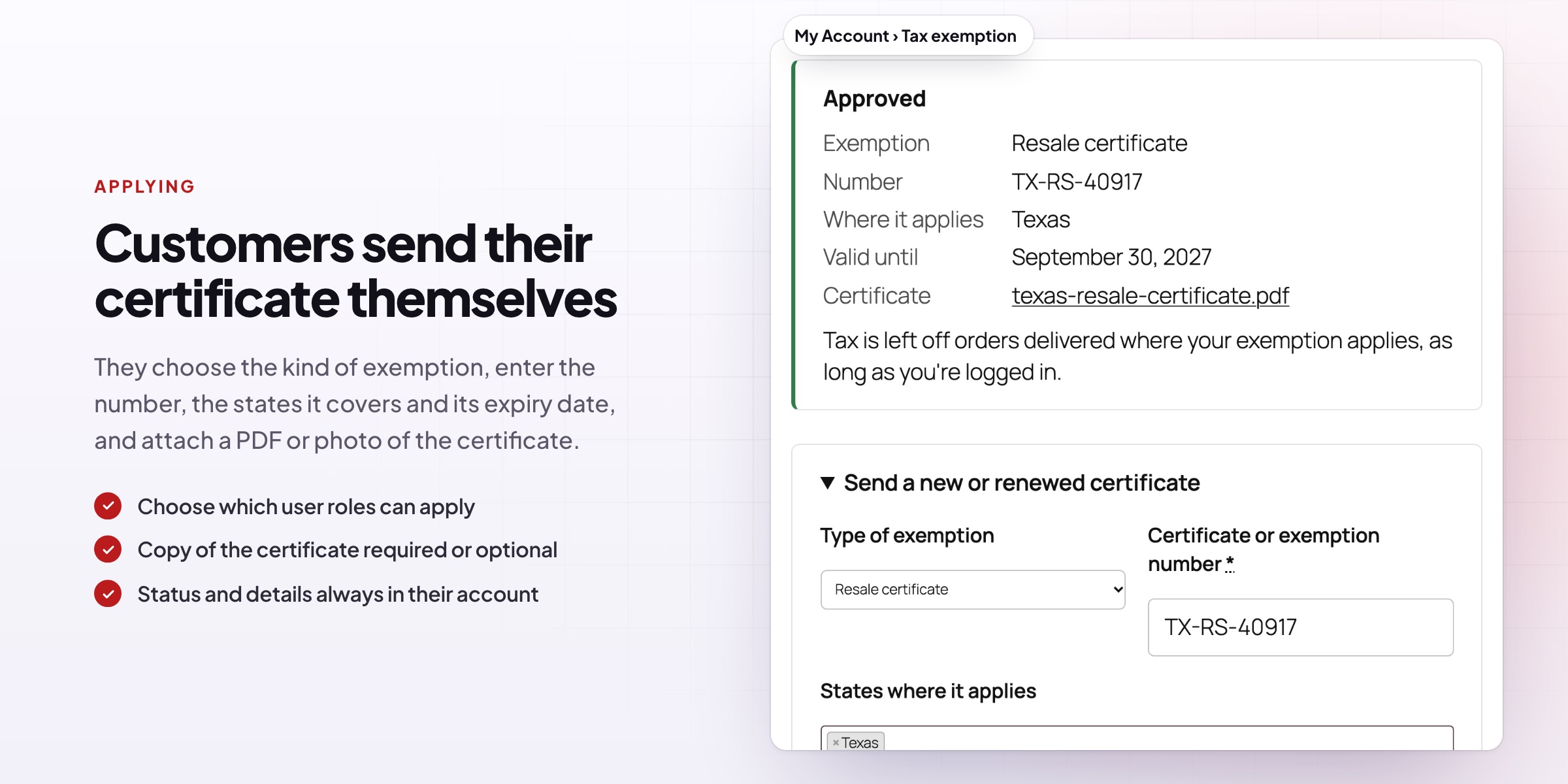
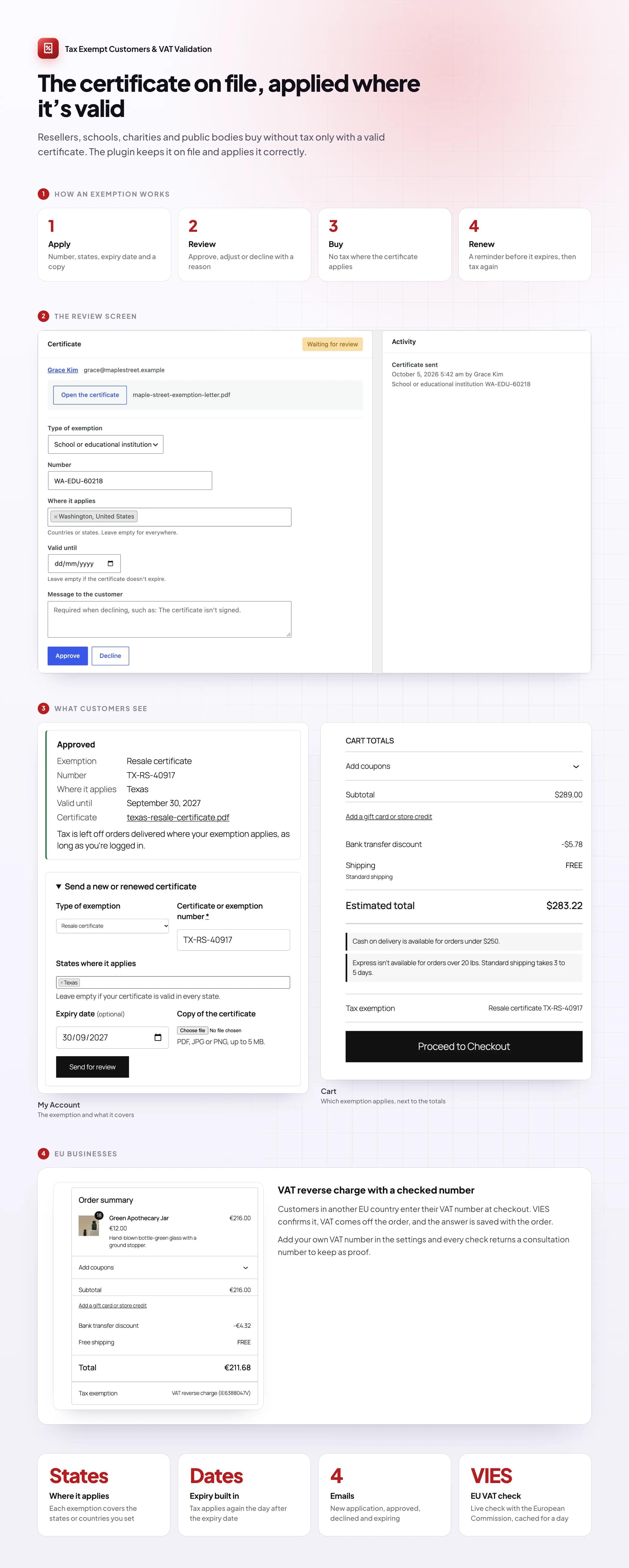
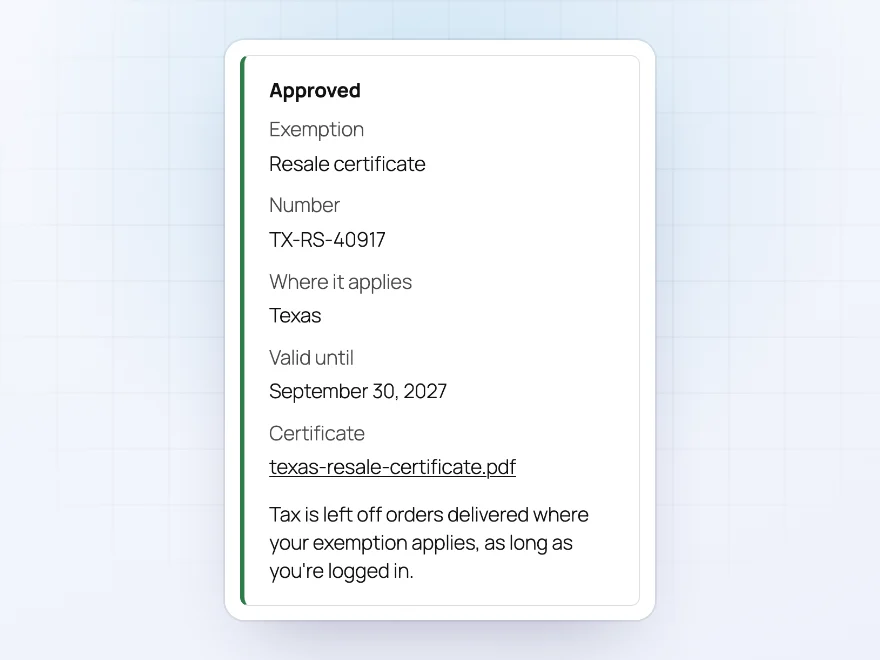
Customers apply from My Account › Tax exemption with the kind of exemption, the certificate number, the states it covers, its expiry date and a copy of the certificate. Once it’s approved, they see the status and details there too, and can send a renewed certificate when the time comes.
- PDF, JPG or PNG copies of the certificate
- Choose which roles can apply, and whether a copy is required
- An email to you for every application
Reviewing
Check the certificate, then approve
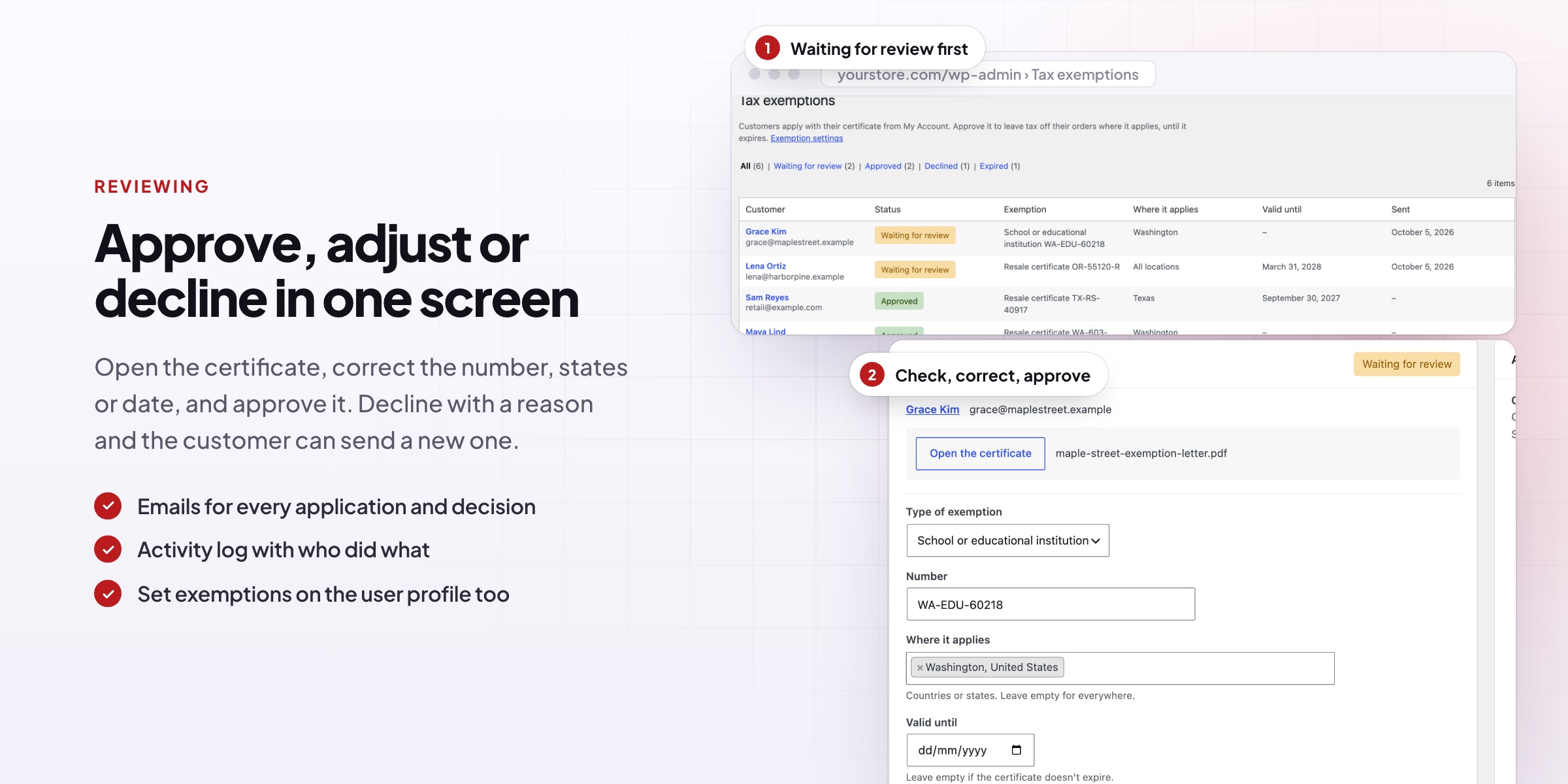
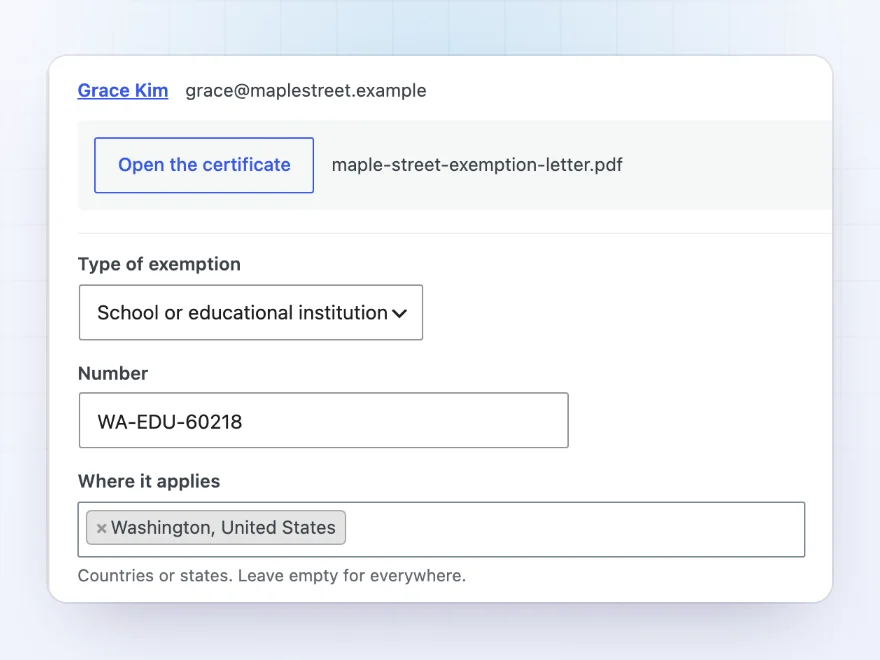
WooCommerce › Tax exemptions lists every customer by status, with the ones waiting for review first. Open the certificate, correct the number, states or expiry date if needed, then approve or decline with a message. The customer is emailed either way, and every change is logged with who made it and when.
- Approve or decline with a message
- Every change logged
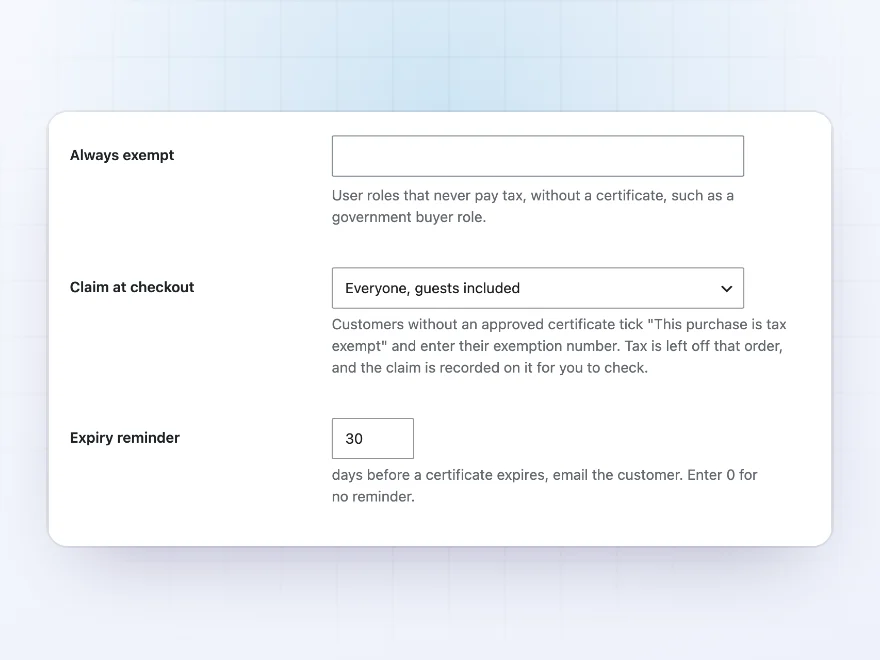
- Make a whole user role always exempt
At checkout
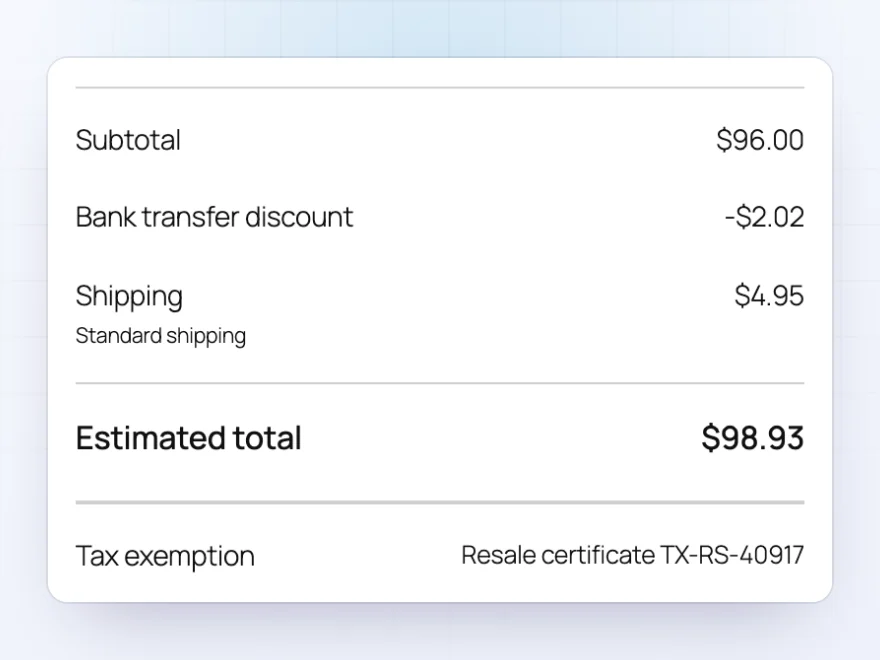
Tax left off, only where it applies
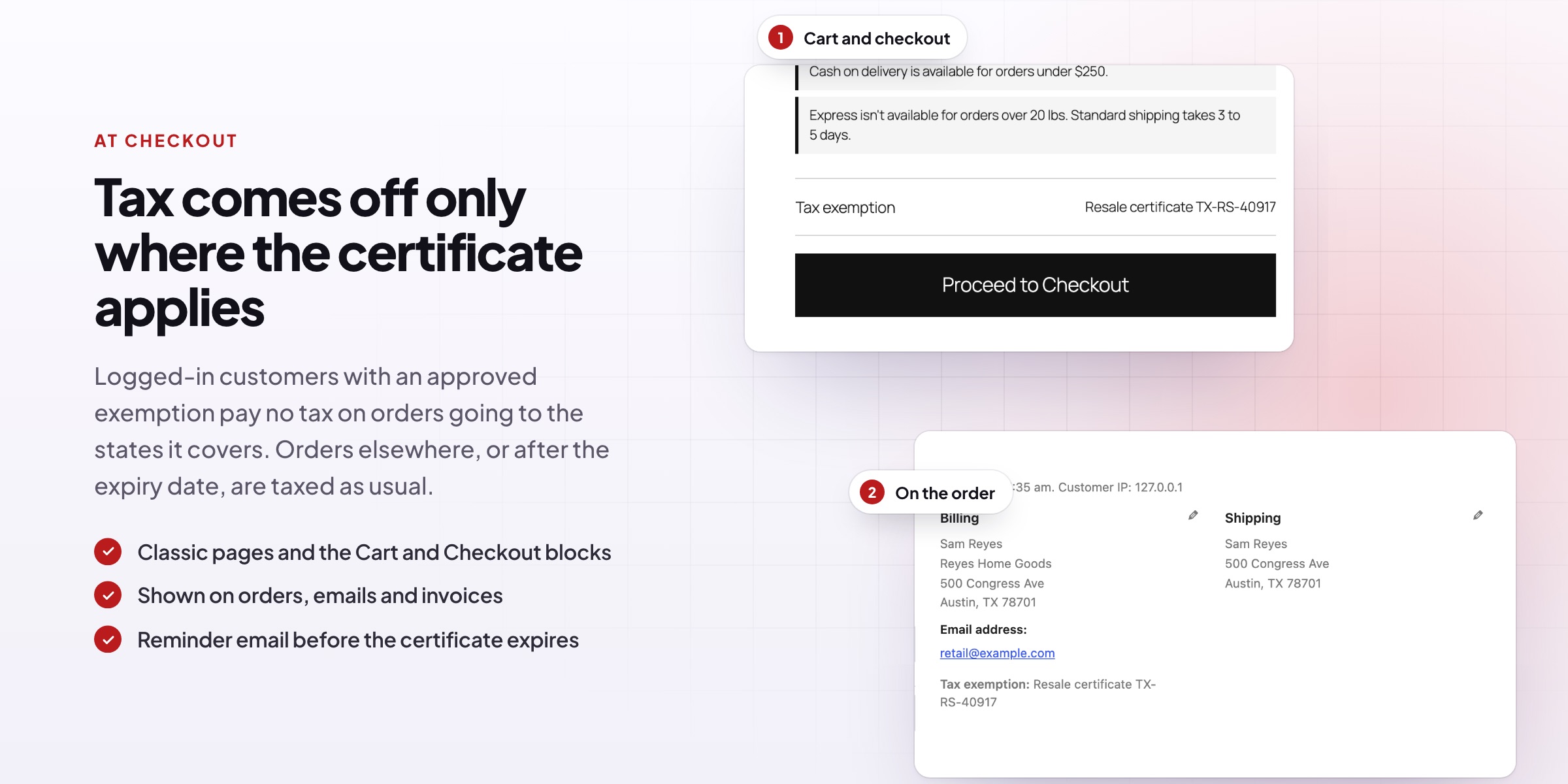
Tax is left off automatically for approved customers when they’re logged in, but only when the order goes to a state or country the certificate covers. The cart and checkout show which exemption applies, and it’s saved with the order and shown in order emails and on invoices.
- Classic pages and the Cart and Checkout blocks
- Orders you create for exempt customers stay exempt
- Shown on invoices from PDF Invoices & E-Invoicing
Emails and expiry
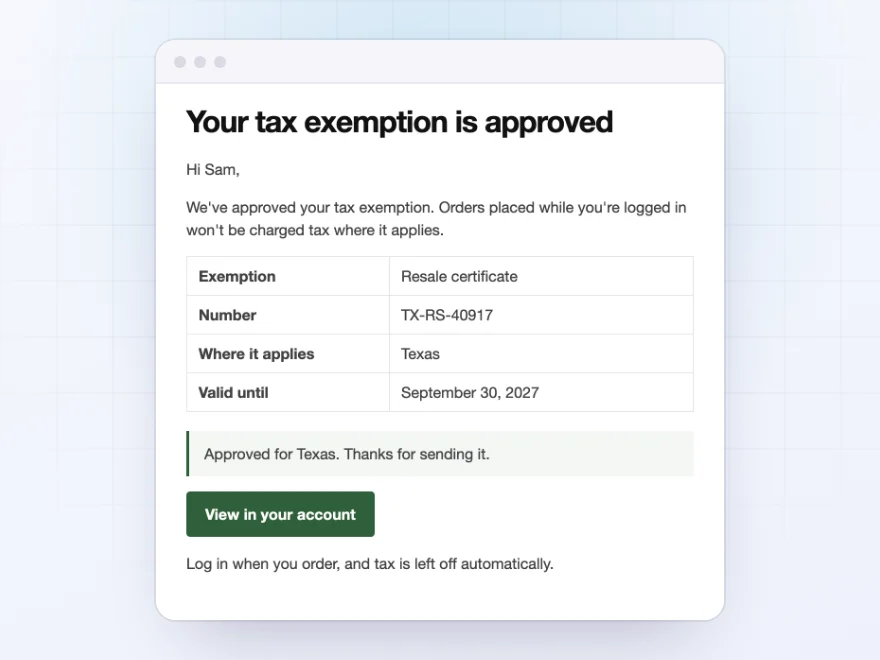
Customers always know where they stand
Customers get an email when their exemption is approved or declined, and a reminder before it expires, with a link to send a renewed certificate. Exemptions end on their expiry date, so an expired certificate is never used by mistake.
- Approved and declined emails
- Reminders before the expiry date
- Expired certificates are never used
EU VAT numbers
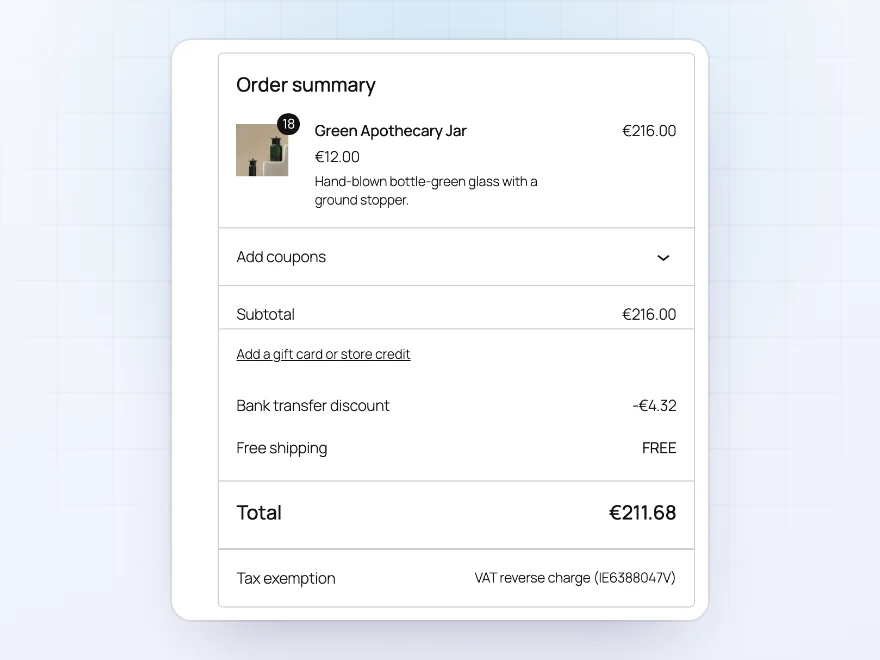
VAT numbers checked at checkout
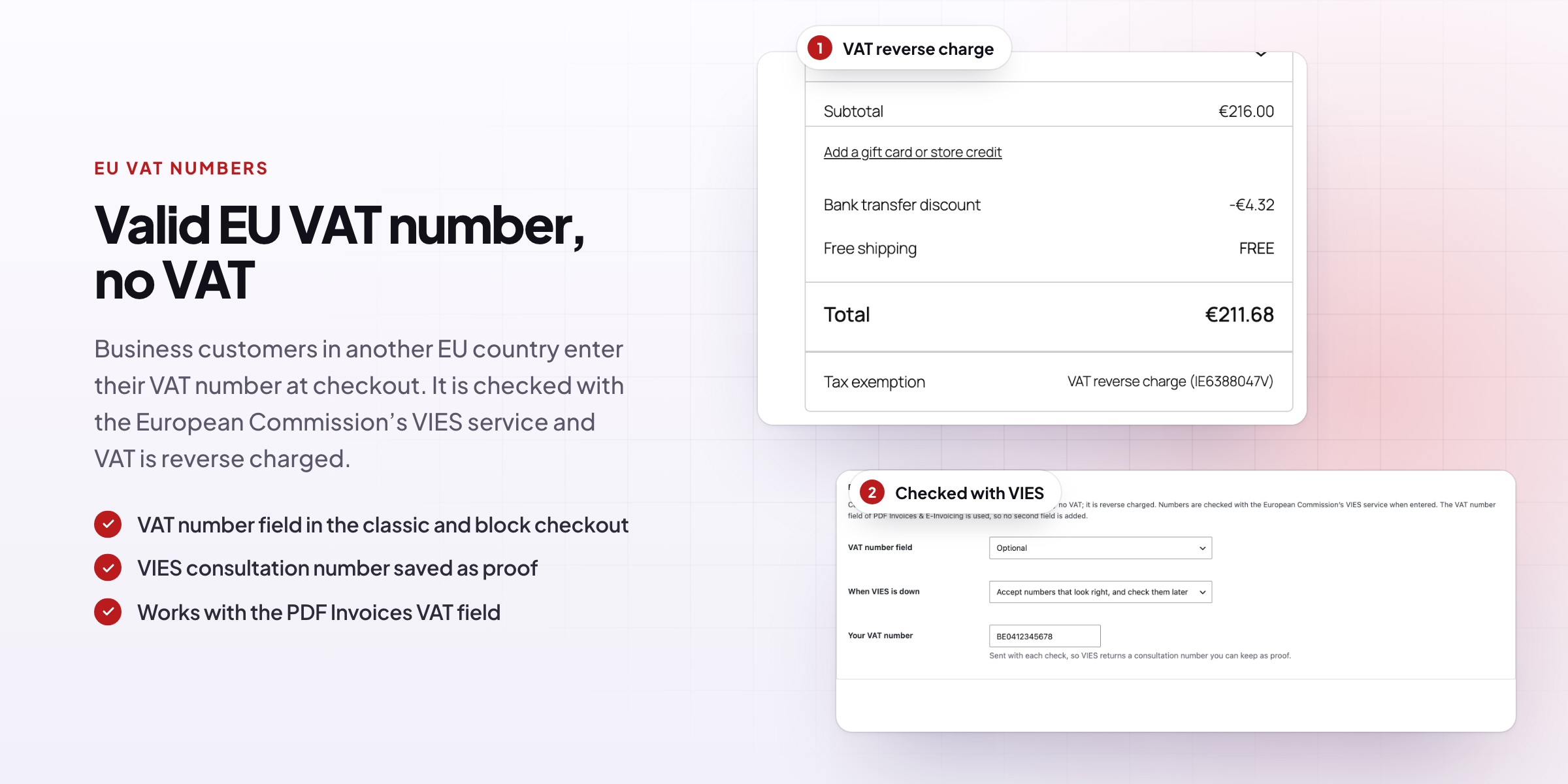
Add an optional VAT number field to the checkout. EU numbers are checked with the European Commission’s VIES service, and businesses in another EU country with a valid number pay no VAT, as a reverse charge. UK, Norwegian, Swiss and Australian numbers are accepted in the same field too.
- Reverse charge for valid EU VAT numbers
- A consultation number saved as proof
- VAT reports by country, as CSV
One list
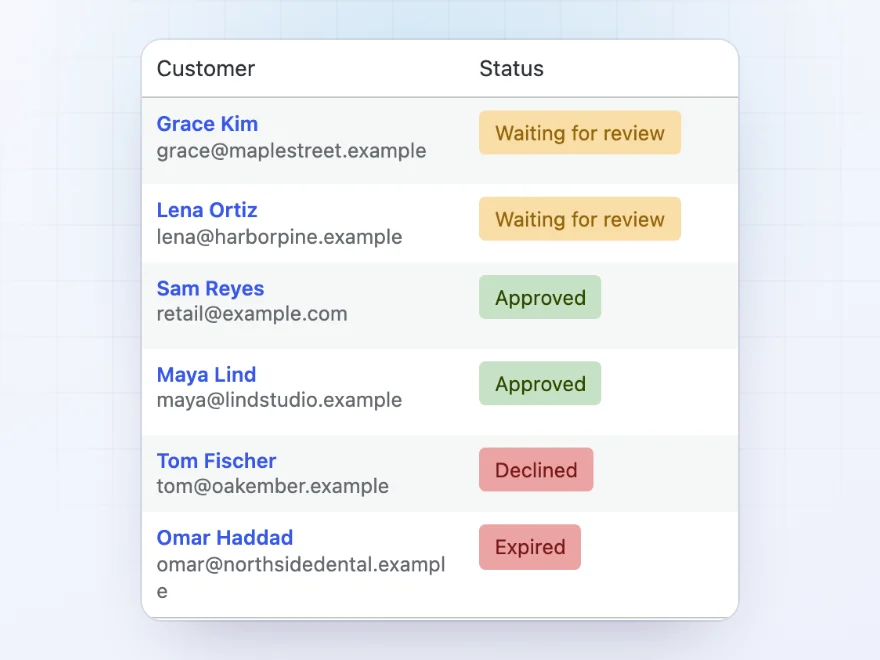
Every exemption and its status in one place
See who is waiting for review, approved, declined or expired, with the exemption, where it applies and when it ends. You can also set or change an exemption from the customer’s user profile, and let customers claim an exemption at checkout for you to check afterwards.
- Waiting for review, approved, declined and expired
- Set an exemption on the user profile
- An optional exemption claim at checkout
Claim at checkout
Exempt purchases claimed at checkout
Let customers tick “This purchase is tax exempt” at checkout and enter the kind of exemption and its number. Choose who can claim: customers who can apply, or everyone, guests included. The claim is saved with the order for you to check.
- A tick box at checkout
- For customers or for everyone
- Saved with the order
Beyond the EU
UK, Norwegian, Swiss and Australian numbers too
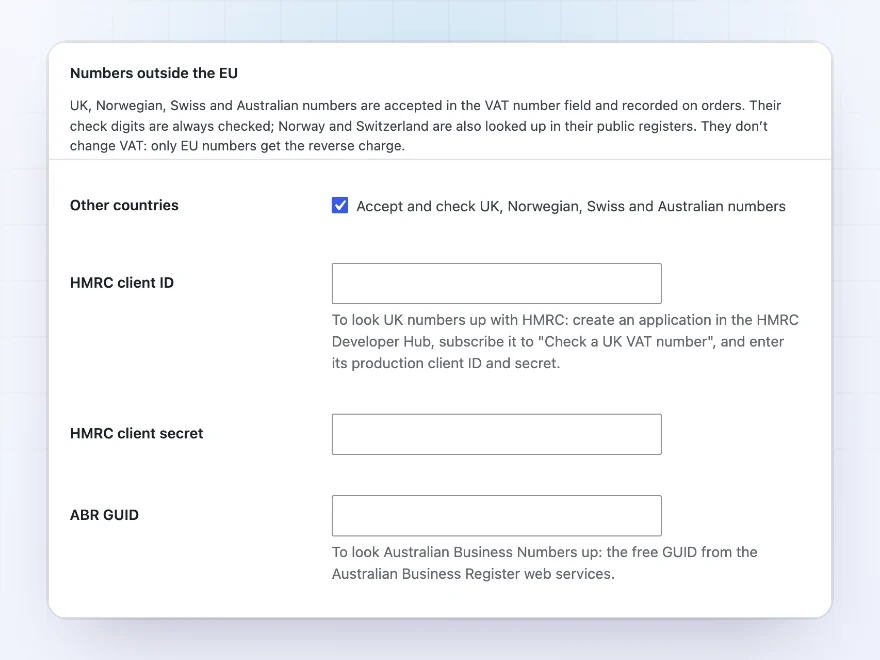
UK, Norwegian, Swiss and Australian VAT numbers are accepted in the same field and their check digits checked. Norwegian and Swiss numbers are looked up in their public registers, UK and Australian ones once you add your own credentials.
- UK, Norway, Switzerland and Australia
- Looked up in official registers
- The business name saved with the order
VAT reports
An EC Sales List in two clicks
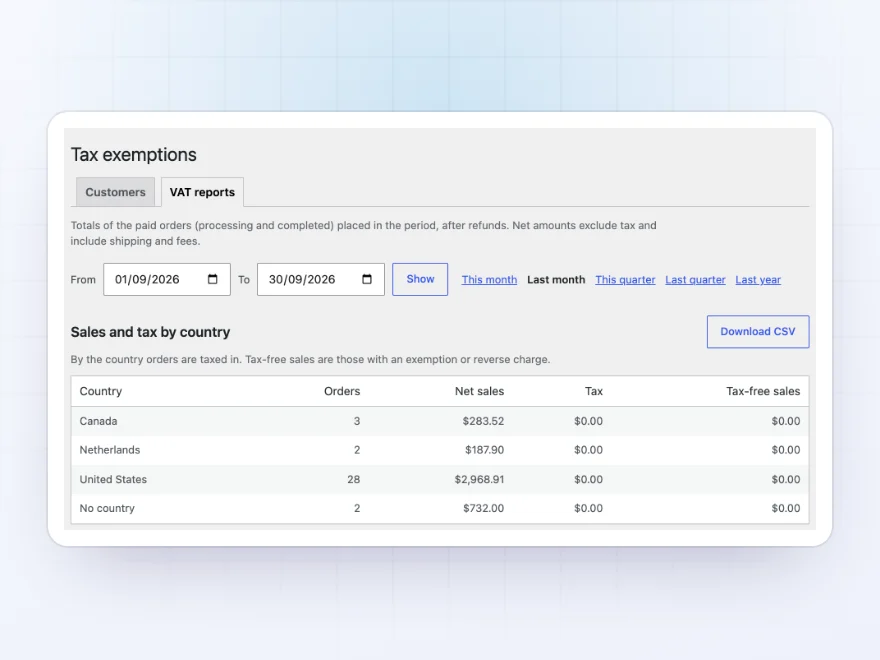
For any period, see reverse-charged sales by customer VAT number for your EC Sales List, and net sales and tax by country. Download either report as CSV.
- EC Sales List by VAT number
- Net sales and tax by country
- CSV download
Docs and support
Try it, set it up, ask us anything
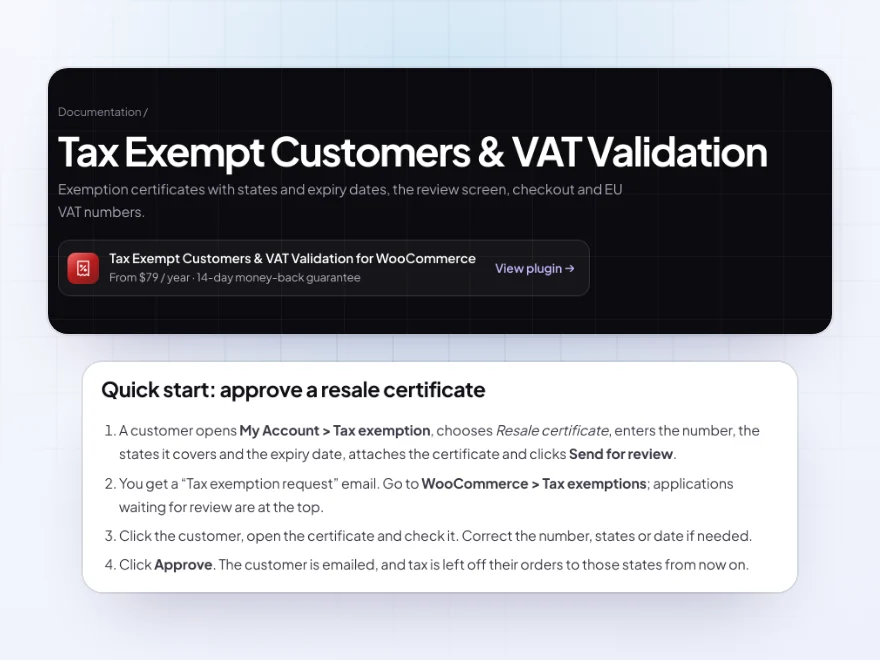
Try Tax Exempt Customers & VAT Validation in a live demo store before you buy. The docs start with a quick start and cover applying, reviewing and at checkout. Support tickets are answered by the developers who make the plugin, and updates are included.
- A live demo store to try it first
- Step-by-step docs with a quick start
- Most tickets answered within 12–24 hours
WooCommerce tax exemptions and EU VAT numbers
Tax Exempt Customers & VAT Validation keeps WooCommerce tax exempt customers on file with their certificates: customers send their certificate from My Account, you approve it, and tax is left off only where the certificate applies and only until it expires.
For European sales it adds a WooCommerce VAT number field at checkout, checks EU VAT numbers with VIES and applies the reverse charge, and also checks UK, Norwegian, Swiss and Australian numbers. VAT reports by country and an EC Sales List download as CSV.
Common setups
- Resellers: resale certificates for the states they cover, renewed before they expire.
- Schools and charities: exemption letters reviewed once, applied to every order.
- Government buyers: a user role that is always exempt, without a certificate.
- EU businesses: VAT reverse charge for a VAT number checked with VIES.
- Claims at checkout: customers tick “This purchase is tax exempt” and enter their number.
Questions before you buy
Is tax removed from every order of an approved customer?
Only when they’re logged in and the order goes to a state or country their certificate covers. Orders to other places are taxed as usual.
What happens when a certificate expires?
The exemption ends on that date. Customers get a reminder email before it, with a link to send a renewed certificate.
Can guests be tax exempt?
Yes, if you allow everyone to claim at checkout. They tick “This purchase is tax exempt” and enter their number, and the claim is saved with the order for you to check.
Does it work with the Checkout block?
Yes. Exemptions, the claim and the VAT number field work in the classic checkout and in the Cart and Checkout blocks.
Do I need the EU VAT features?
Only if you sell to businesses in Europe. The VAT number field stays off until you turn it on.
Can a whole group of customers be exempt?
Yes. Make a user role always exempt, such as government buyers, and its customers pay no tax without sending a certificate.
Where can I see the exemption on an order?
On the order screen, in order emails and on invoices from PDF Invoices & E-Invoicing, together with the certificate number.
Requirements
WordPress 6.8 or newer, WooCommerce 10.0 or newer and PHP 7.4 or newer. Works with the classic checkout, the Cart and Checkout blocks, and High-Performance Order Storage. VAT numbers are sent to the European Commission’s VIES service only when the VAT field is on.
Documentation
Step-by-step setup, every setting explained, and examples: read the documentation. Questions before you buy? Ask us.




sandert –
Tidy once set up. getting the expiry dates right took a little care. Would recommend
Davide –
Support went the extra mile
Half our customers are businesses sending exemption certificates, and now it’s all on their account. Michael was excellent – he imported our existing customer details for us.
Tomas –
Works, but plan the setup
The certificate approval flow suits us and support was helpful, but getting the regions and expiry dates right took me an afternoon – it’s not a switch-it-on plugin. Once it’s in place it’s fine. Four stars, though the setup time is the only downside.
Annika S. –
Really handy for the VAT field at checkout. Thomas talked me through the VIES checking. No fuss.