
Tax Exempt Customers & VAT Validation lets customers send their tax exemption certificate from their account. Once you approve it, tax is left off their orders where the certificate applies, until it expires. Business customers in another EU country can enter a VAT number, checked with VIES, for the VAT reverse charge.
Requirements
- WordPress 6.8 or newer
- WooCommerce 10.0 or newer
- PHP 7.4 or newer
- Works with the classic checkout, the Cart and Checkout blocks, and High-Performance Order Storage. Tax must be switched on in WooCommerce.
Installation
- Download
tax-exempt-customers-vat.zipfrom My account > Downloads. - In WordPress, go to Plugins > Add New Plugin > Upload Plugin, choose the zip file and click Install Now.
- Click Activate. Settings are under WooCommerce > Settings > Tax > Exemptions, and applications under WooCommerce > Tax exemptions.
Quick start: approve a resale certificate
- A customer opens My Account > Tax exemption, chooses Resale certificate, enters the number, the states it covers and the expiry date, attaches the certificate and clicks Send for review.
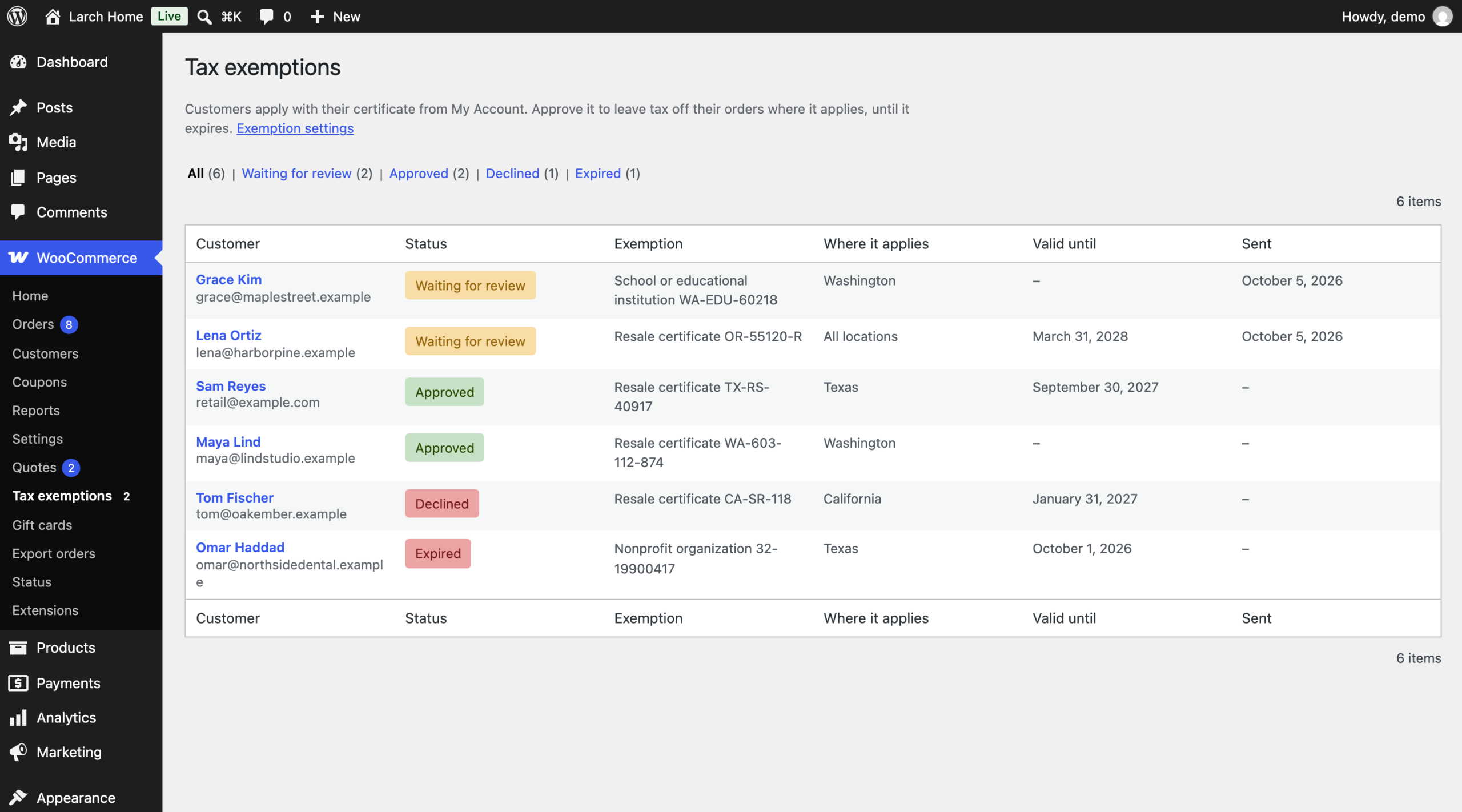
- You get a “Tax exemption request” email. Go to WooCommerce > Tax exemptions; applications waiting for review are at the top.
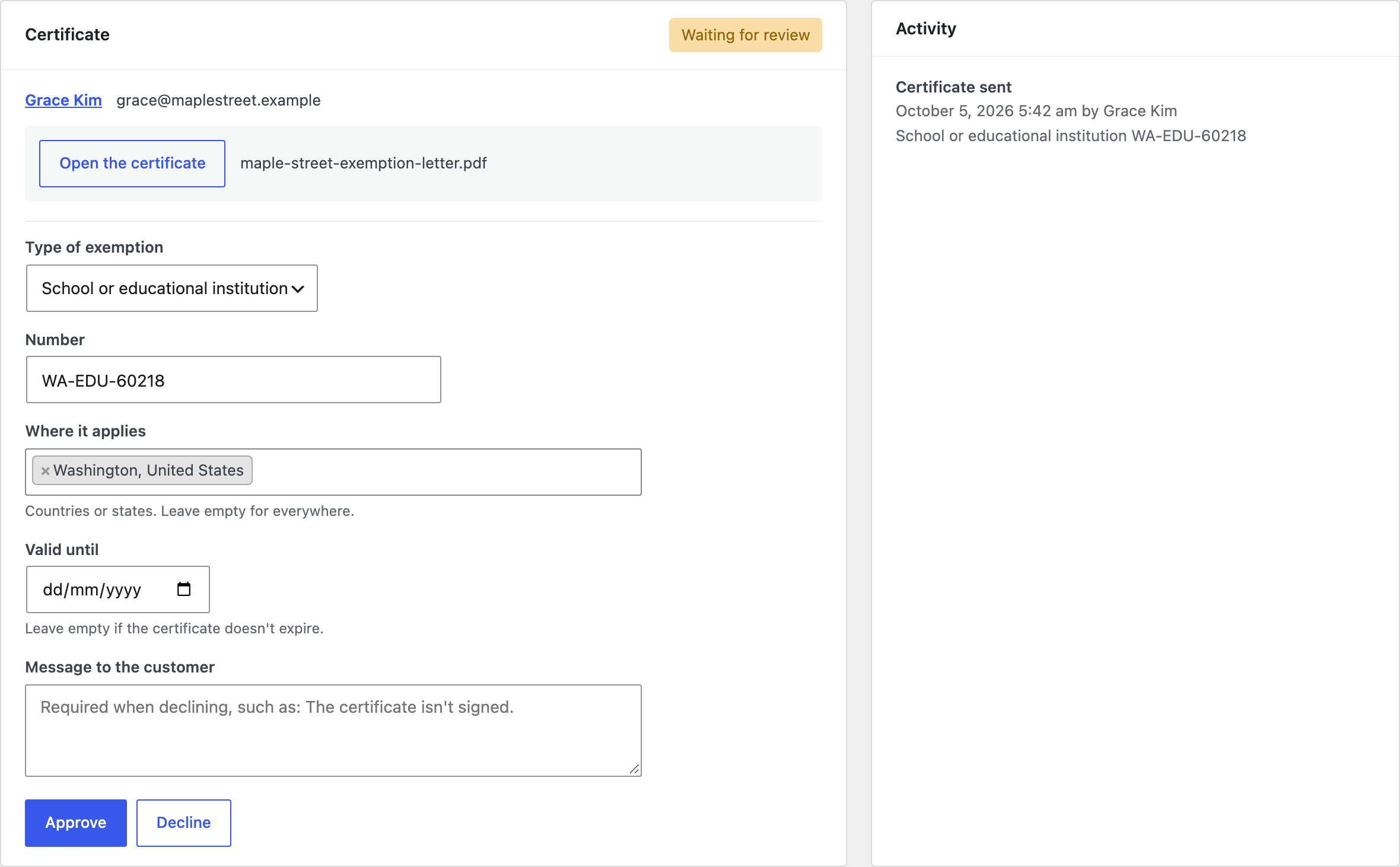
- Click the customer, open the certificate and check it. Correct the number, states or date if needed.
- Click Approve. The customer is emailed, and tax is left off their orders to those states from now on.
Applying
Customers apply under My Account > Tax exemption. They choose the kind of exemption (resale, nonprofit, government, school, manufacturing or other), enter the certificate number, the states it covers and the expiry date, and attach a PDF, JPG or PNG of up to 5 MB. The page always shows the status and details of their exemption.
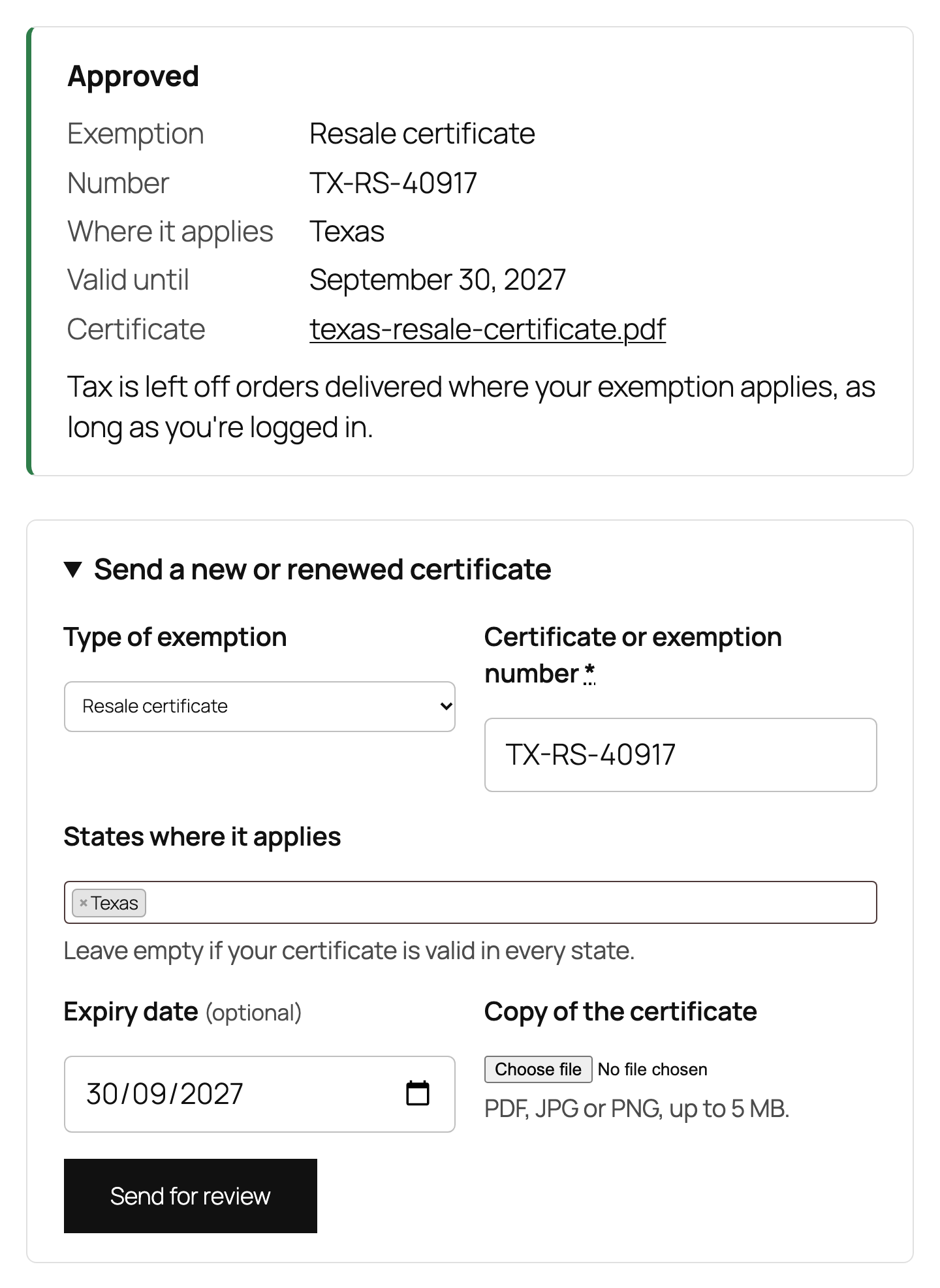
Certificate files are stored in a folder with a random name in your uploads folder, blocked from direct access. Only shop managers and the customer who sent the file can open it.
Reviewing
WooCommerce > Tax exemptions lists customers by status. Open one to see the certificate and the details. Approve, correct and approve, or decline with a message telling the customer what to change; they are emailed either way. The activity log records every change with who made it and when.
You can also set or change an exemption on the customer’s user profile, without an application. To exempt a whole user role without certificates, such as a government buyer role, use Always exempt in the settings.
At checkout
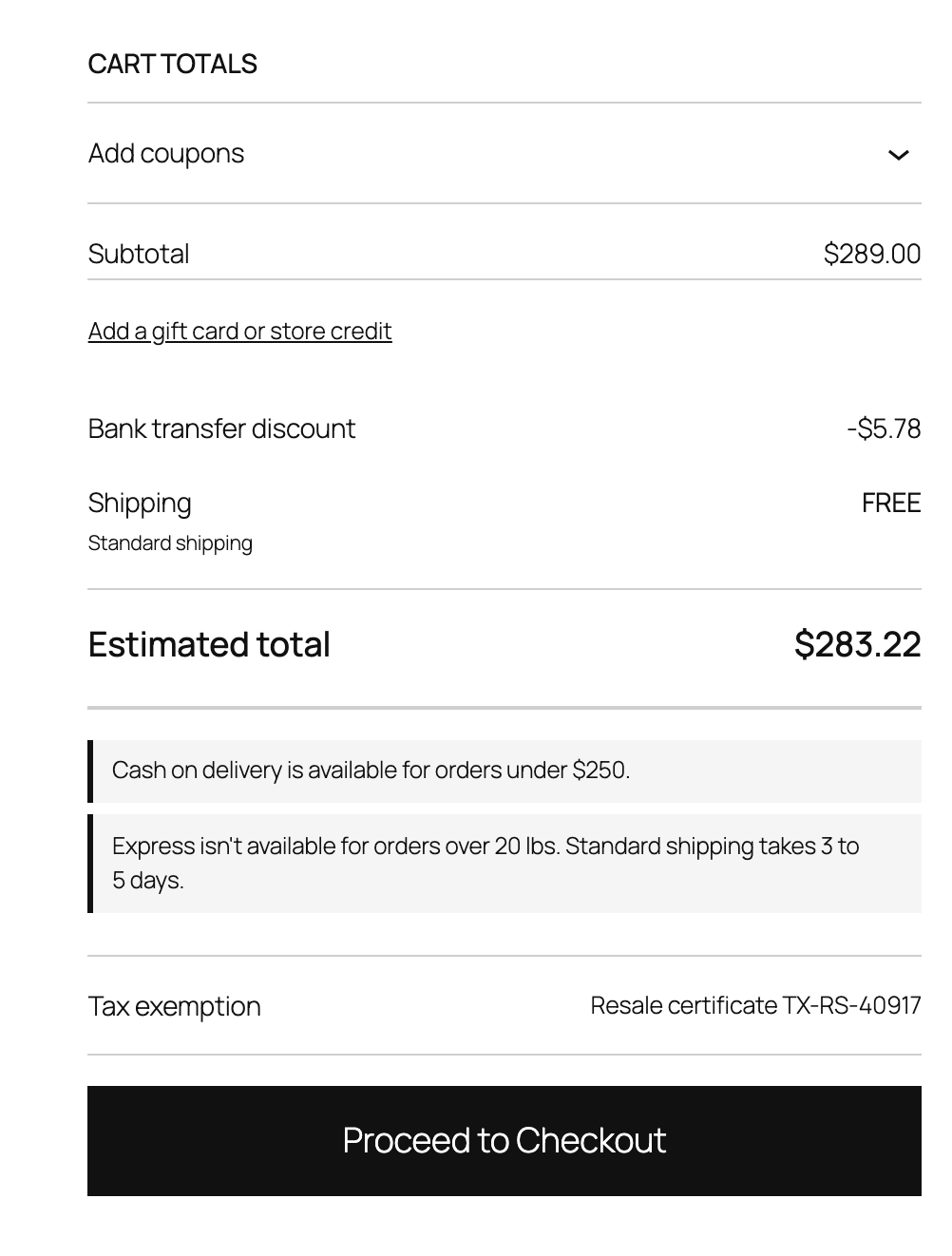
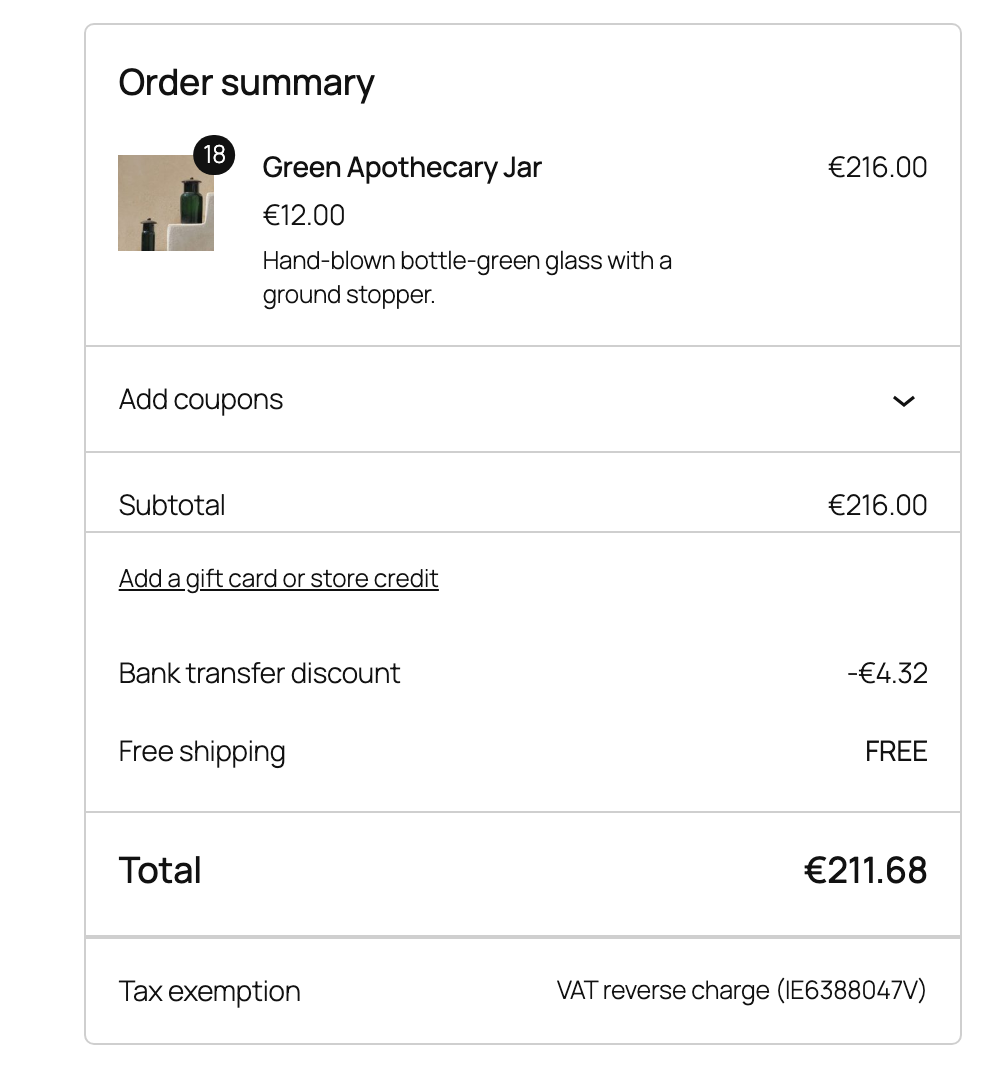
For a logged-in customer with an approved exemption, tax is left off when the order goes to a state or country the exemption covers. An exemption without states covers every location. Orders to other places, or after the expiry date, are taxed as usual. The cart and checkout show which exemption applies, next to the totals.
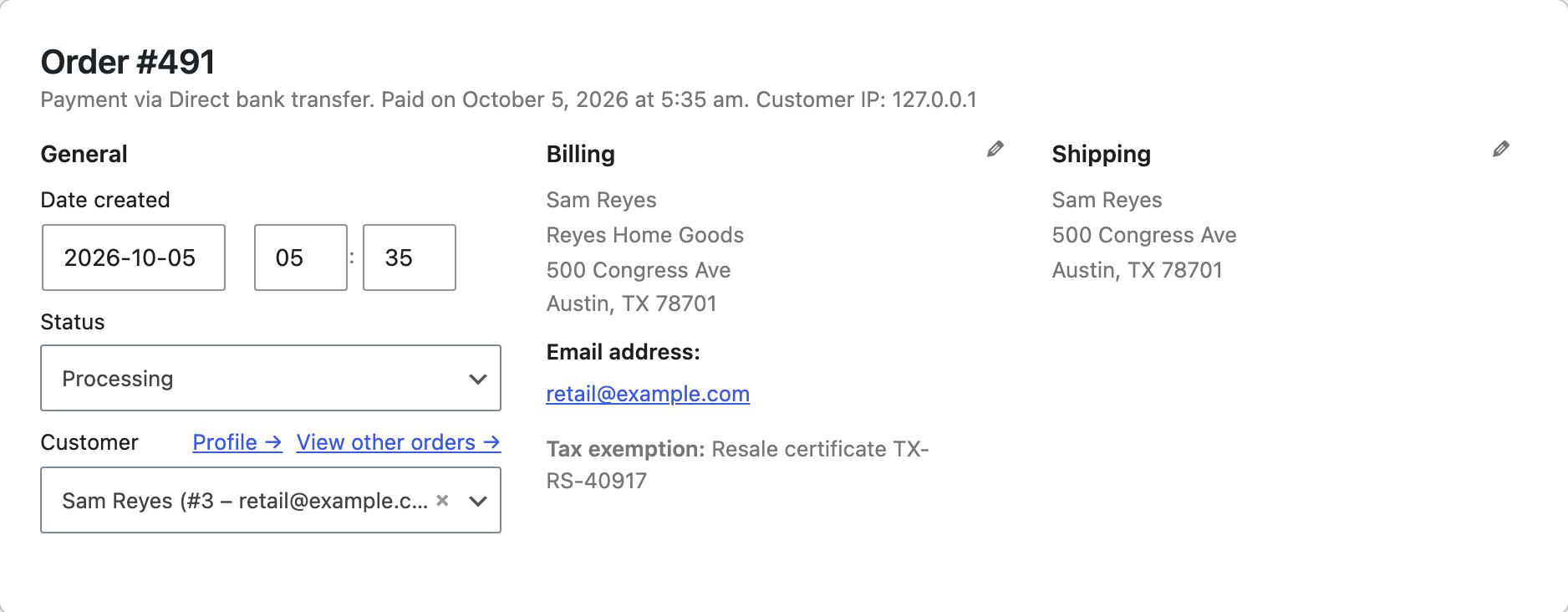
The exemption is saved with the order, shown on the order screen and in order emails, and printed on invoices from PDF Invoices & E-Invoicing. Orders you create for an exempt customer stay exempt when you recalculate them.
Expiry and renewal
An exemption ends on its expiry date: tax applies again from the next day, and its status becomes Expired. A reminder email goes to the customer a number of days before, set in Expiry reminder, with a link to send a renewed certificate.
EU VAT numbers
Set VAT number field to Optional or Required to add a VAT number field to the classic and block checkout. When a customer in another EU country enters a number, it is checked with the European Commission’s VIES service. A valid number from the customer’s own country means no VAT on the order, as reverse charge. Customers in your store’s country always pay VAT, and the reverse charge needs your store address to be in the EU.
- Add Your VAT number and each check returns a consultation number, saved with the order as proof.
- Valid numbers are remembered for a day, so customers aren’t checked again on every page.
- If VIES is down, choose whether to accept numbers that look right or charge VAT until the number can be checked.
- With PDF Invoices & E-Invoicing, its VAT number field is used, so customers never see two.
VAT numbers are sent to VIES (ec.europa.eu) only when the VAT number field is on and a customer enters a number. Mention this in your privacy policy.
Settings
| Setting | What it does |
|---|---|
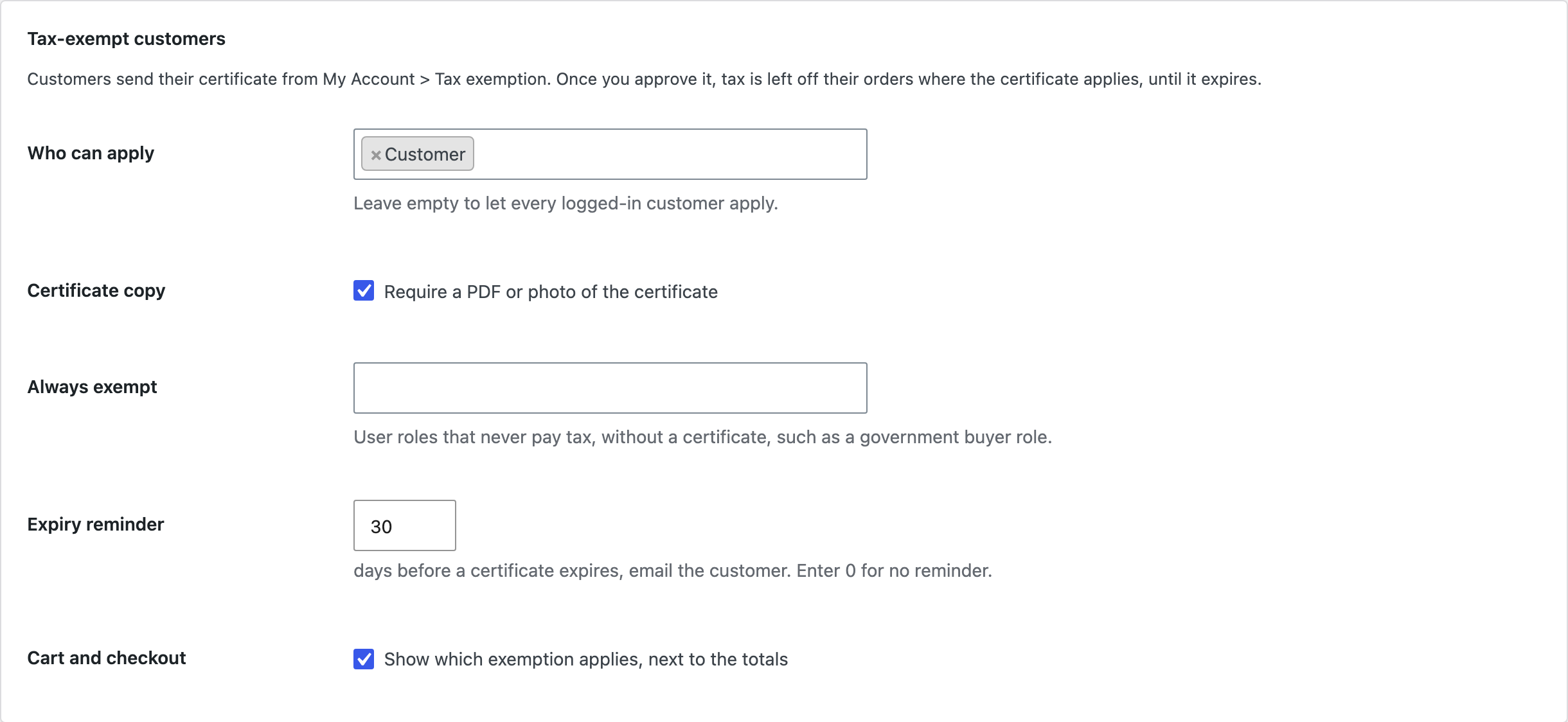
| Who can apply | User roles that can apply. Empty means every logged-in customer. |
| Certificate copy | Require a PDF or photo of the certificate. |
| Always exempt | User roles that never pay tax, without a certificate. |
| Expiry reminder | Days before expiry to email the customer. 0 for no reminder. |
| Cart and checkout | Show which exemption applies, next to the totals. |
| VAT number field | Hidden, optional or required at checkout. |
| When VIES is down | Accept numbers that look right, or charge VAT. |
| Your VAT number | Sent with each check, for a consultation number. |
| Remove data | Deletes exemptions, certificate files and settings when the plugin is deleted. |
For developers
| Hook | Use |
|---|---|
tecv_customer_exemption | The exemption that applies to the current cart, or none. |
tecv_reverse_charge | Whether a checked VAT number gets the reverse charge. |
tecv_exemption_types | The kinds of exemption customers can choose. |
tecv_exemption_submitted, tecv_exemption_approved, tecv_exemption_declined, tecv_exemption_expiring | Run at each step. |
tecv_admin_capability | The capability needed to review exemptions. |
Copy public/templates/myaccount-tax-exemption.php or totals-row.php to yourtheme/tax-exempt-customers-vat/ to change the account page or the line next to the totals.
Frequently asked questions
Do customers need an account?
Yes, for certificates: they must be logged in to order without tax. The VAT number field works for guests too.
Is shipping tax left off too?
Yes. An exempt order has no tax on products, shipping or fees, as WooCommerce does for VAT-exempt customers.
Does it file or report exemptions to tax authorities?
No. It keeps the certificates and applies them; reporting stays with you or your accountant.
Changelog
1.6.0 · September 21, 2026
Compatibility update
- Updated compatibility checks for current WooCommerce releases.
- Improved translated notices and settings labels.
1.5.5 · May 30, 2026
Maintenance
- Fixed an exemption being retained after changing to a destination outside the certificate coverage.
1.5.0 · May 23, 2026
Feature update
- Improved tax exemption checks in the Checkout block.
- Improved recalculation when customers change their shipping destination.
1.4.1 · January 16, 2026
Maintenance
- Fixed an old certificate expiry date being copied into a renewal submission.
1.4.0 · January 10, 2026
Feature update
- Added certificate renewal reminders and a customer renewal flow.
- Improved the display of pending and expiring certificates in My Account.
1.3.2 · September 17, 2025
Hotfix
- Fixed a VAT number with spaces failing validation before the service request.
1.3.0 · September 10, 2025
Feature update
- Added EU VAT validation through VIES for eligible reverse-charge orders.
- Improved the notice shown when VIES is temporarily unavailable.
1.2.5 · June 8, 2025
Hotfix
- Fixed a correction request losing the administrator note in the customer message.
1.2.0 · May 29, 2025
Feature update
- Added a review screen with approval, correction and decline actions.
- Added an activity log for exemption decisions.
1.1.3 · February 5, 2025
Maintenance
- Fixed an expired certificate remaining eligible until the next account login.
1.1.0 · January 19, 2025
Feature update
- Added certificate coverage by state and an expiry date.
- Improved checks for the destination covered by an approved certificate.
1.0.2 · September 29, 2024
Hotfix
- Fixed an exemption application being saved twice when the submit button was clicked repeatedly.
1.0.0 · September 22, 2024
Initial release
- Initial release.
- Let customers submit exemption certificates and let the store approve tax-exempt accounts.