 Maxima Plugins
Description
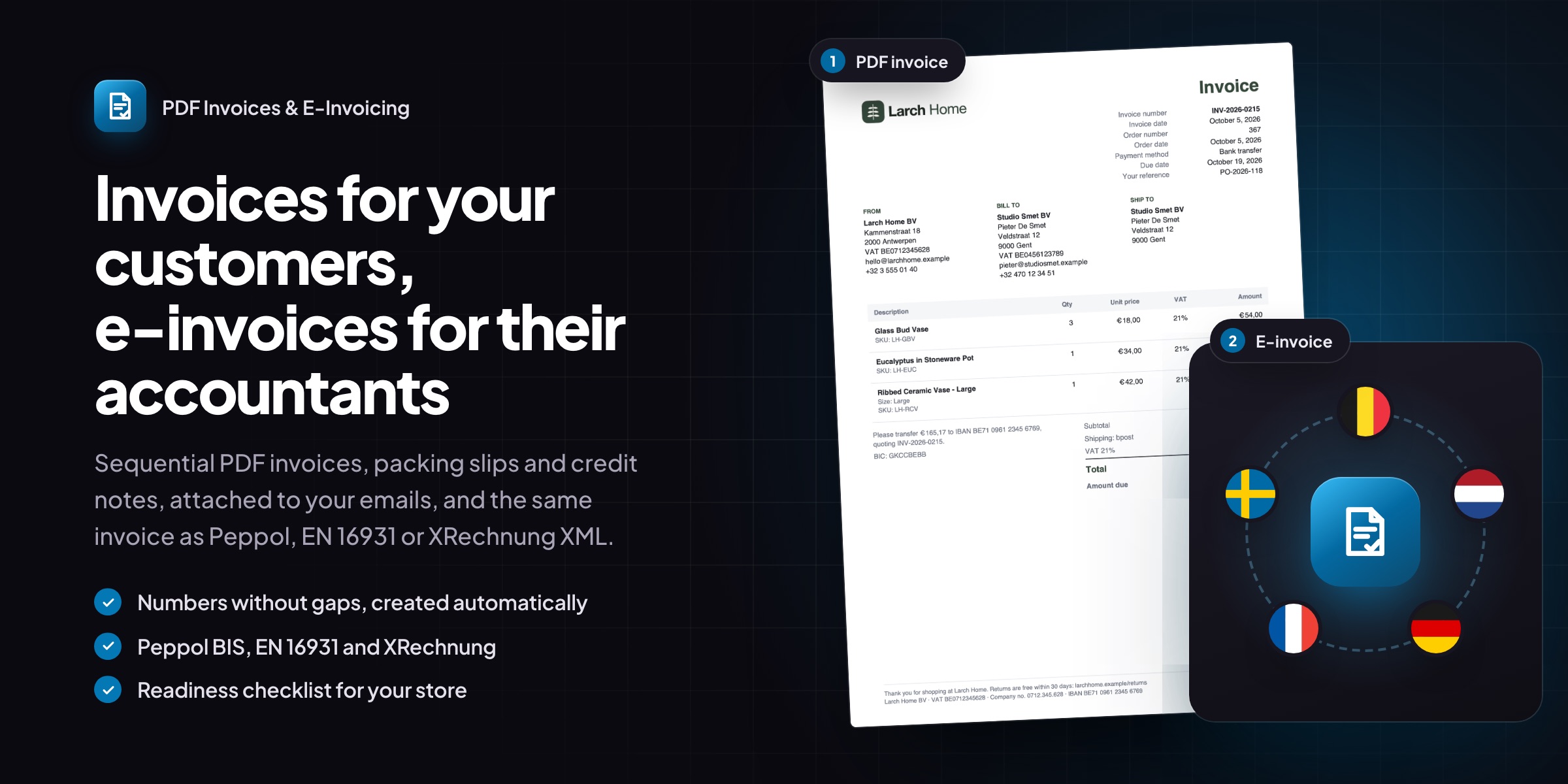
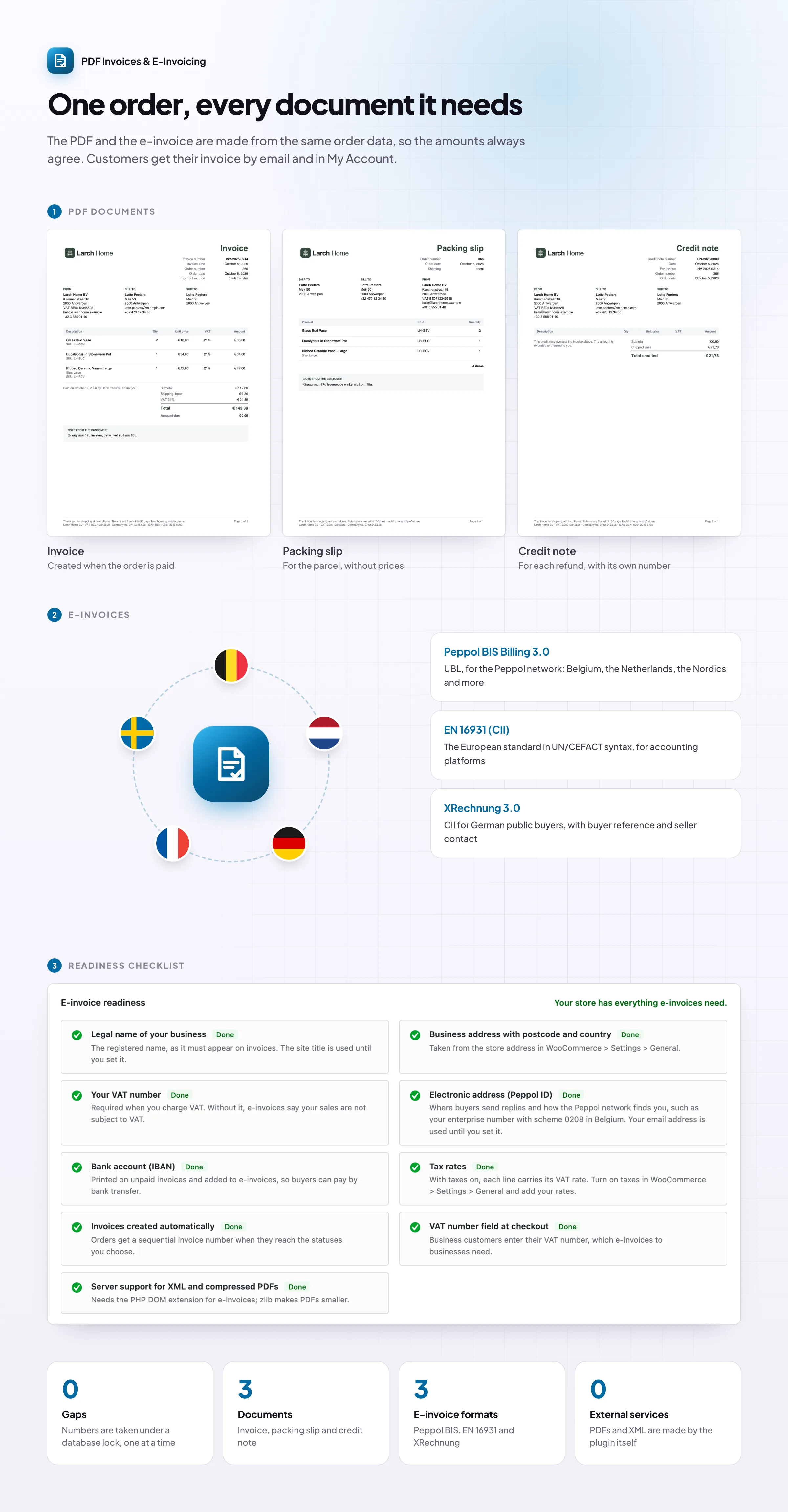
PDF Invoices & E-Invoicing creates a numbered PDF invoice for every order and attaches it to your order emails. Packing slips and credit notes come with it, and business customers get e-invoices in Peppol BIS, EN 16931 and XRechnung formats, made from the same order data as the PDF.
Invoice numbers without gaps, such as INV-2026-0042, created when orders reach the statuses you choose.
Sent and saved: attached to the order emails you choose, and in My Account for customers to download.
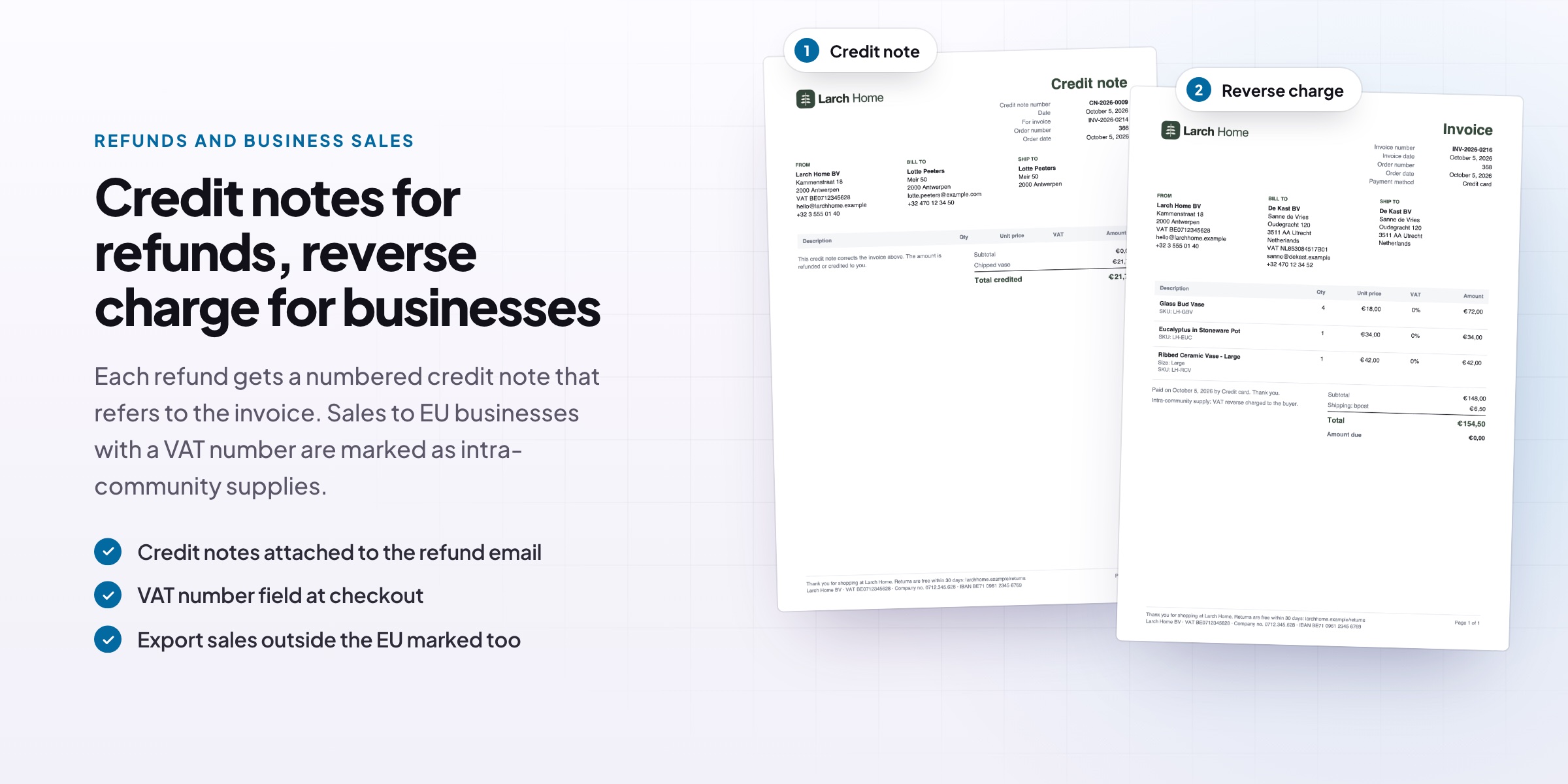
Credit notes for refunds, with their own numbers and a reference to the original invoice.
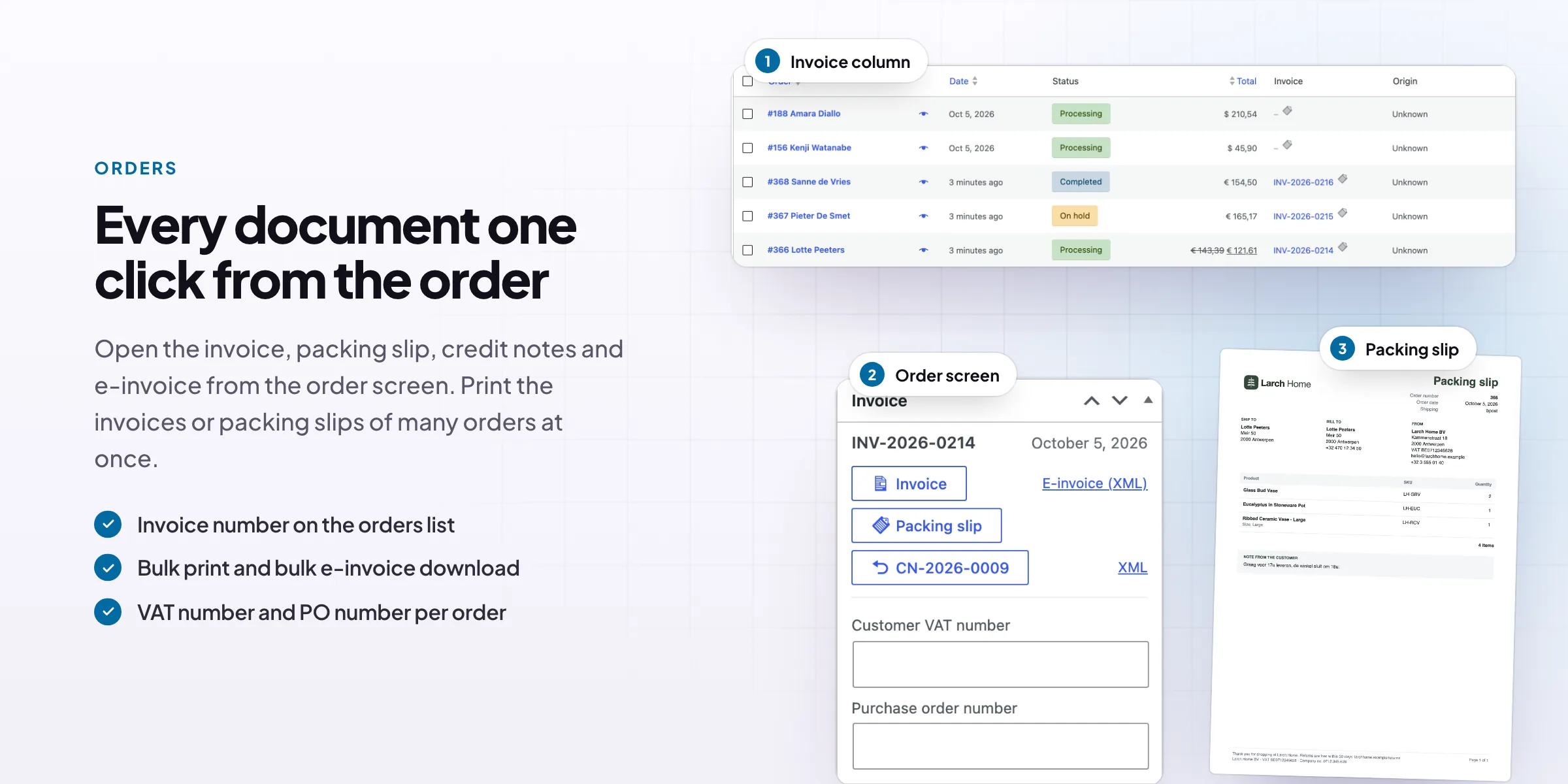
Packing slips with the delivery address, SKUs and quantities, printed for many orders at once.
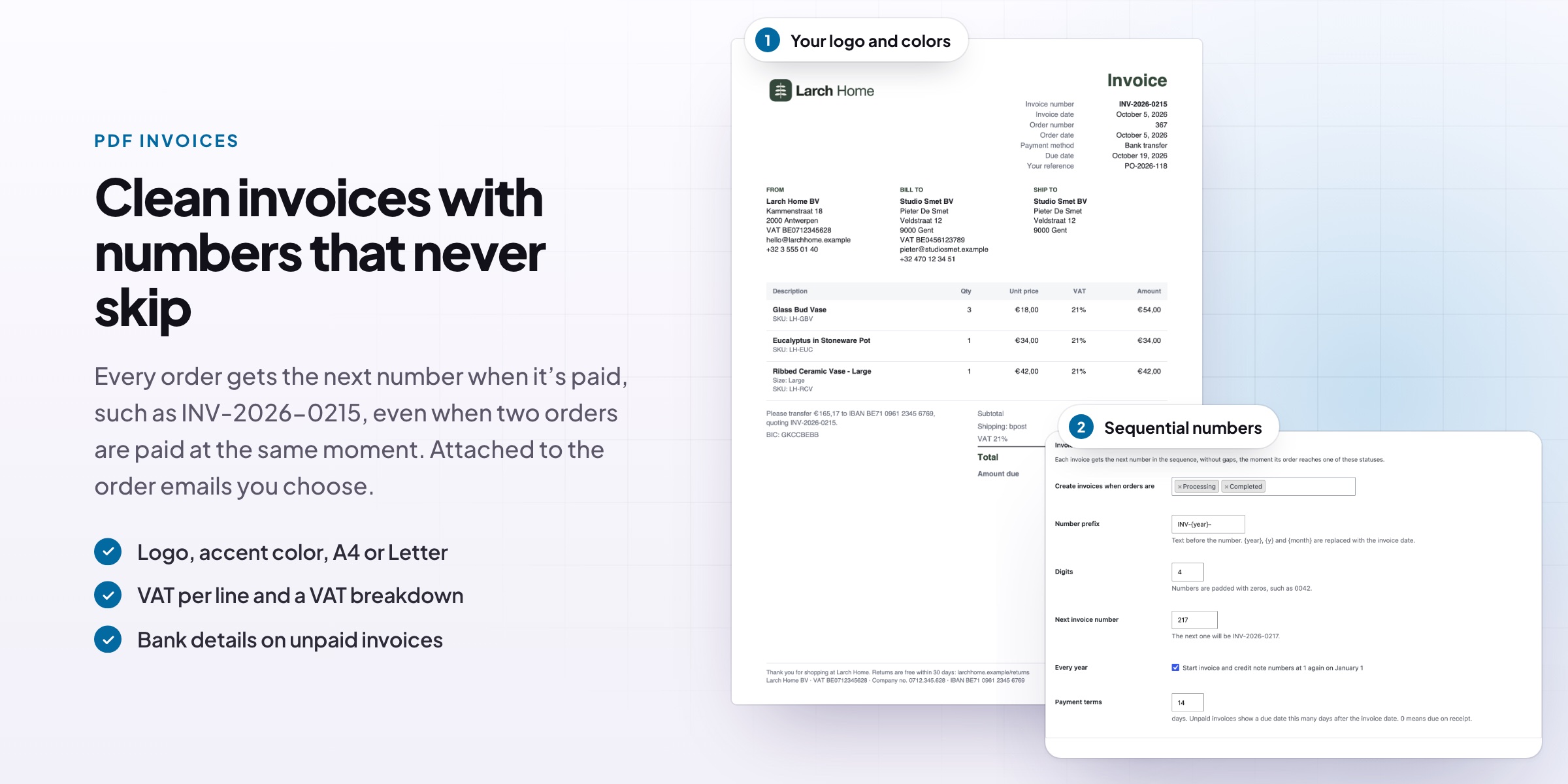
Your logo and colors, A4 or US Letter, your own footer and your bank details.
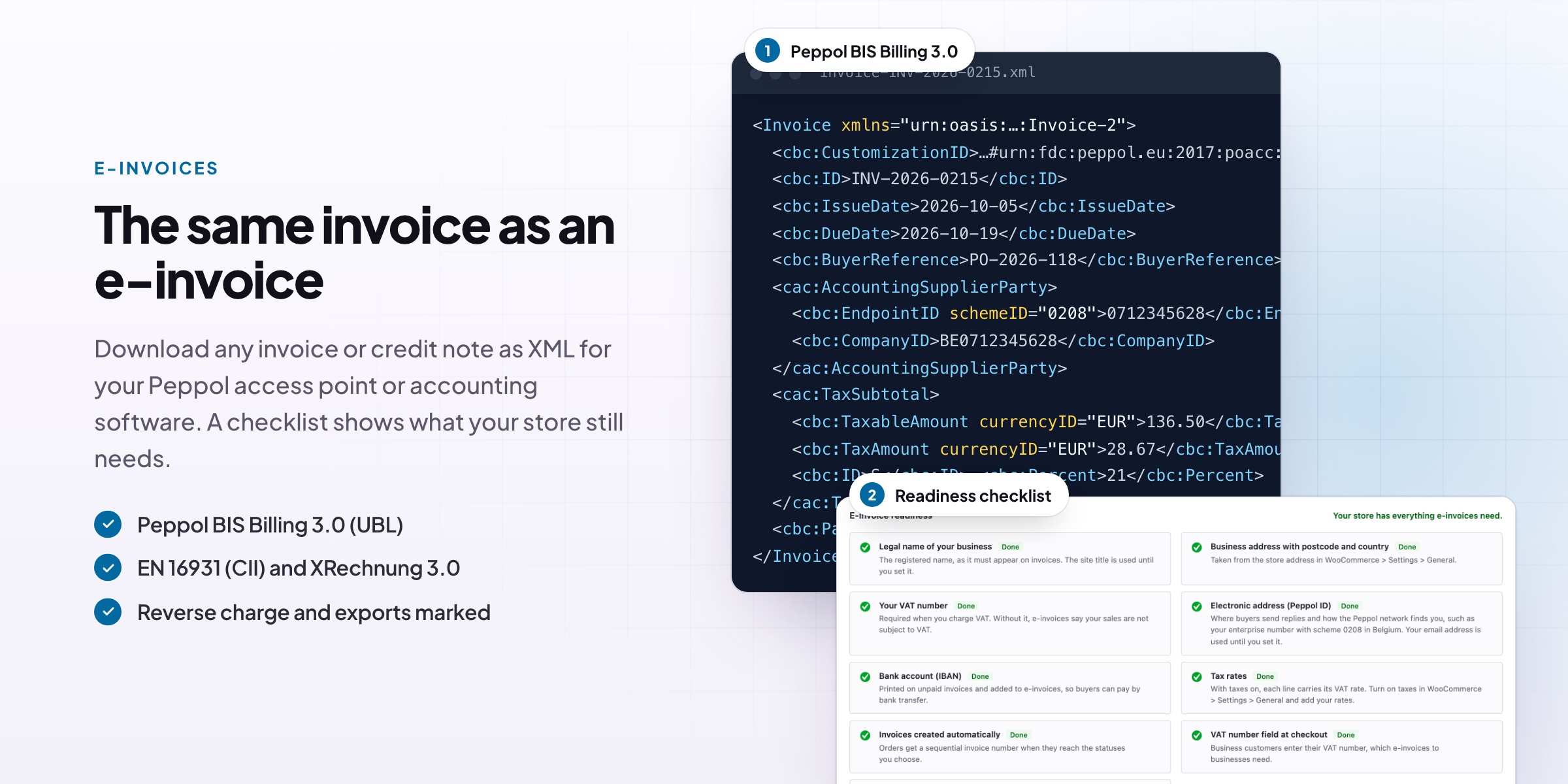
E-invoices in Peppol BIS Billing 3.0, EN 16931 (CII) and XRechnung 3.0, ready for your access point or accountant.
A readiness checklist shows what your store still needs: legal name, VAT number, Peppol ID and bank account.
VAT number and PO fields at checkout, in the classic checkout and the Checkout block.
PDF invoices
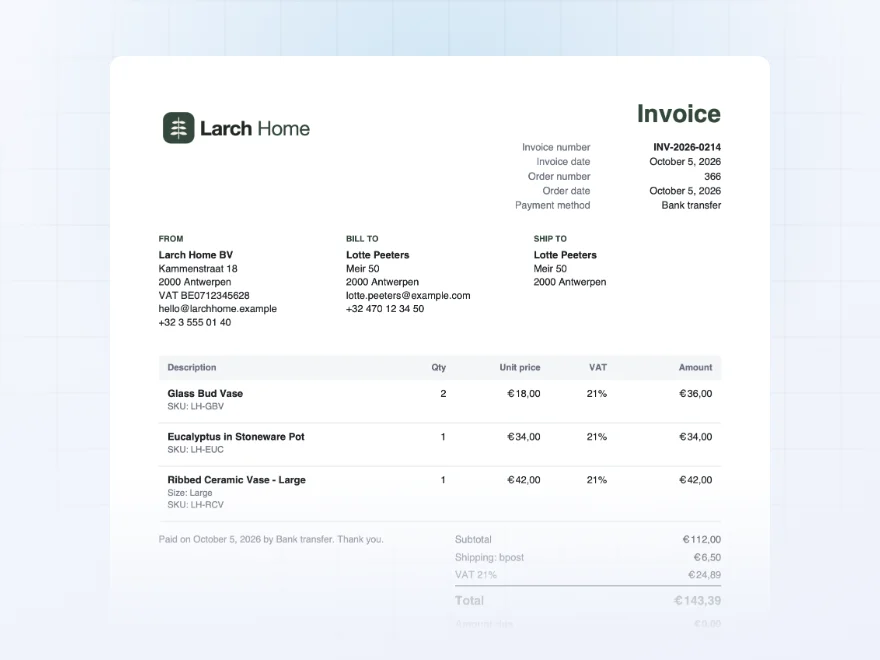
Professional PDF invoices, created automatically
Every order gets a clean PDF invoice with your logo, colors and business details. It’s created by itself when the order is paid or completed (you choose which) and numbered in sequence, such as INV-2026-0215, with no gaps or duplicates.
- Your logo, colors and footer
- A4 or US Letter paper
- Carries on from your current invoice numbers
Order emails
Sent with your order emails
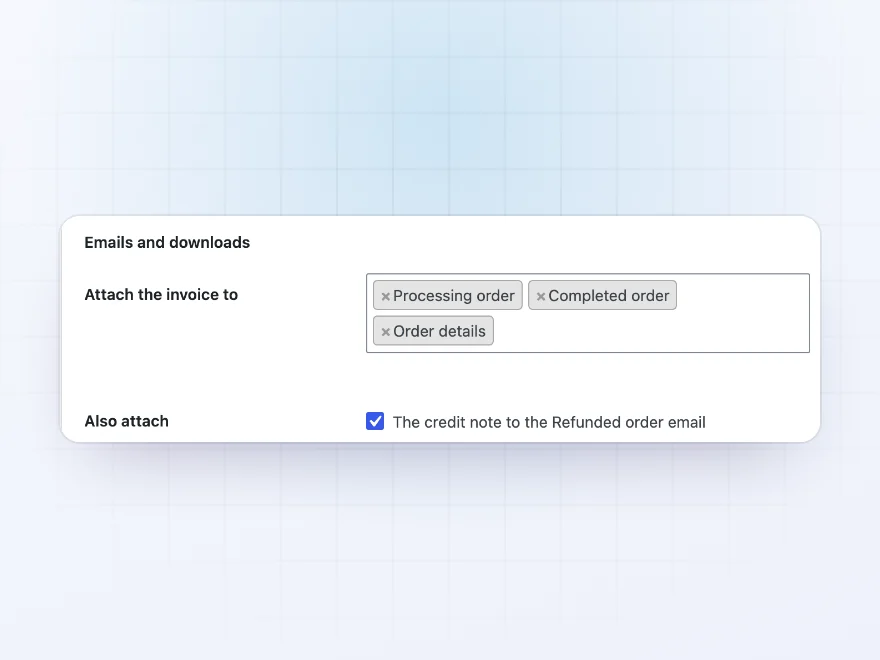
Choose which WooCommerce emails carry the invoice, such as the Processing or Completed order email, and the PDF is attached automatically. Customers get their invoice without asking, and you never have to send one by hand.
- Works with your existing WooCommerce emails
- Credit notes go with the refund email
- A packing slip on the new-order email you receive, if you want it
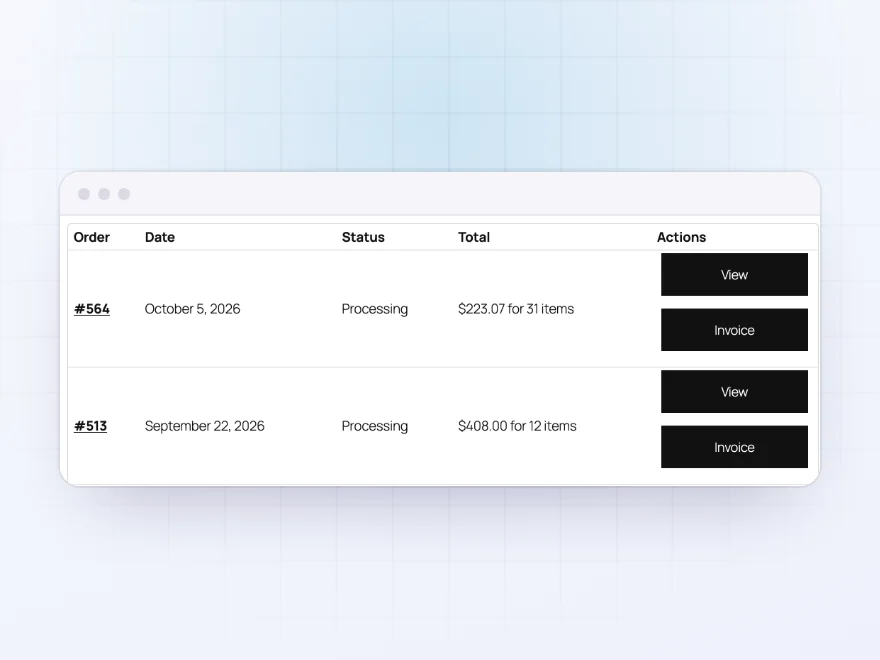
My Account
Customers download their own invoices
Every order in My Account gets an Invoice button, so customers can download their invoice again whenever they need it, for their records or their accountant, without emailing you.
- One click from their order list
- Invoices and credit notes
- Fewer “can you resend my invoice?” emails
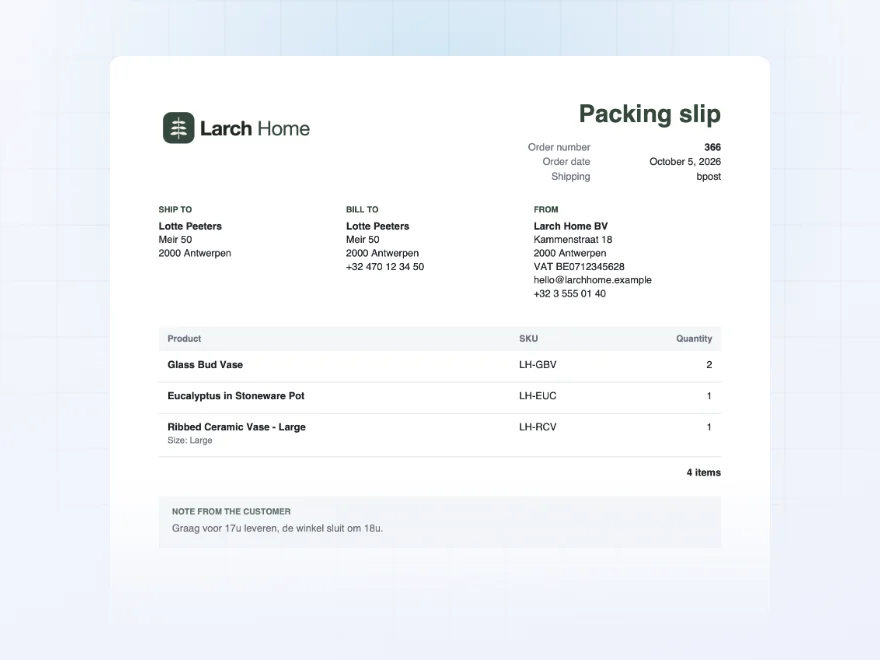
Packing slips
Packing slips for your warehouse
Packing slips list the delivery address, products, SKUs and quantities, with no prices, ready to go in the box. Select a day’s orders in the orders list and print all their packing slips, or invoices, in one go.
- Print many orders at once
- No prices on the slip
- Customer notes included
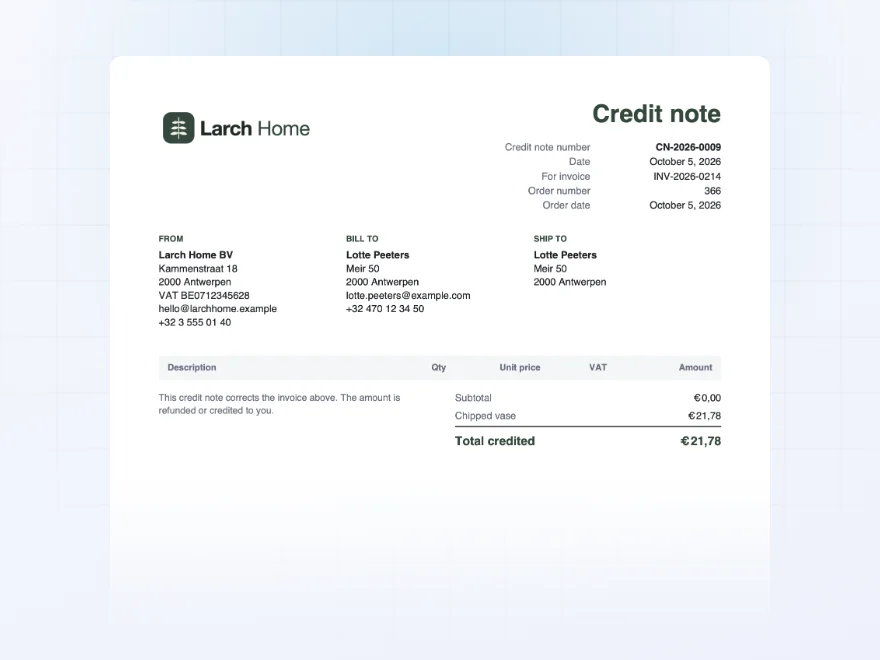
Refunds and bank transfers
Credit notes and proforma invoices
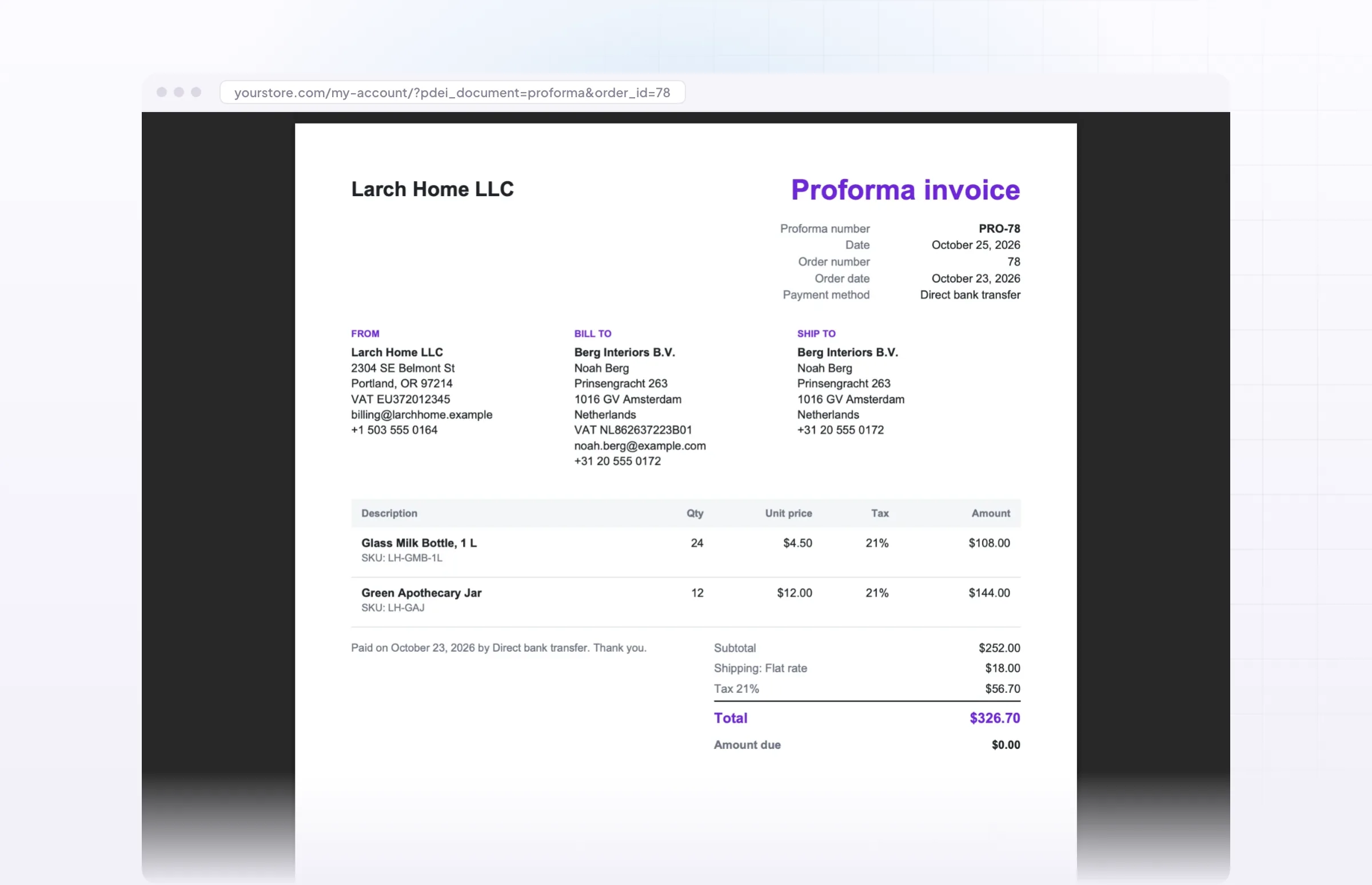
When you refund an order, a credit note is created with its own number and a reference to the original invoice. For customers who pay by bank transfer, you can send a proforma invoice first, with your bank details and a due date.
- Credit notes created when you refund
- Proformas for payments that come later
- Both in the customer’s My Account
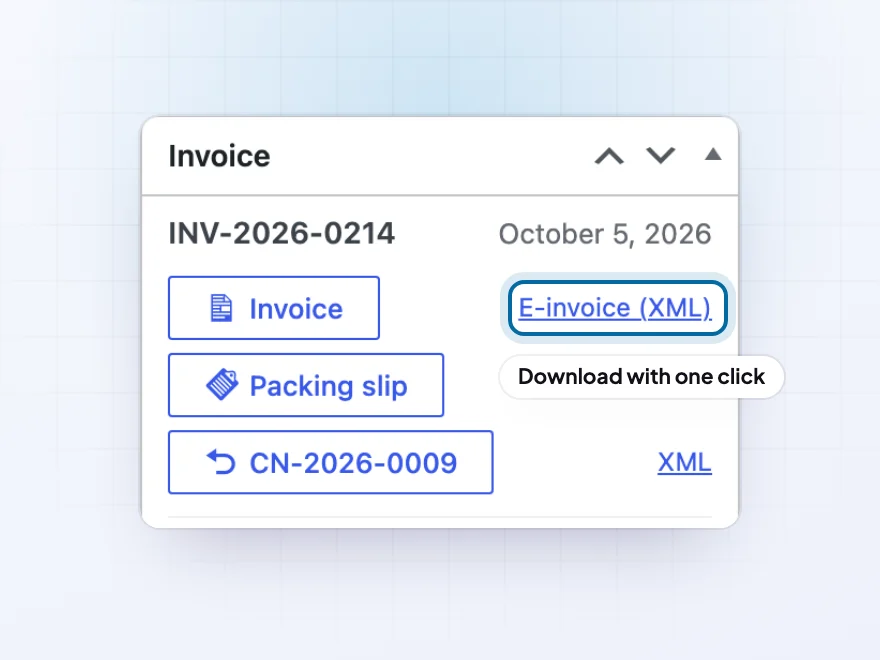
E-invoices
E-invoices for business customers
Some business customers, and some countries, need e-invoices: invoices as a file their accounting software reads directly. The plugin creates one from the same order as the PDF, with one click on the order screen or automatically with the invoice email. There’s no code and no extra service, and if your customers don’t ask for e-invoices, you can simply ignore this.
- Peppol BIS Billing 3.0 and EN 16931 (CII)
- XRechnung 3.0 for Germany
- Factur-X / ZUGFeRD, with the e-invoice inside the PDF
- A VAT number field at checkout
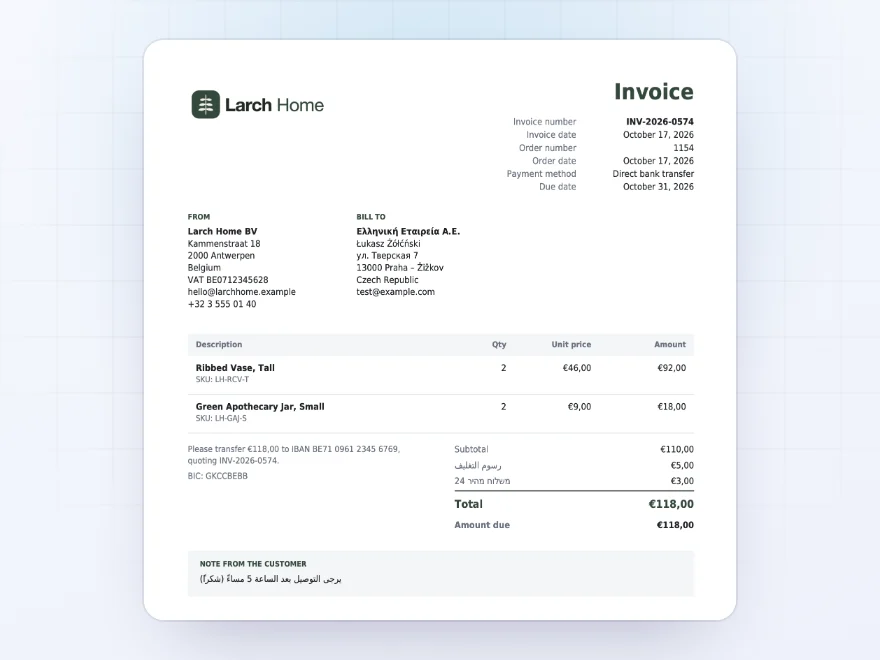
Every language
Invoices in Greek, Polish, Arabic and more
Polish, Czech, Hungarian, Romanian, Greek, Cyrillic, Arabic and Hebrew print correctly with the included font, which is only embedded when a document needs it. For Chinese, Japanese or Korean, add a font of your own.
- Central European, Greek and Cyrillic
- Arabic and Hebrew
- Your own font for Chinese, Japanese or Korean
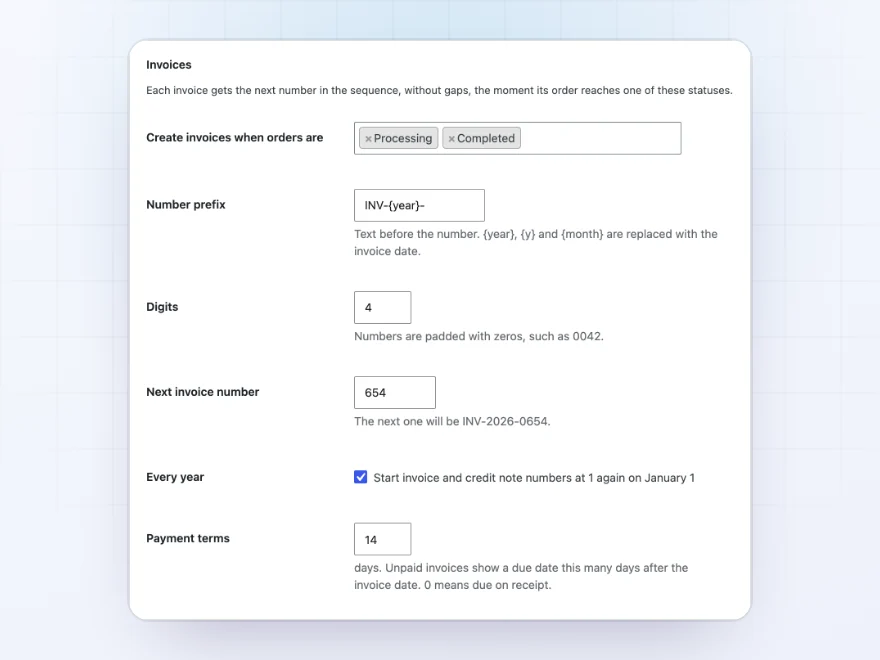
Invoice numbers
Numbers without gaps or duplicates
Invoices are numbered in order, such as INV-2026-0042, with no gaps and no duplicates, even when two orders are paid at the same moment. Carry on from your current numbers and start again each year if you like.
- Your own prefix, such as INV-{year}-
- Carries on from your current numbers
- Starts again on January 1, if you want
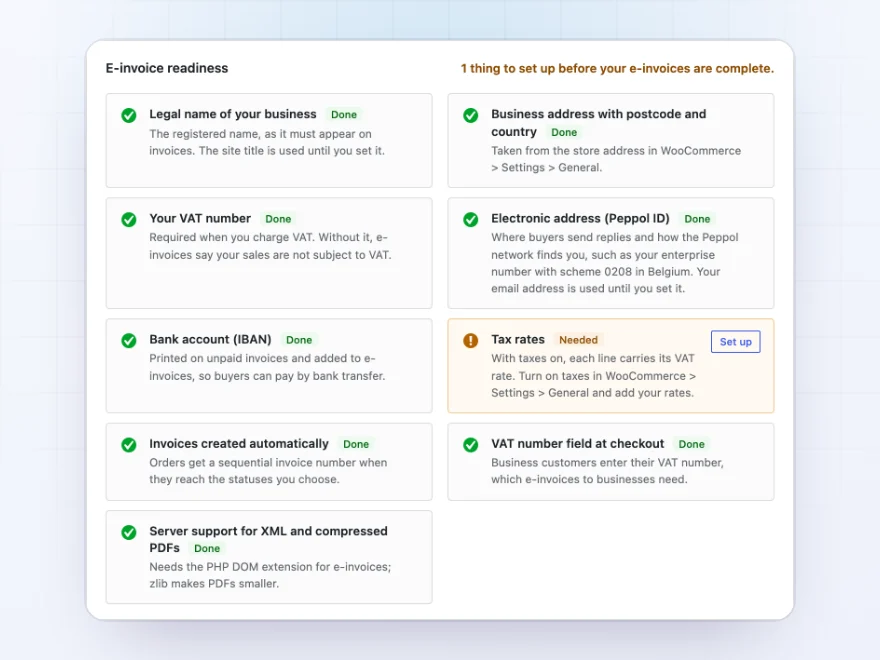
Readiness check
See what your store still needs for e-invoices
A checklist shows what is still missing for e-invoices: your legal name and address, VAT number, Peppol ID, bank account, tax rates and the VAT number field at checkout. Each item links to where you fix it.
- Legal name, VAT number and Peppol ID
- Bank account and tax rates
- Links to where you fix each one
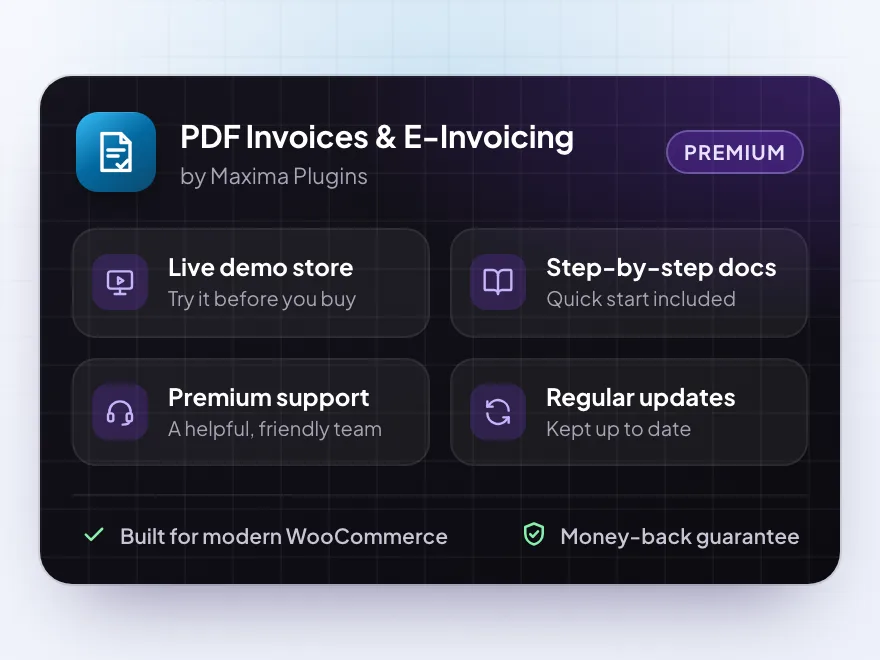
Premium quality & support
Support you can count on, year after year
See PDF Invoices & E-Invoicing working in a live demo store before you buy. If you need a hand, our friendly support team will help you get it set up, and regular updates keep it working with each new WooCommerce release.
- A live demo store to try it first
- Step-by-step docs with a quick start
- Premium support from a helpful team
- Regular updates included
PDF invoices and packing slips for WooCommerce, and e-invoices
PDF Invoices & E-Invoicing creates PDF invoices and packing slips for WooCommerce automatically, attaches the invoice to the order emails you choose and lets customers download it in My Account. Invoice numbers follow on without gaps, credit notes are made for refunds, and proformas ask for payment before an order is paid.
For business customers, every WooCommerce invoice can also be an e-invoice in Peppol, XRechnung, CII or Factur-X, made from the same order data so the PDF and the XML always agree. The PDFs are made by the plugin itself and print Greek, Cyrillic, Arabic and Central European text correctly.
Common setups
Questions before you buy
Does it work with my theme and checkout?
Yes. The plugin makes the PDFs itself, so your theme doesn’t change how they look, and it works with both the classic checkout and the Checkout block.
Can I keep my current invoice numbers?
Yes. Set the next invoice number and the prefix, and new invoices carry on from there.
Can I change how the invoice looks?
Yes. Add your logo, pick an accent color, choose A4 or US Letter, and add your own footer, such as your company details.
Does it work in my language?
Yes. Invoices print every alphabet, including Greek, Cyrillic, Arabic and Hebrew, and every label can be translated.
Do I need e-invoices?
Only if your business customers or your country ask for them. Most stores use just the PDF invoices.
Requirements
- WordPress
- 6.8 or newer
- WooCommerce
- 10.0 or newer
- PHP
- 7.4 or newer
Works with
- Classic themes
- Block themes
- Cart and Checkout blocks
- High-Performance Order Storage




Noemi –
Great for small shops
We only sell a few dozen products so we just needed branded invoices. Does that well
Ben –
Reliable. took a little while to decide which documents attach to which email
Anouk B. –
Fine
Does what we need. Invoices go out with the order email. No dramas so far.
mrossi_w –
The e-invoice checklist is why we bought it. works, mapping our fields took some care. Thomas was responsive
Nadia –
Good, but allow time for the e-invoicing side
The standard PDF invoices were easy. The e-invoicing side took longer – getting our business details ready was more work than setting up the plugin. Michael got me through the readiness checklist.
sorendk –
Works well. Batch printing of the packing slips is the part we use most.
Lucia –
took a couple of test orders to be sure the numbering continued from our old invoices. Works fine now
Niels –
Straightforward
didnt have to wade through the e-invoicing side for what i needed. straightforward.
Sofie F. –
Branded invoices attached to the emails, set up in an evening. Works well. I haven’t needed to contact support so far.
Elise –
Packing slips sorted
We print several packing slips at once now instead of one by one. Brilliant!
Andreas –
Reliable
We do around 40 orders a week and we’ve never had a missing invoice. It took me some time to line the template up with our branding. Thomas sorted out a footer question for me.
gmoretti –
Invoices are attached to the emails automatically, exactly what we wanted. Setting up the logo was easy.