
Registration Fields & Account Approval adds your own fields to WooCommerce’s registration form, lets customers choose an account type such as Retail or Trade, and holds new accounts of some types until you approve them.
Requirements
- WordPress 6.8 or newer
- WooCommerce 10.0 or newer
- PHP 7.4 or newer
- Works with classic and block themes and WooCommerce’s own registration form. EU VAT numbers are checked with the European Commission’s VIES service.
Installation
- Download
registration-fields-approval.zipfrom My account > Downloads. - In WordPress, go to Plugins > Add New Plugin > Upload Plugin, choose the zip file and click Install Now.
- Click Activate. The registration form starts with first name, last name and company fields. Settings are under WooCommerce > Settings > Registration, and new accounts under WooCommerce > Registrations.
Customers need a registration form to sign up. Allow account creation on the My account page under WooCommerce > Settings > Accounts & Privacy, or add the Registration form block to a page.
Quick start: trade accounts you approve
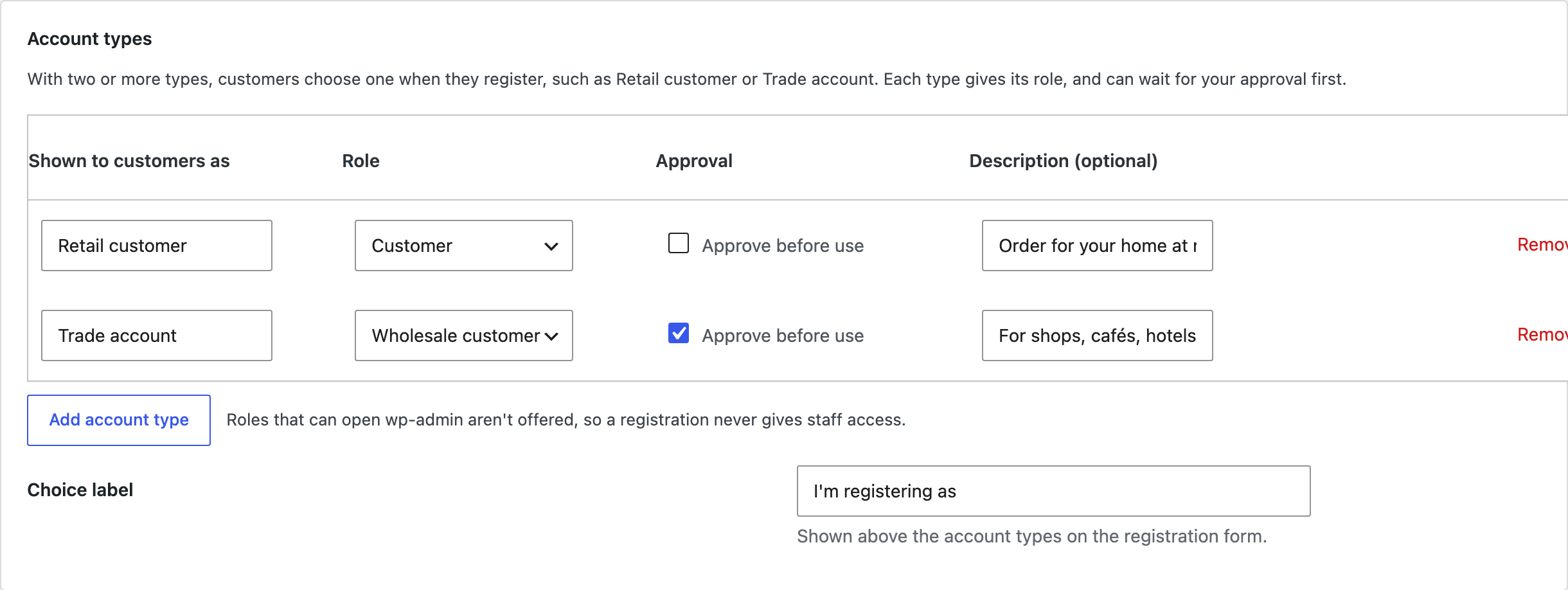
- Go to Registration > Account types and approval and click Add account type twice: Retail customer with the Customer role, and Trade account with your wholesale role and Approve before use ticked.
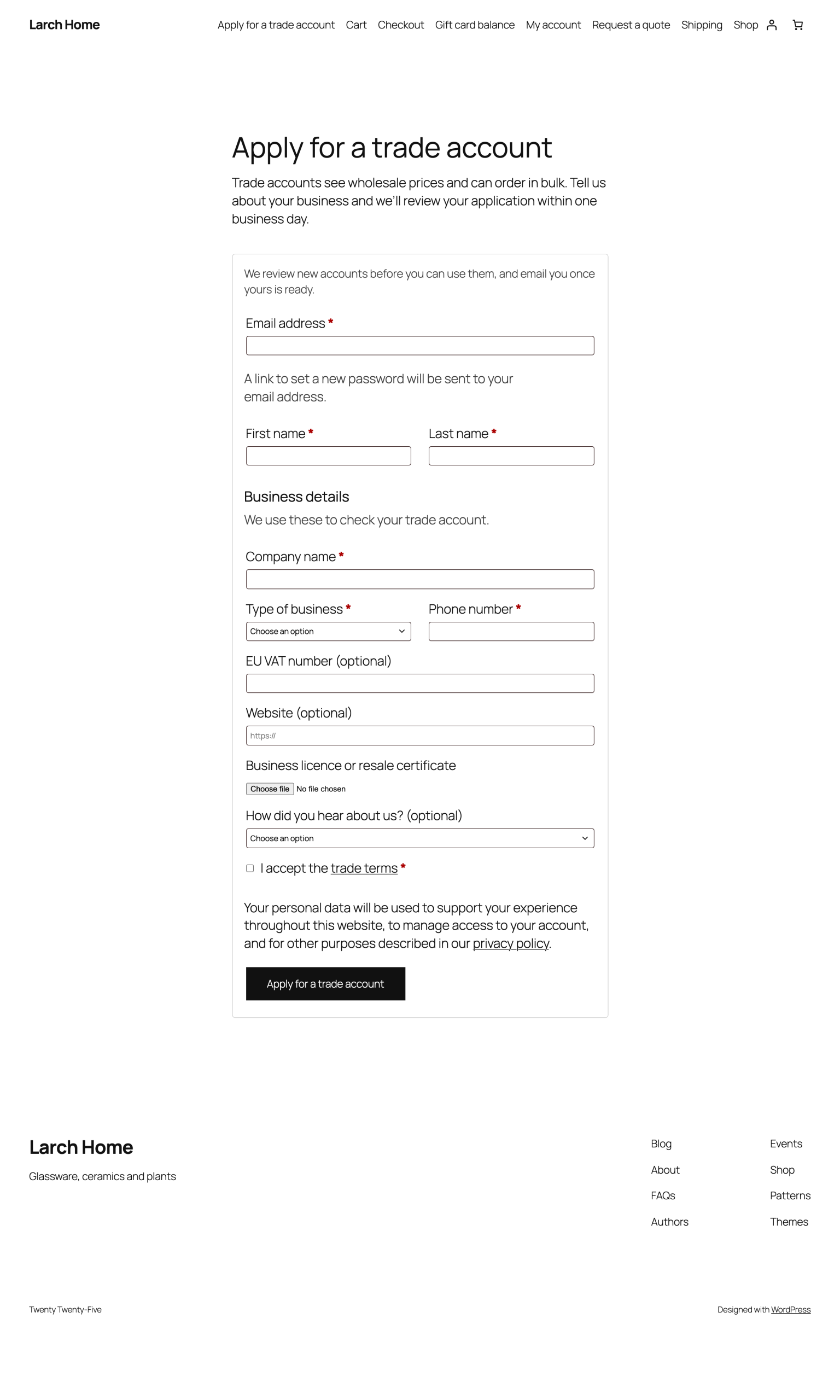
- Go to Registration > Form fields and add the fields trade customers fill in, such as company name, VAT number and a business document. Set Show for account types to Trade account.
- Register a test account on My account as a trade customer. You get a “New account to review” email.
- Open WooCommerce > Registrations, check the answers and click Approve account.
Fields
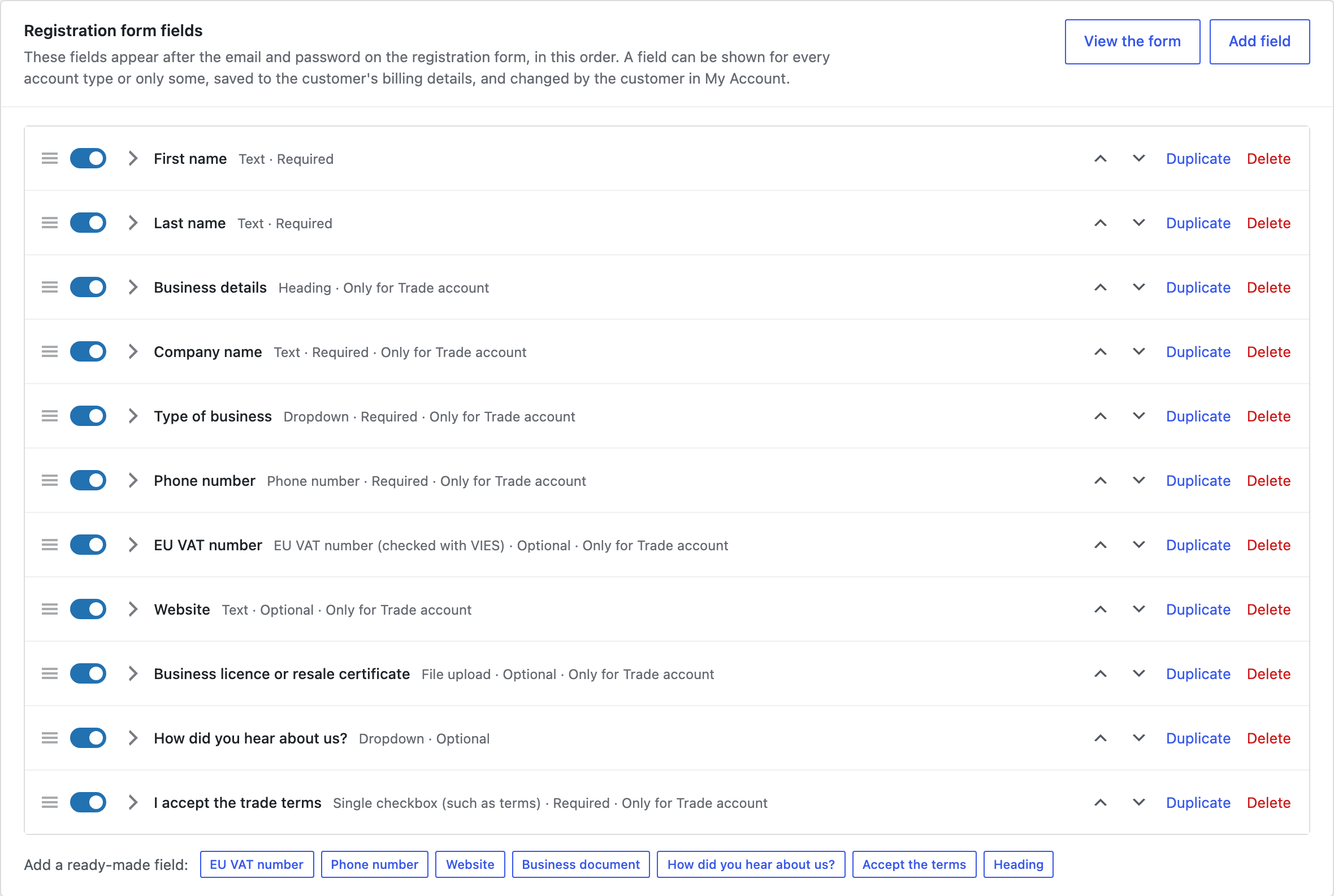
Fields appear on the registration form in the order of the list. Add a field, or click a ready-made one such as EU VAT number, Phone number, Website, Business document, “How did you hear about us?” or Accept the terms.
| Choice | Options |
|---|---|
| Type | Text, text area, email, phone, number, date, dropdown, choice buttons, checkboxes, a single checkbox, country, file upload, EU VAT number or heading. |
| Form | Required or optional, full or half width, a placeholder and help text, and the account types it shows for. |
| Save to | The account only, or the customer’s name or billing details, so the answer fills in checkout and appears on orders. |
| Customers can change it | Show the field in My Account > Account details. |
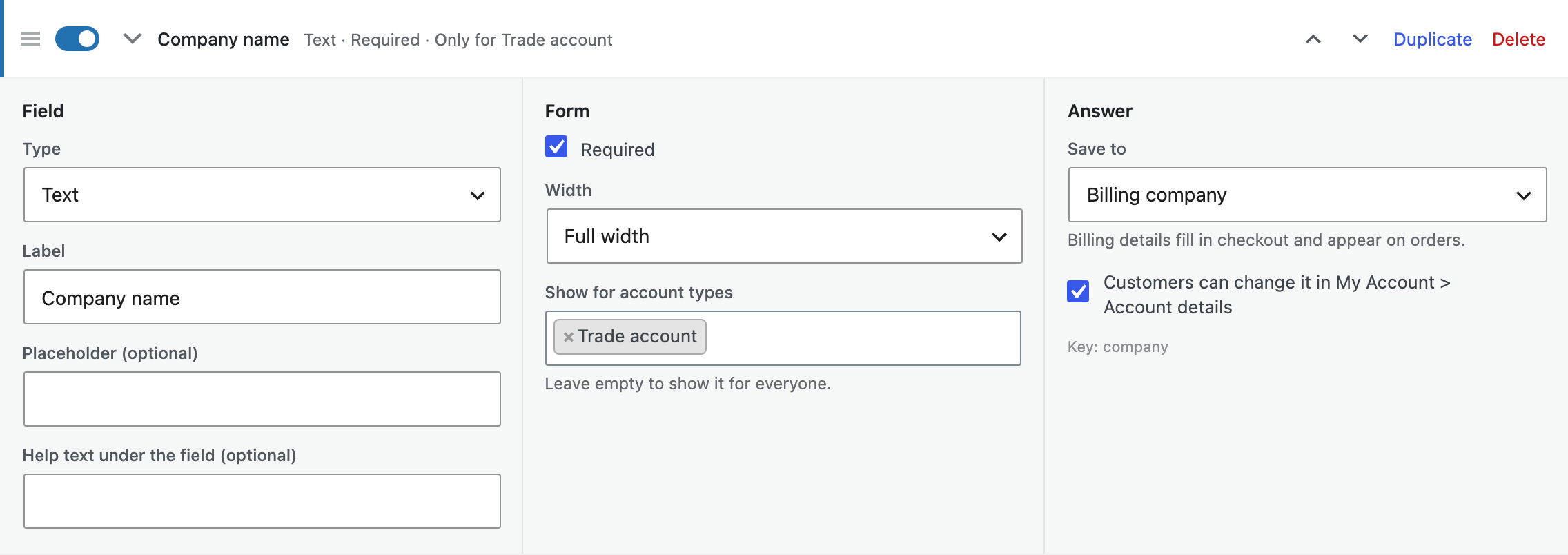
File upload fields accept PDF, JPG and PNG files of up to 5 MB. Files are stored in a private folder with a random name, and only shop managers and the customer can open them. EU VAT numbers are checked with VIES as the customer registers, and the result is shown on the review screen.
Account types
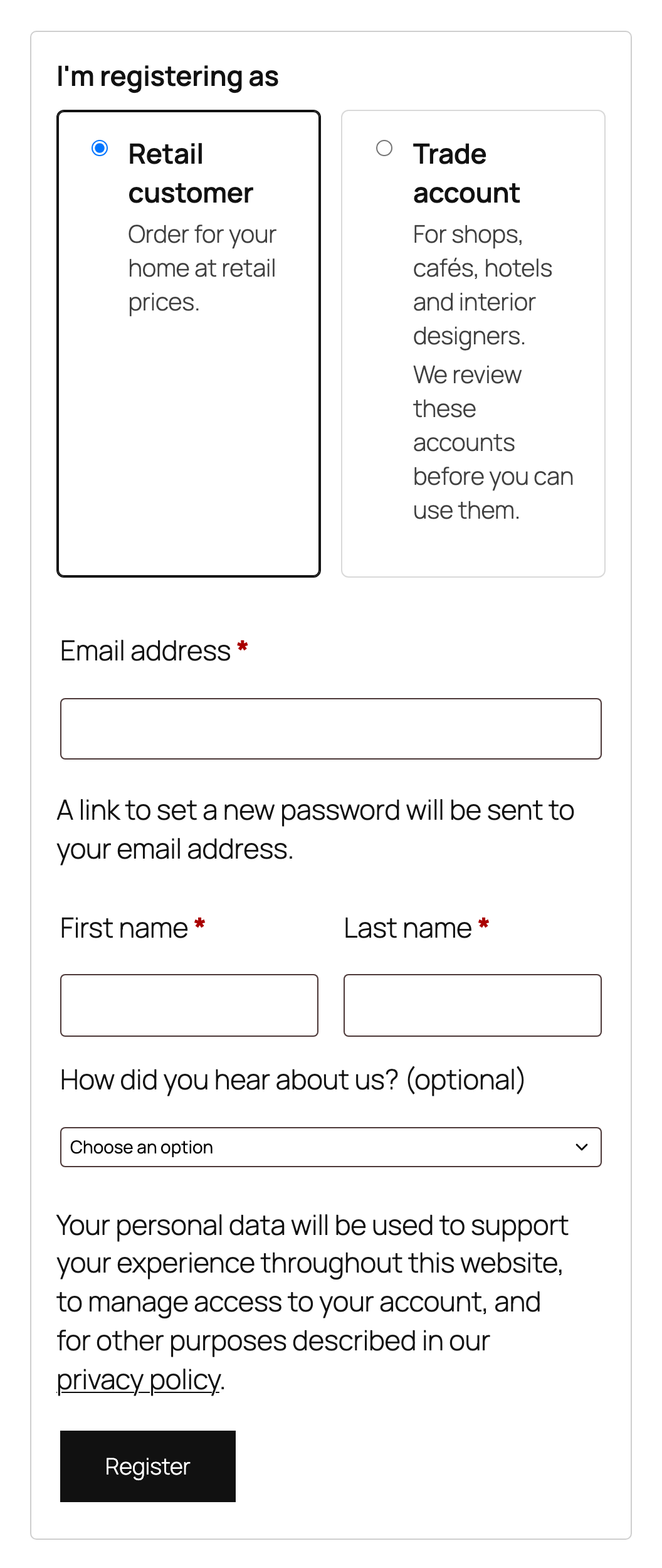
With two or more account types, customers choose one when they register. Each type gives its own user role, so it works with role prices and catalog rules, and can wait for your approval. Roles that can open wp-admin are never offered.
Approval
Accounts of a type that needs approval wait under WooCommerce > Registrations, and you get an email for each one. Open an account to see the answers, documents and VIES result. Approve it with a role, or decline it with a reason; the customer is emailed either way.
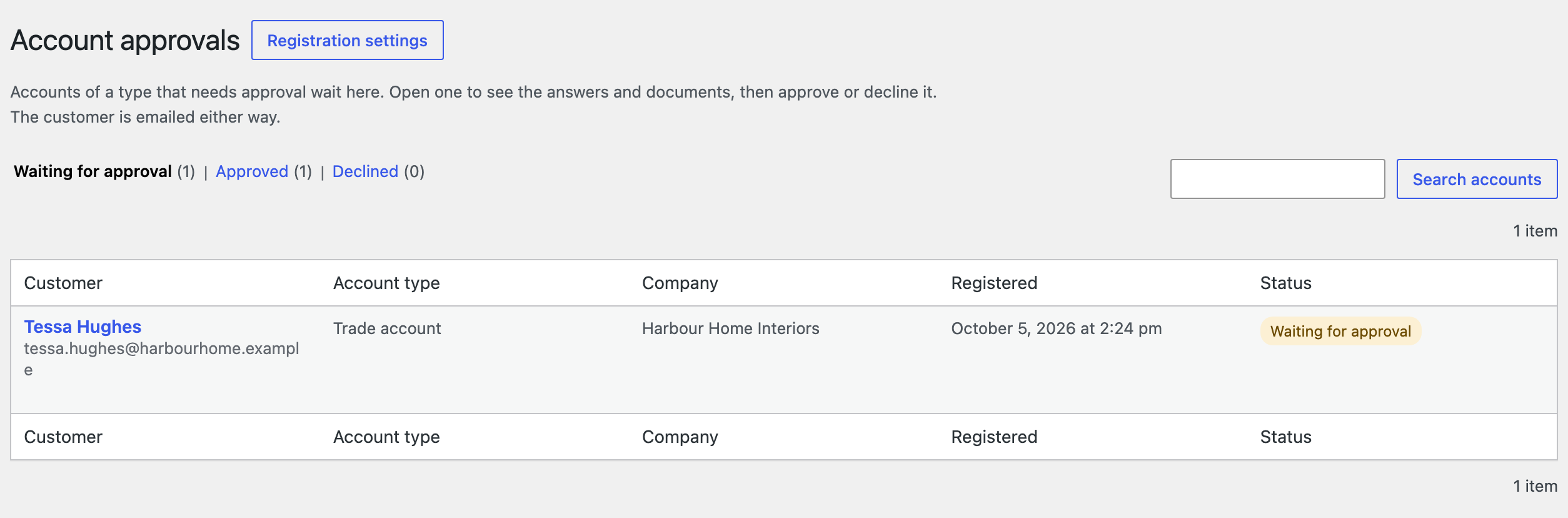
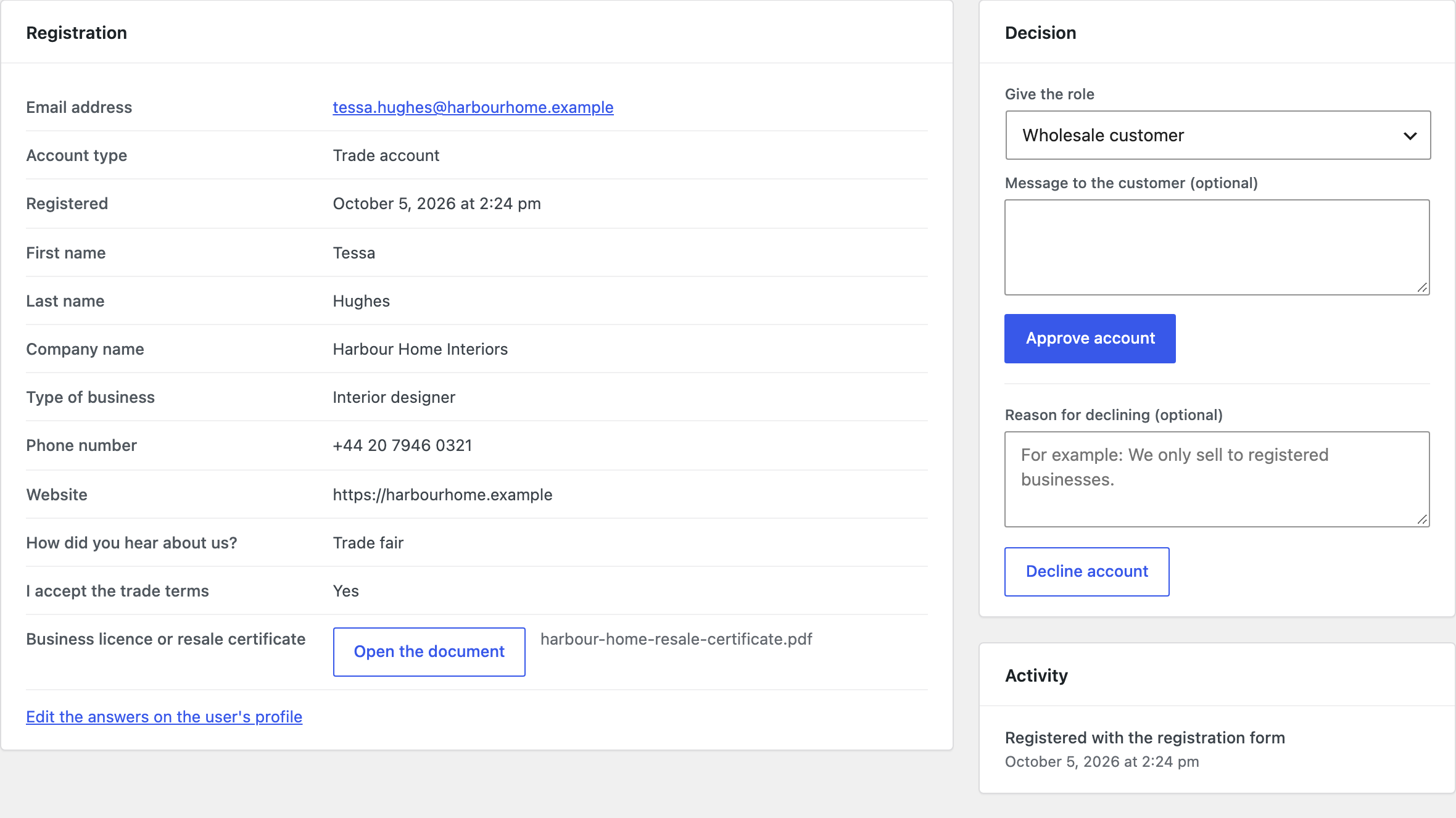
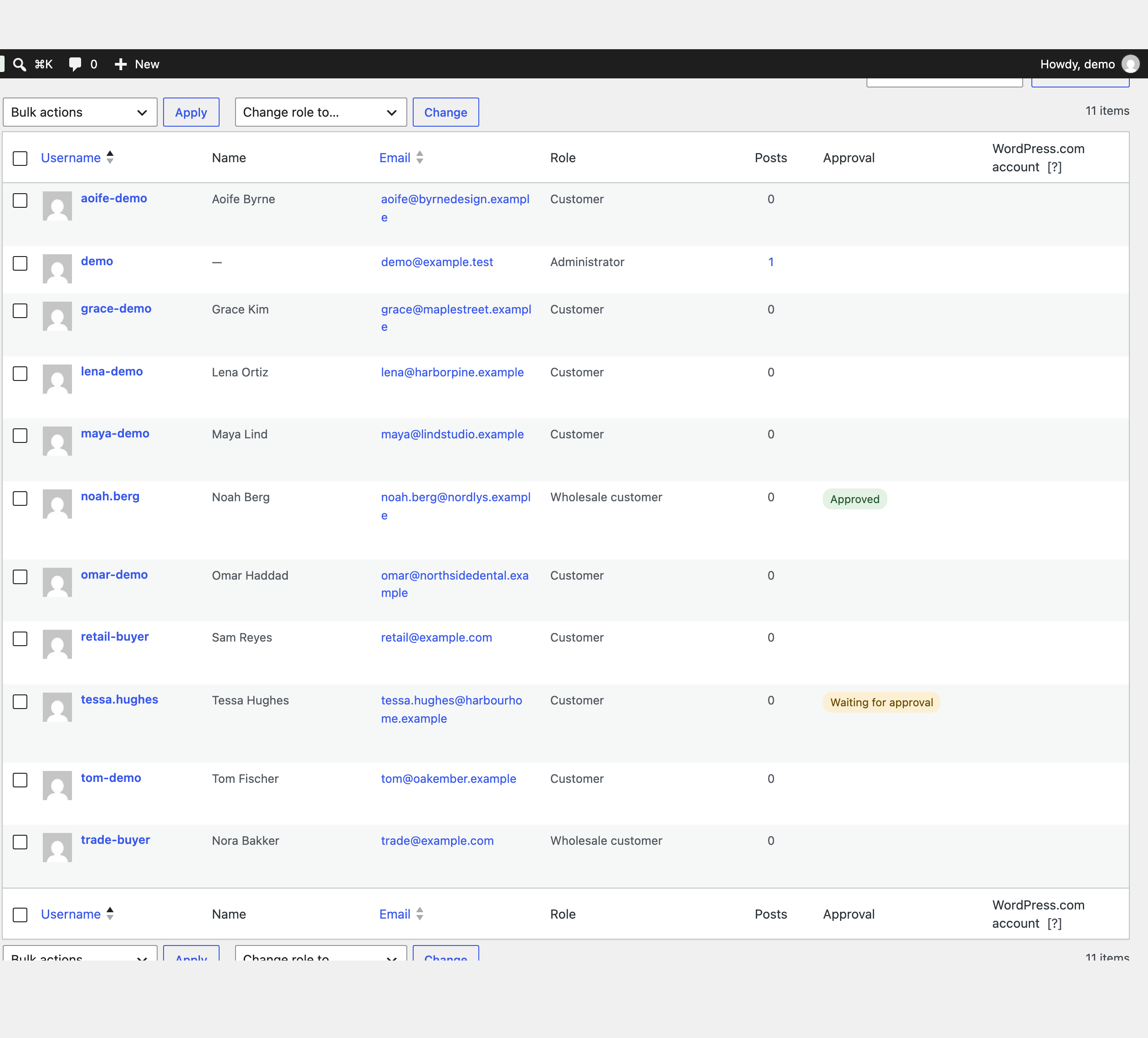
While waiting decides what customers can do before approval: not log in at all, or log in and shop as Customer, getting the type’s role once approved. The approval status also shows in the Users list, with a “Waiting for approval” view, and on user profiles.
Emails
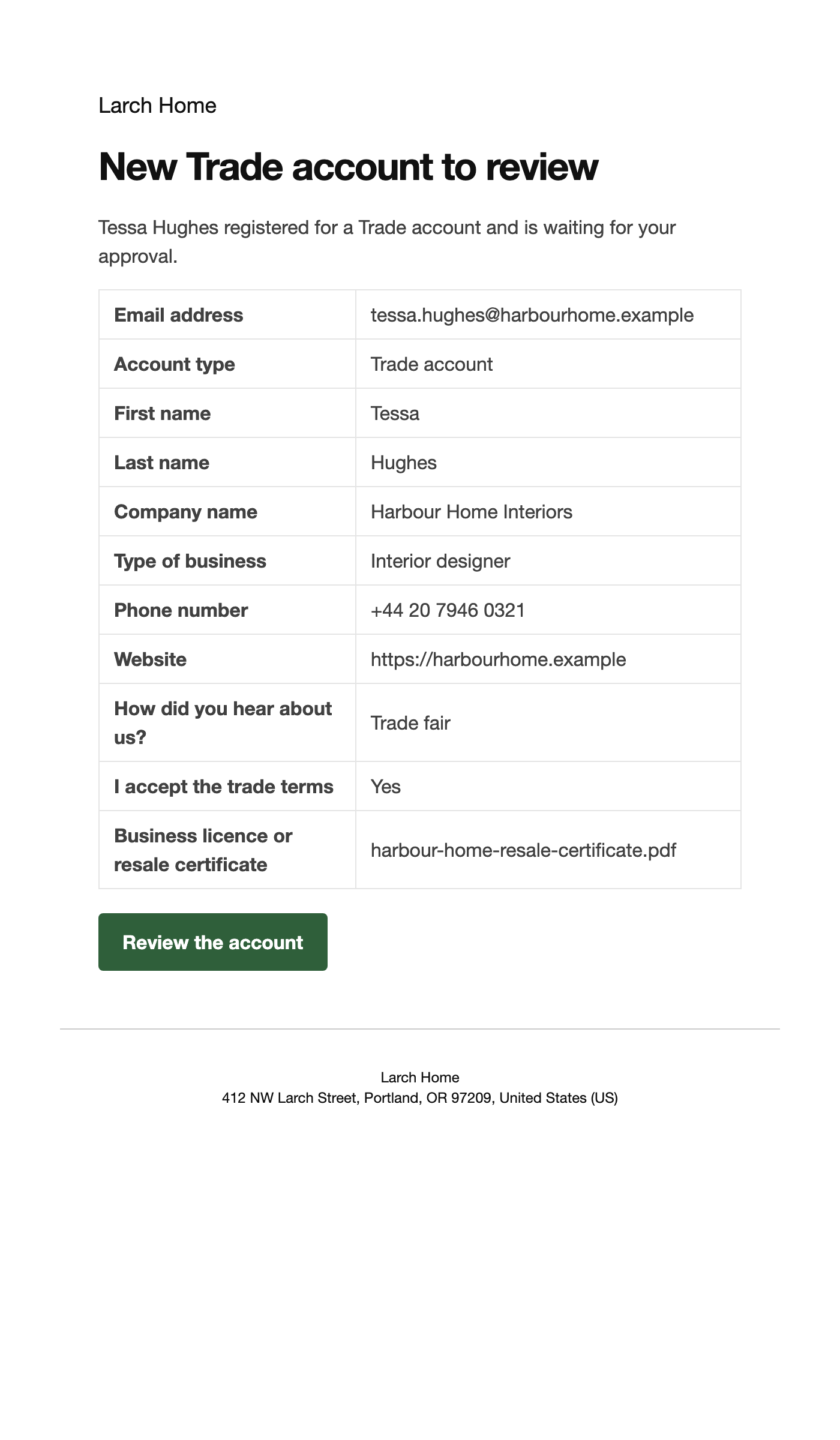
Four emails, under WooCommerce > Settings > Emails: New account to review (to you), Registration received, Account approved (with a link to choose a password when WooCommerce generated it) and Account declined.
A registration page of its own
Add the Registration form block to any page, for all account types or one of them, such as an “Apply for a trade account” page. It uses WooCommerce’s own registration, so its settings and other plugins’ fields apply too. In a classic theme use the shortcode [rfap_registration type="trade"].
Settings
| Setting | What it does |
|---|---|
| Choice label | Shown above the account types on the registration form. |
| While waiting | Customers can’t log in until the account is approved, or they can shop as Customer and get the type’s role on approval. |
| Remove data | Deletes the fields, settings, registration answers and uploaded documents when the plugin is deleted. |
EU VAT numbers are sent to VIES (ec.europa.eu) only when the form has a VAT number field and a customer enters a number. Mention this in your privacy policy.
For developers
| Hook | Use |
|---|---|
rfap_fields, rfap_account_types | The fields and account types of the form. |
rfap_form_field_args | The arguments of each field on the form. |
rfap_validation_errors | Validate the answers. |
rfap_field_presets | The ready-made fields. |
rfap_registration_saved, rfap_account_pending, rfap_account_approved, rfap_account_declined | Run at each step. |
rfap_admin_capability | The capability needed to review accounts. |
Copy the files in public/templates/ to yourtheme/registration-fields-approval/ to change the form.
Frequently asked questions
What happens to accounts created at checkout?
They are approved straight away as the first account type, so customers can finish their order.
Does it work with Role Based Pricing & Wholesale Prices?
Yes. Give a Trade account type the Wholesale customer role, and approved trade customers see their role prices.
Changelog
1.4.2 · September 7, 2026
Maintenance
- Fixed a settings notice remaining visible after the configuration had been saved.
- Improved validation of saved settings during plugin updates.
1.4.0 · September 1, 2026
Compatibility update
- Updated compatibility checks for current WooCommerce releases.
- Improved translated notices and settings labels.
1.3.3 · February 21, 2026
Maintenance
- Fixed spaces in an EU VAT number causing an otherwise valid number to be rejected.
1.3.0 · February 10, 2026
Feature update
- Added VAT number validation through VIES.
- Improved the notice shown when the validation service is temporarily unavailable.
1.2.1 · September 9, 2025
Maintenance
- Fixed the approval email being sent twice when the request was saved again.
1.2.0 · August 24, 2025
Feature update
- Added approval and rejection email templates.
- Added a registration status column to the WordPress Users screen.
- Compatibility: updated integration checks for WooCommerce 10.x.
1.1.3 · March 14, 2025
Hotfix
- Fixed a hidden required field preventing registration for a different account type.
1.1.0 · March 5, 2025
Feature update
- Added account types with different roles and approval requirements.
- Added conditional visibility for fields belonging to a selected account type.
1.0.1 · September 19, 2024
Hotfix
- Fixed required fields not showing a useful validation message on an empty registration form.
1.0.0 · September 8, 2024
Initial release
- Initial release.
- Add custom registration fields and review new trade account requests.