
URL Coupons & Coupon Rules gives every coupon a link that applies it, can add products and opens the page you choose. A coupon from a link is saved until the cart qualifies, coupons can apply themselves, and extra rules limit coupons by role, first order, number of items and day.
Requirements
- WordPress 6.8 or newer
- WooCommerce 10.0 or newer
- PHP 7.4 or newer
- Works with classic and block themes, the Cart and Checkout blocks, and High-Performance Order Storage. Short links need pretty permalinks.
Installation
- Download
url-coupons-coupon-rules.zipfrom My account > Downloads. - In WordPress, go to Plugins > Add New Plugin > Upload Plugin, choose the zip file and click Install Now.
- Click Activate. Each coupon gets a Link tab under Marketing > Coupons. Settings are under WooCommerce > Settings > Coupon links.
Quick start: a coupon link for a newsletter
- Open a coupon in Marketing > Coupons, or add one with a code such as SUMMER10.
- Open the coupon’s Link tab and click Copy link.
- Paste the link in your newsletter. Customers who open it get the coupon in their cart, or saved until the cart qualifies.
Coupon links
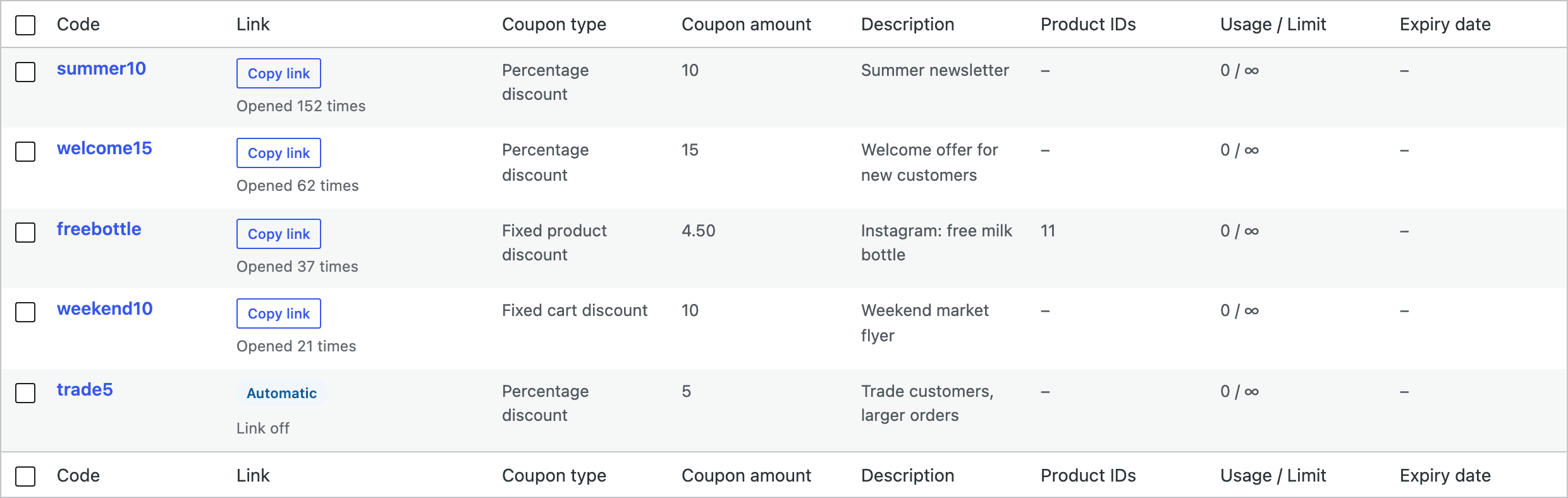
Every coupon with a code gets a link, such as /coupon/SUMMER10/, or ?coupon=SUMMER10 added to any page address of your store. Copy it from the coupon’s Link tab or from the coupons list, which also shows how many times each link was opened.
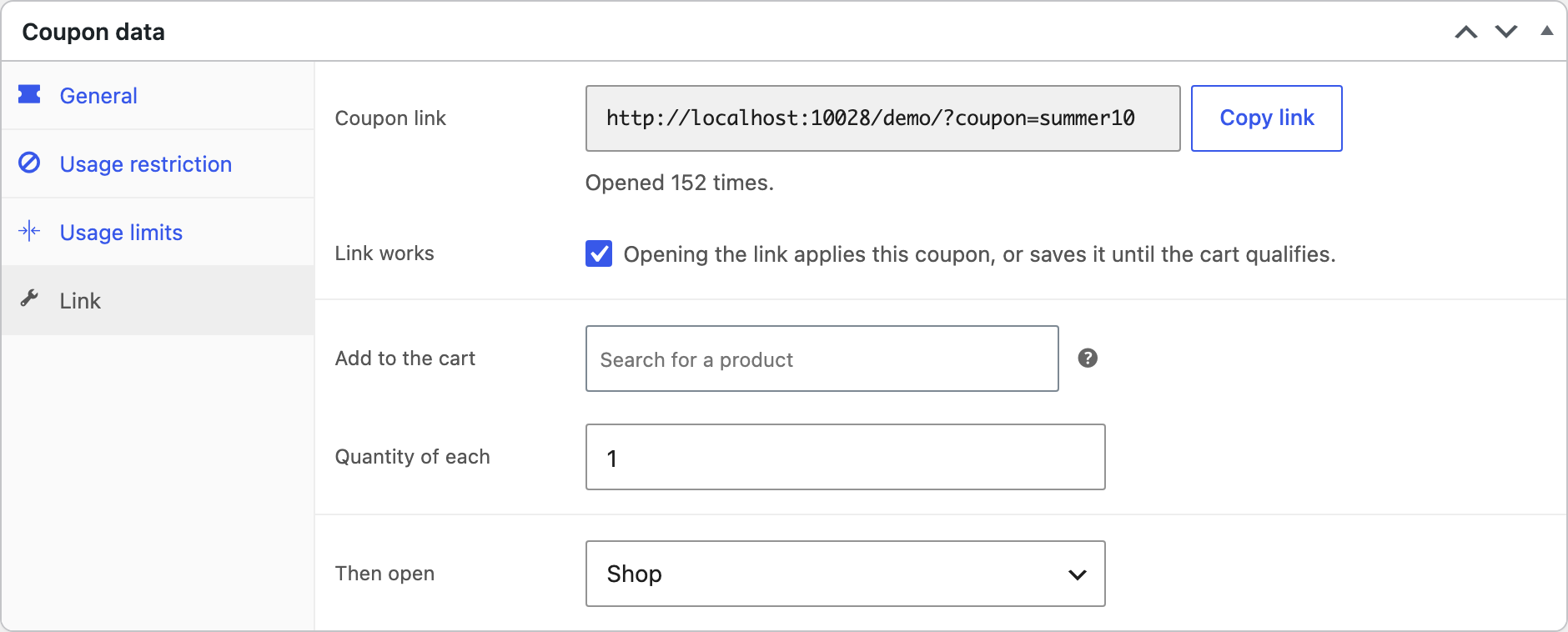
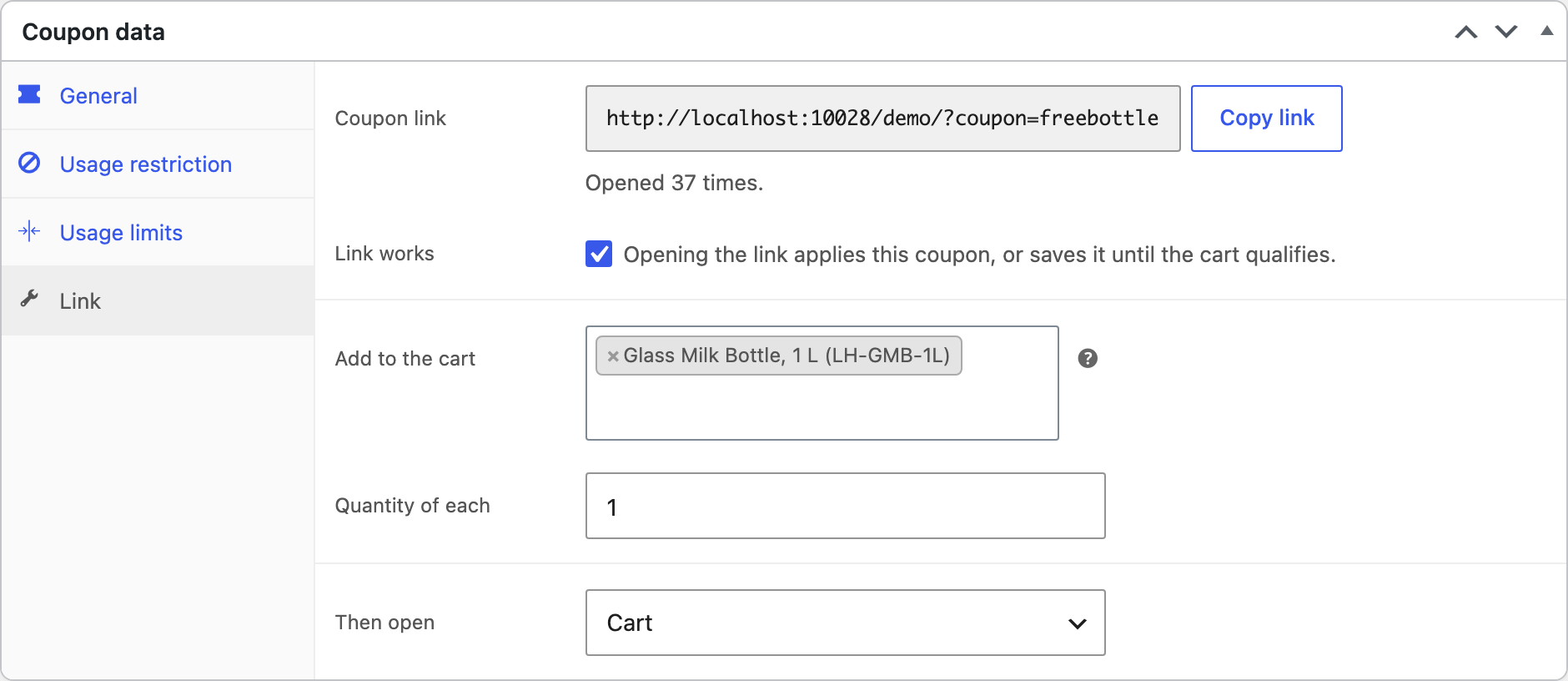
Links that add products and open a page
| Field | What it does |
|---|---|
| Link works | Untick to stop the link without changing the coupon. |
| Add to the cart | Products added to the cart when the link is opened, for a “free tote with this link” offer or a bundle. |
| Quantity of each | How many of each product are added. |
| Then open | The cart, the checkout, the shop, the home page, the page of the first product added, or another address on your store. |
Links only open pages of your own site, so they can’t be used to send customers elsewhere.
Saved until the cart qualifies
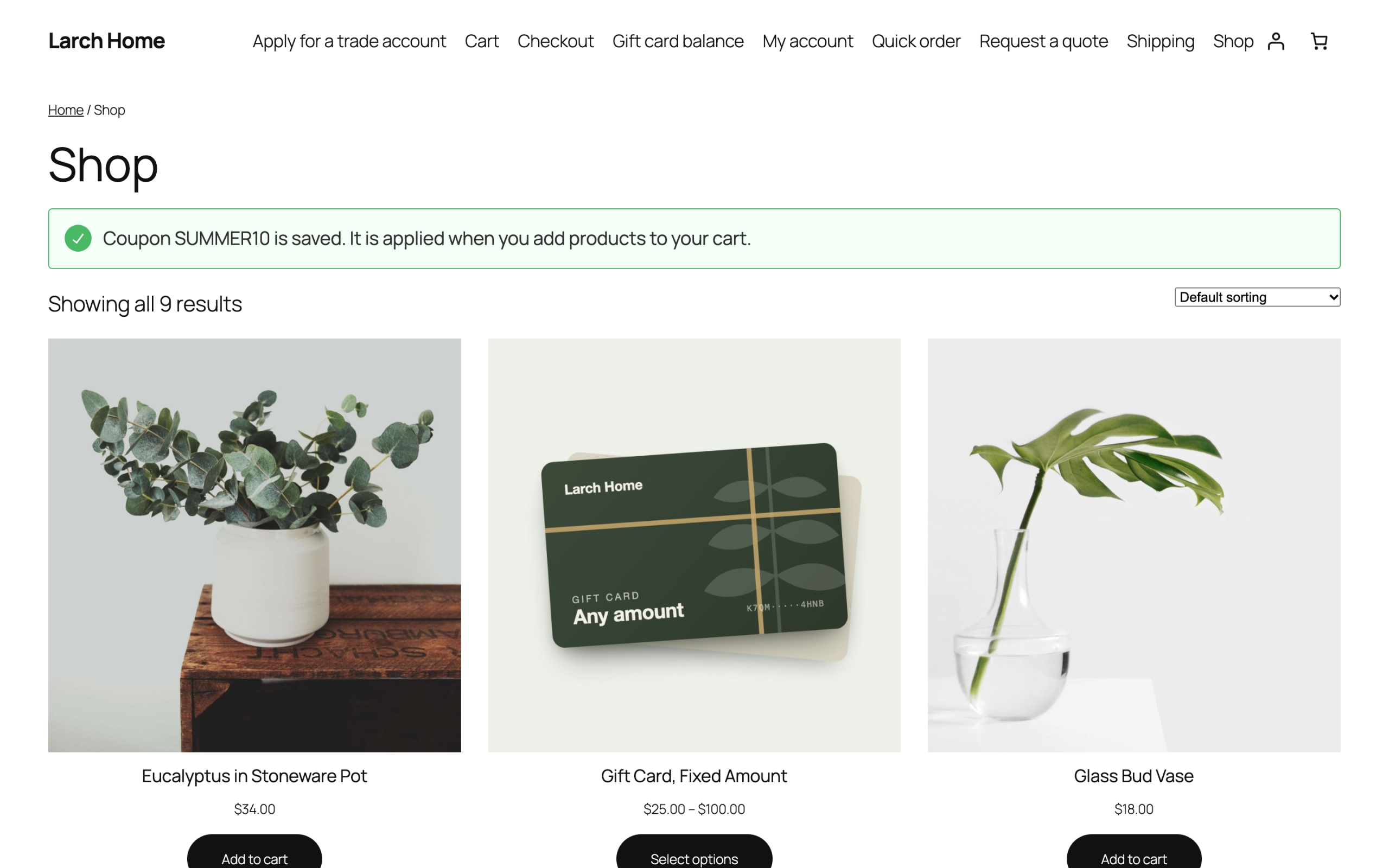
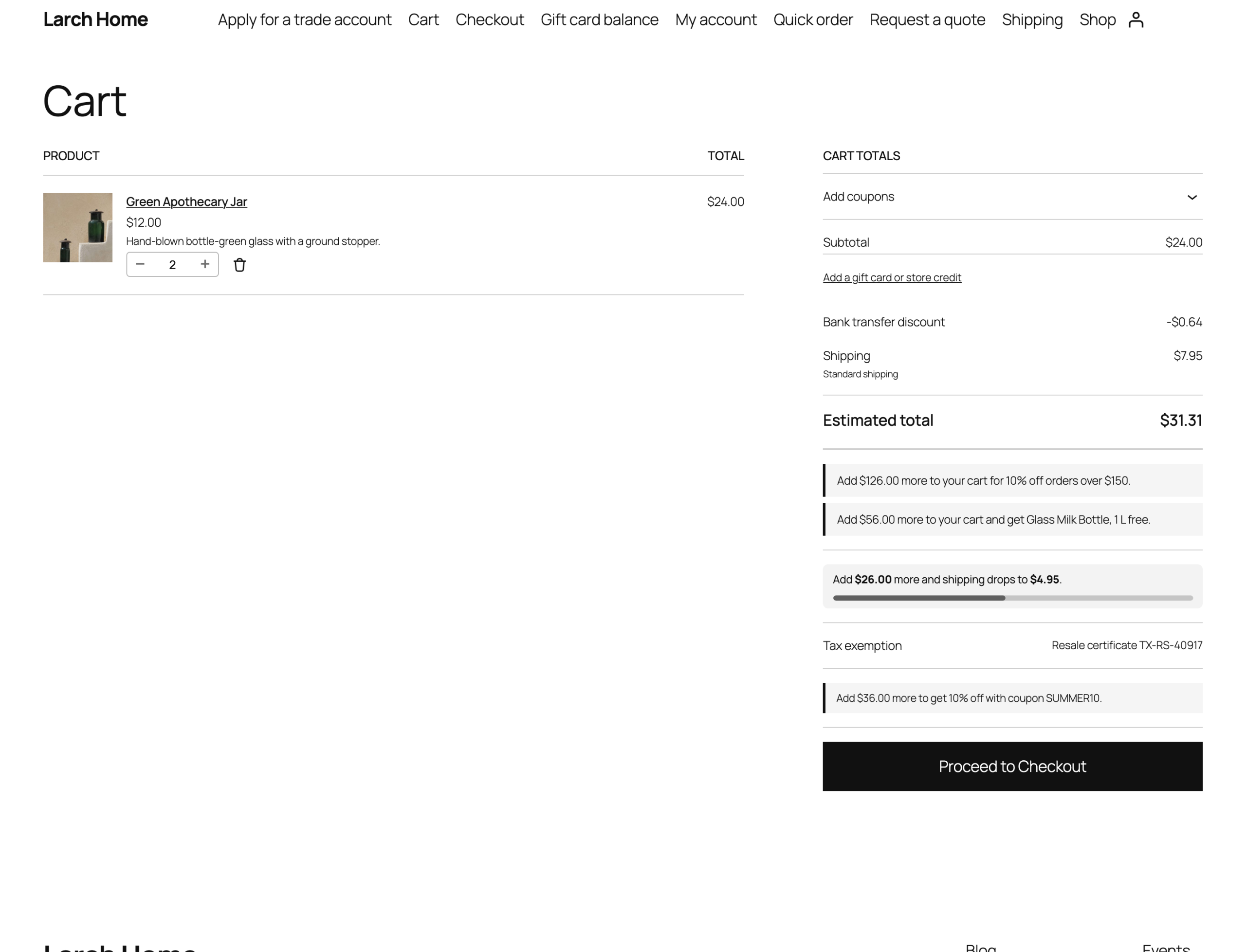
When a customer opens a link with an empty cart, or below the coupon’s minimum spend, the coupon is saved and applied as soon as the cart qualifies. The page says the coupon is saved.
The cart says how much more to add, such as “Add $12.00 more to get 10% off with coupon SUMMER10”, in the classic cart and the Cart block.
Coupons that apply themselves
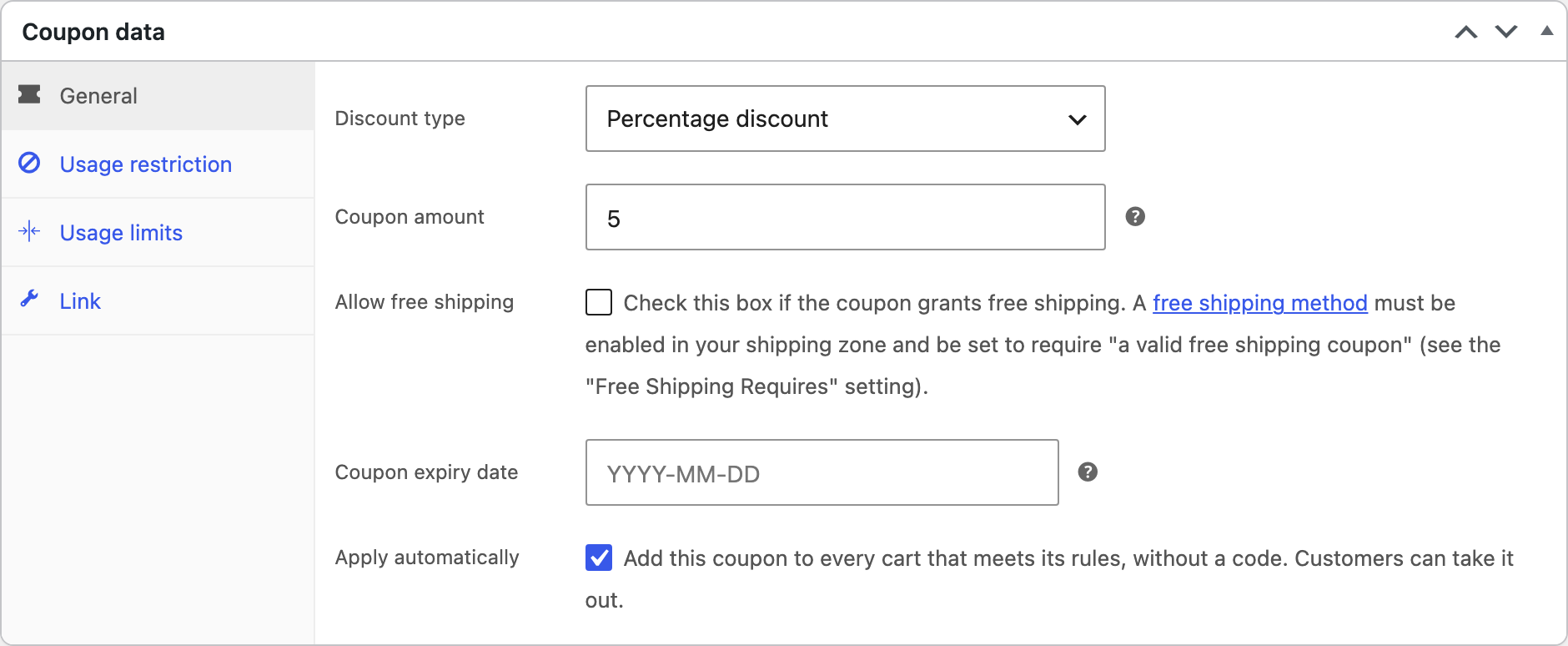
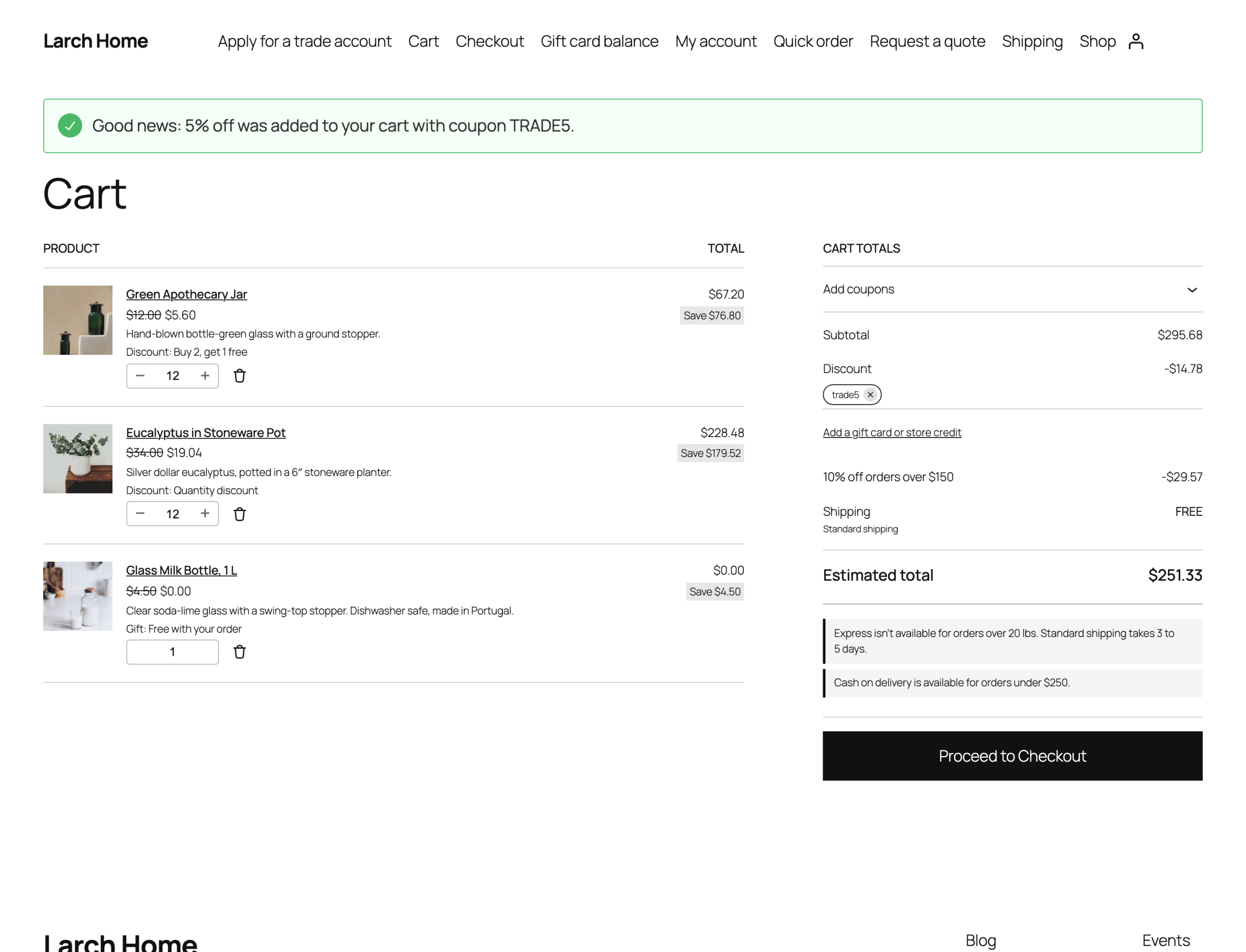
Tick Apply automatically in the coupon’s General tab, and the coupon is added to every cart that meets its rules, without a code. If a customer takes it out, it stays out for them.
More coupon rules
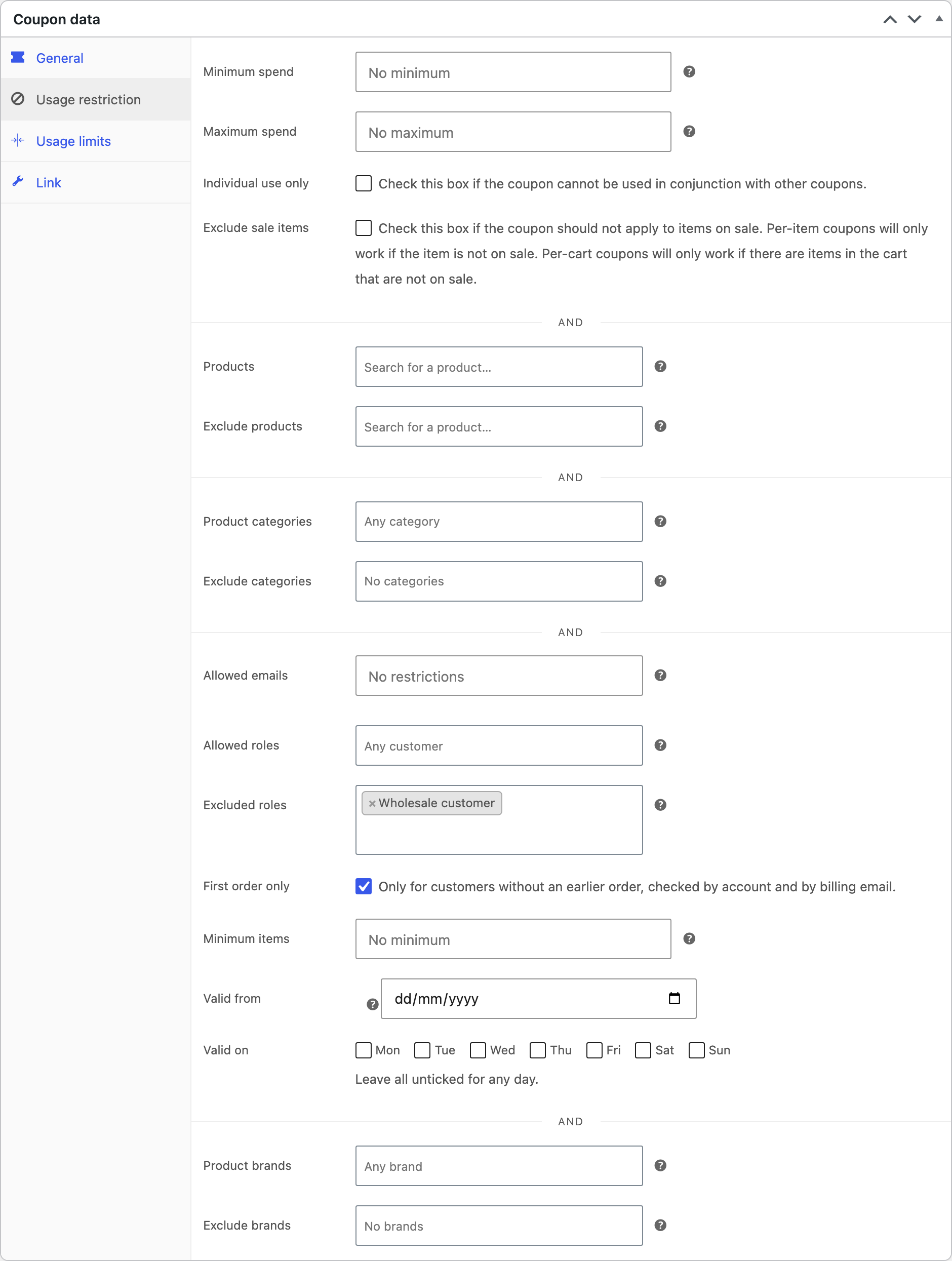
The coupon’s Usage restriction tab gets more rules, checked wherever WooCommerce checks coupons: in the cart, at checkout and on orders created in wp-admin.
| Rule | What it does |
|---|---|
| Allowed roles, Excluded roles | User roles that can or can’t use the coupon, including guests. |
| First order only | Only for customers without an earlier order, checked by account and by billing email. |
| Minimum items | The fewest items the cart must hold. |
| Valid from | A start date, to go with WooCommerce’s expiry date. |
| Valid on | Days of the week, such as weekend offers. Leave all unticked for any day. |
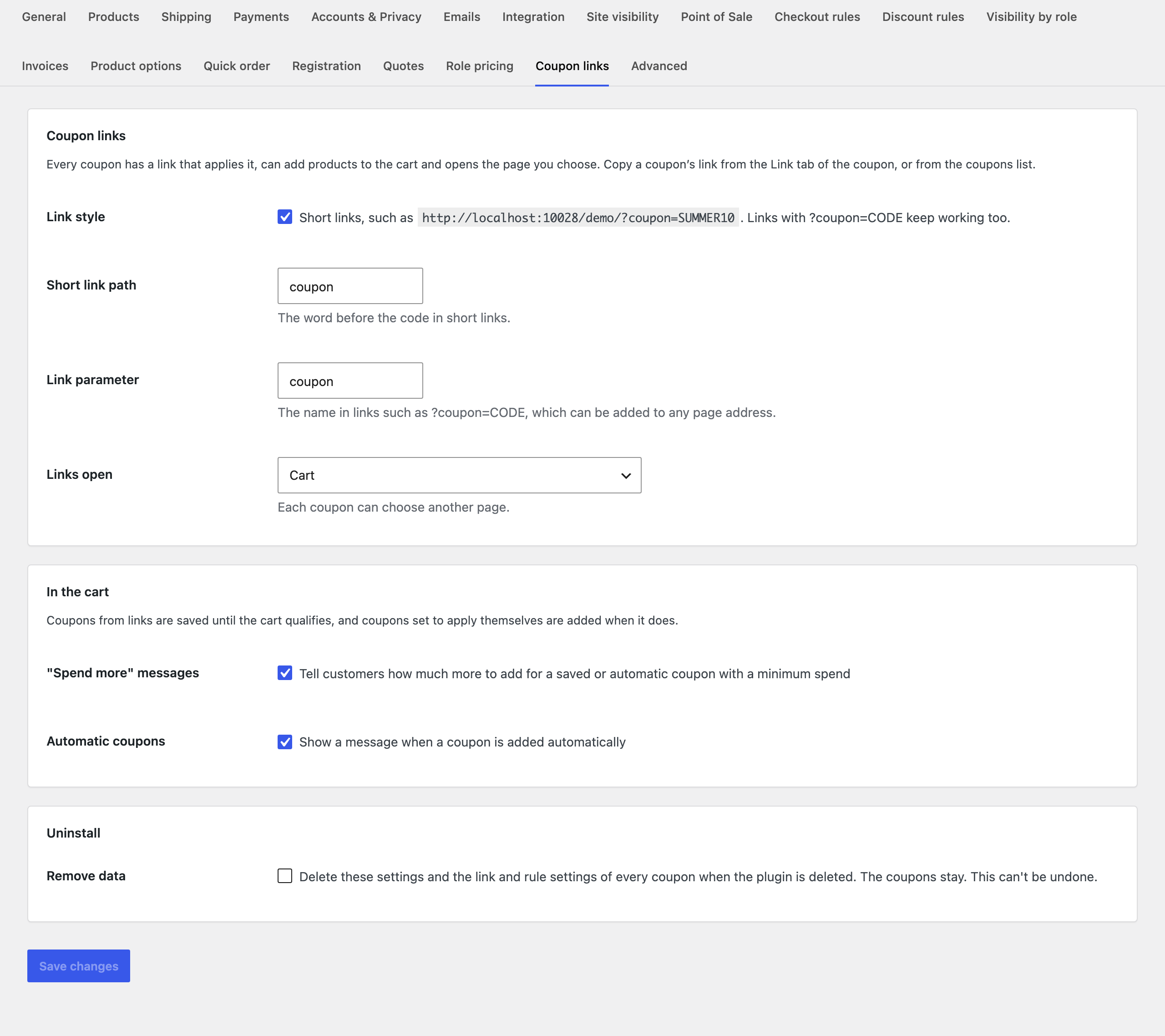
Settings
| Setting | What it does |
|---|---|
| Link style | Short links, such as /coupon/SUMMER10/. Links with ?coupon=CODE keep working too. |
| Short link path | The word before the code in short links. |
| Link parameter | The name in links such as ?coupon=CODE. |
| Links open | The page links open. Each coupon can choose another page. |
| “Spend more” messages | Tell customers how much more to add for a saved or automatic coupon with a minimum spend. |
| Automatic coupons | Show a message when a coupon is added automatically. |
| Remove data | Deletes these settings and the link and rule settings of every coupon when the plugin is deleted. The coupons stay. |
For developers
| Hook | Use |
|---|---|
uccr_link_redirect | The page a coupon link opens. |
uccr_nudges | The “spend more” messages shown in the cart. |
uccr_today | The date start dates and days of the week are checked against. |
uccr_settings, uccr_admin_capability | The settings, and the capability needed to change them. |
Copy public/templates/cart-nudges.php to yourtheme/url-coupons-coupon-rules/ to change the cart messages.
Frequently asked questions
My short links show a “page not found” error
Short links need pretty permalinks. Go to Settings > Permalinks and save once, or turn off short links; links with ?coupon=CODE always work.
Changelog
1.5.0 · September 22, 2026
Compatibility update
- Updated compatibility checks for current WooCommerce releases.
- Improved translated notices and settings labels.
1.4.3 · April 9, 2026
Hotfix
- Fixed a scheduled offer ending at midnight in the wrong timezone.
1.4.0 · March 24, 2026
Feature update
- Added scheduling for offers with start and end dates.
- Improved handling of the store timezone for scheduled offers.
1.3.2 · November 22, 2025
Hotfix
- Fixed an automatic coupon staying applied after its qualifying product was removed.
1.3.0 · November 10, 2025
Feature update
- Added rules for coupons that apply automatically.
- Added customer and product conditions with readable summaries.
1.2.5 · June 17, 2025
Hotfix
- Fixed a pending coupon being discarded after an unrelated cart update.
1.2.0 · May 30, 2025
Feature update
- Added pending coupons that apply when the cart becomes eligible.
- Improved feedback when a saved coupon does not yet meet its minimum spend.
1.1.5 · January 3, 2025
Maintenance
- Fixed a linked variation being replaced by its parent product in the cart.
1.1.0 · December 18, 2024
Feature update
- Added links that add products and send customers to a chosen page.
- Added support for specific variations in coupon links.
1.0.1 · July 27, 2024
Hotfix
- Fixed a coupon link being processed again when the cart page was refreshed.
1.0.0 · July 23, 2024
Initial release
- Initial release.
- Apply a WooCommerce coupon from a shareable link.