
Custom Product Tabs & FAQ lets you write a product tab once and show it on all products, on categories or tags, or on chosen products. Tabs can hold text, questions and answers, or a specifications table, and WooCommerce’s own tabs can be renamed, moved or hidden.
Requirements
- WordPress 6.8 or newer
- WooCommerce 10.0 or newer
- PHP 7.4 or newer
- Works with classic themes and with block themes that use the Product Details block.
Installation
- Download
custom-product-tabs-faq.zipfrom My account > Downloads. - In WordPress, go to Plugins > Add New Plugin > Upload Plugin, choose the zip file and click Install Now.
- Click Activate. Shared tabs are under Products > Tabs, tabs for one product in the product’s Tabs panel, and settings under WooCommerce > Settings > Products > Tabs.
Quick start: a returns tab on every product
- Go to Products > Tabs and click Add tab.
- Name it “Returns”, choose Text and write your returns policy.
- Under Products, keep All products. Set the position, such as 25 to come after Additional information.
- Click Publish and open any product: the Returns tab is there.
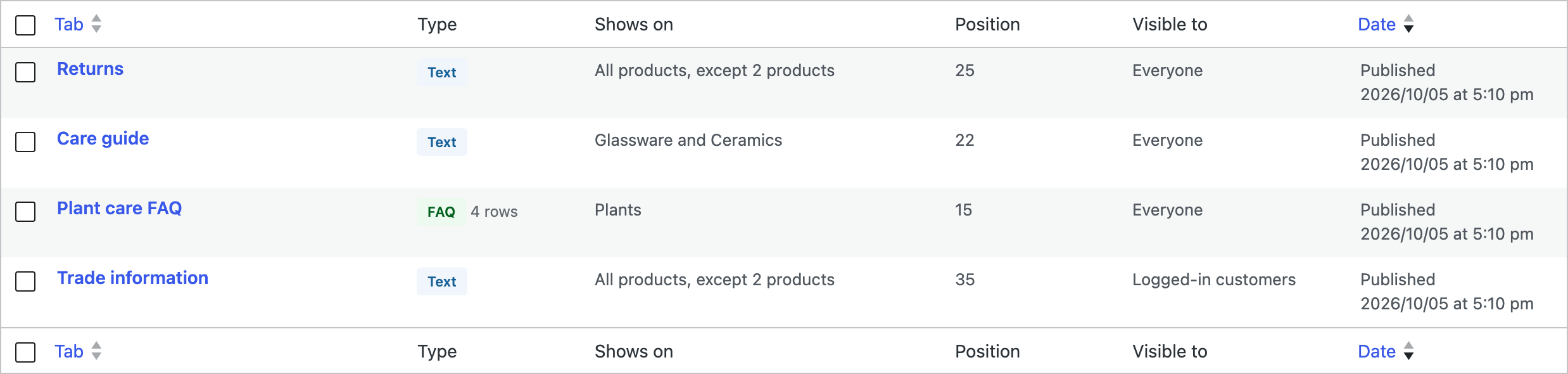
Kinds of tab

| Kind | What it holds |
|---|---|
| Text | Anything the editor can hold, including images and shortcodes. |
| FAQ | Questions that open to show their answers. The questions are also described to search engines as FAQ structured data. |
| Specifications | A table of labels and values that looks like WooCommerce’s Additional information table. |
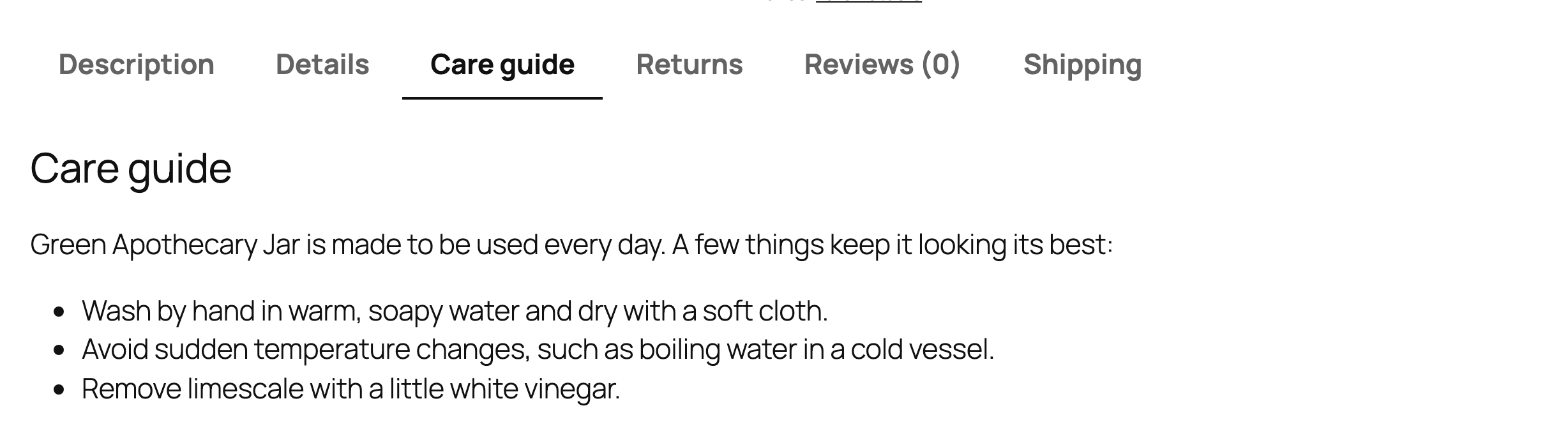
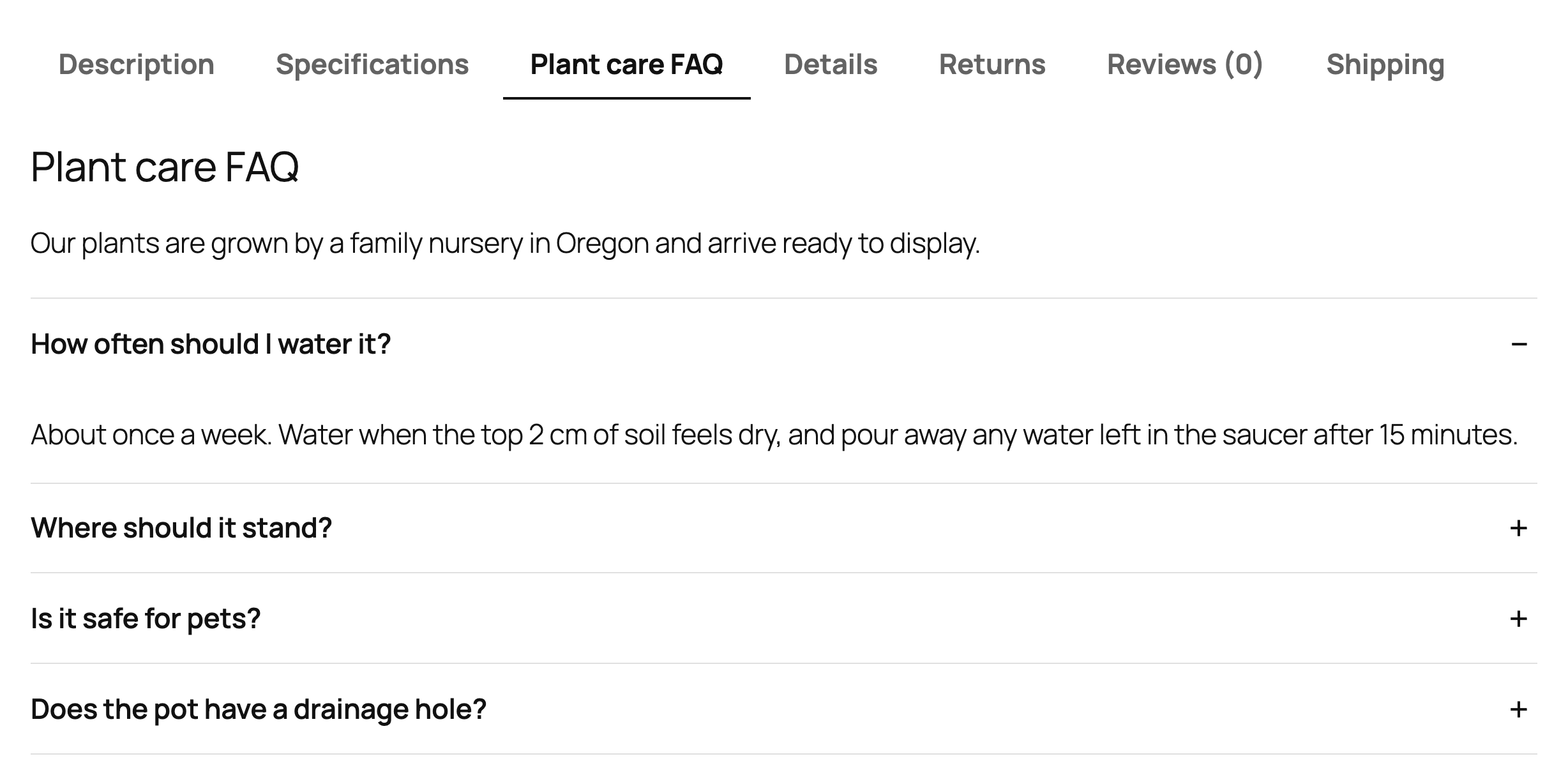
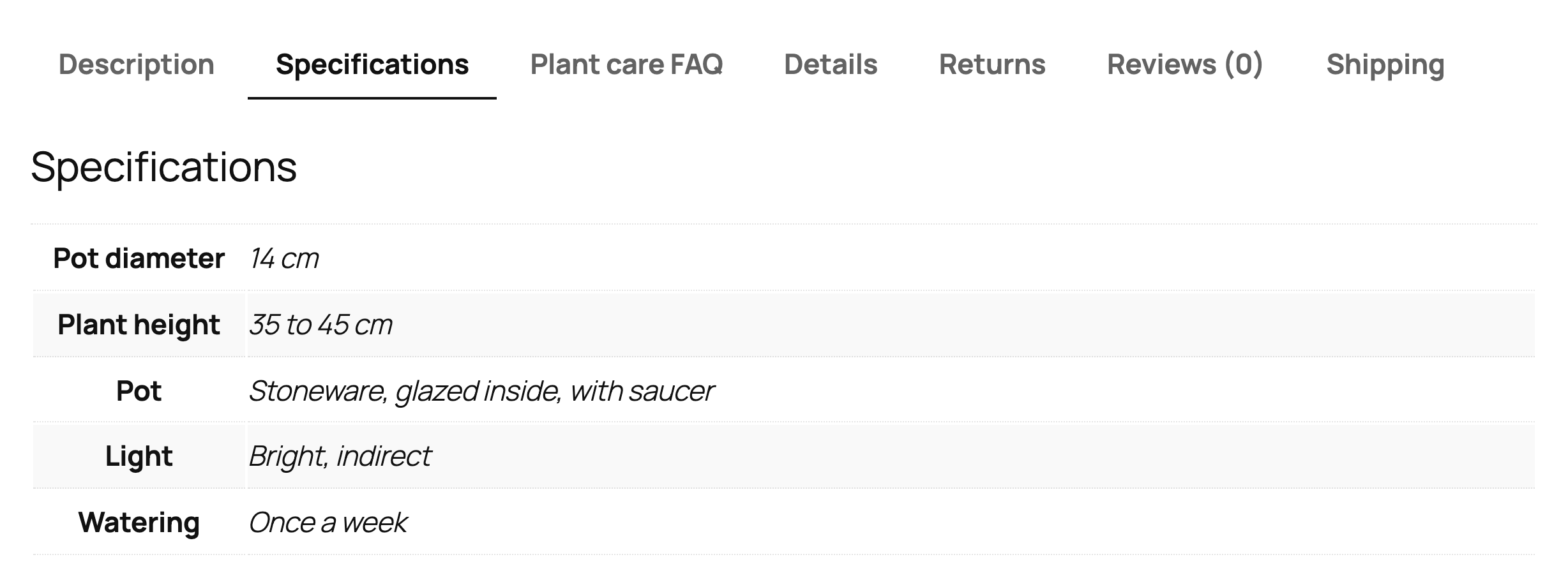
Use {product_name} and {sku} in a tab’s name or text; they are replaced with the product’s name and SKU.
Where a tab shows
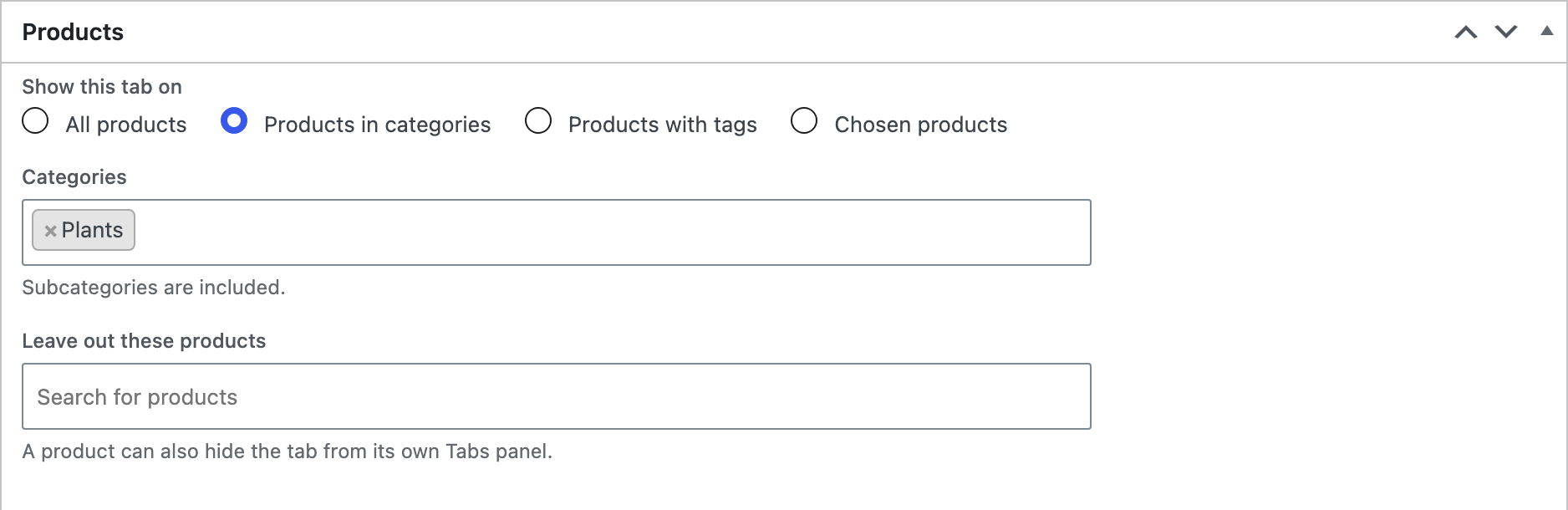
In the Products box, show the tab on all products, on products in categories (with their subcategories), on products with tags, or on chosen products. Leave out single products under Leave out these products. A product can also hide a shared tab from its own Tabs panel.
The Position and visibility box sets the position among WooCommerce’s tabs (Description is 10, Additional information 20, Reviews 30), and whether the tab shows to everyone, only to logged-in customers, or only to guests.
Tabs for one product
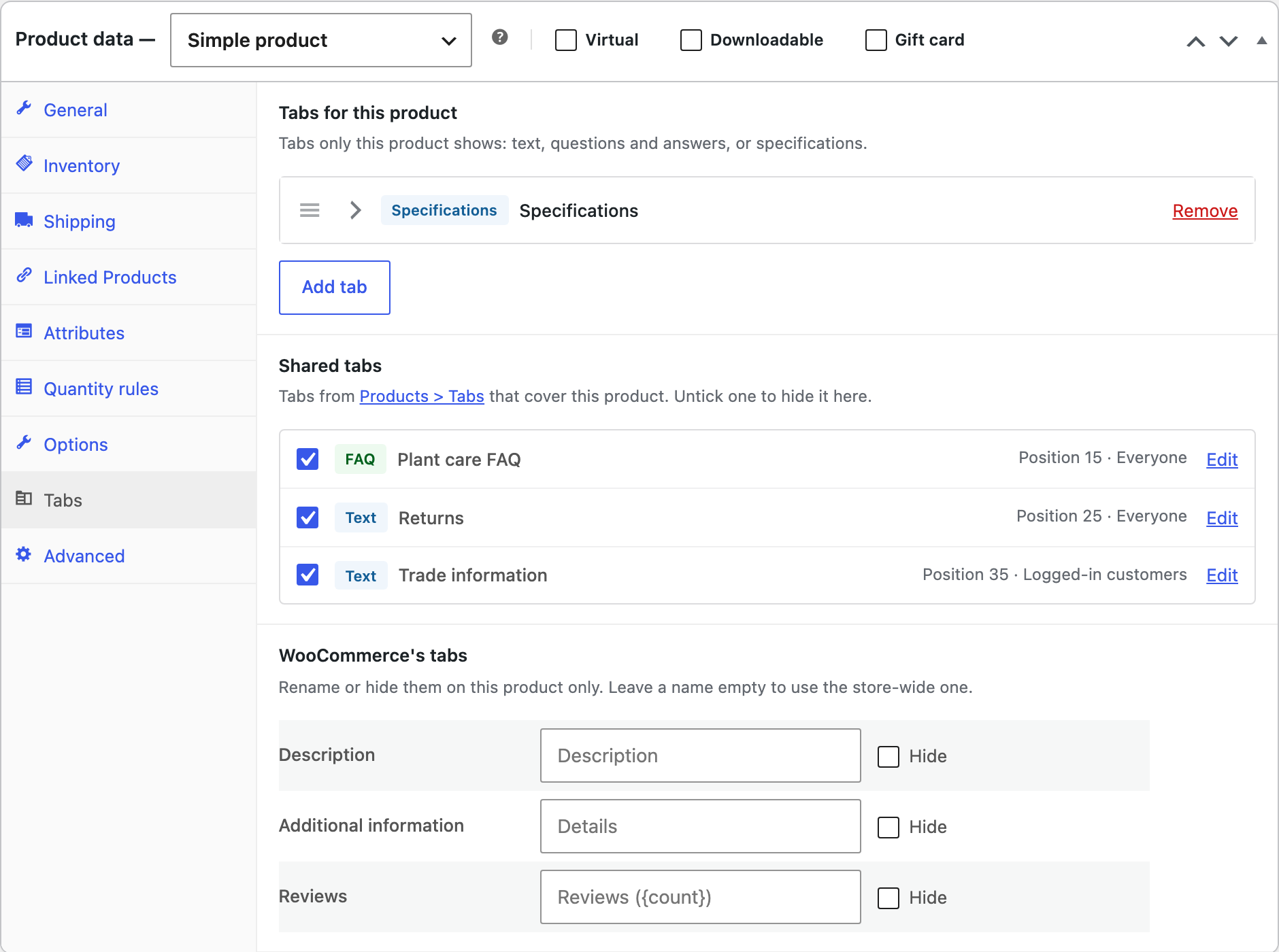
Each product has a Tabs panel with tabs of its own, such as a size guide or a parts list, switches for the shared tabs that cover it, and names for WooCommerce’s tabs on that product only.
WooCommerce’s own tabs
Rename Description, Additional information and Reviews, move them or hide them, store-wide in the settings or on one product. “Reviews ({count})” keeps the number of reviews in the name.
Tabs or sections
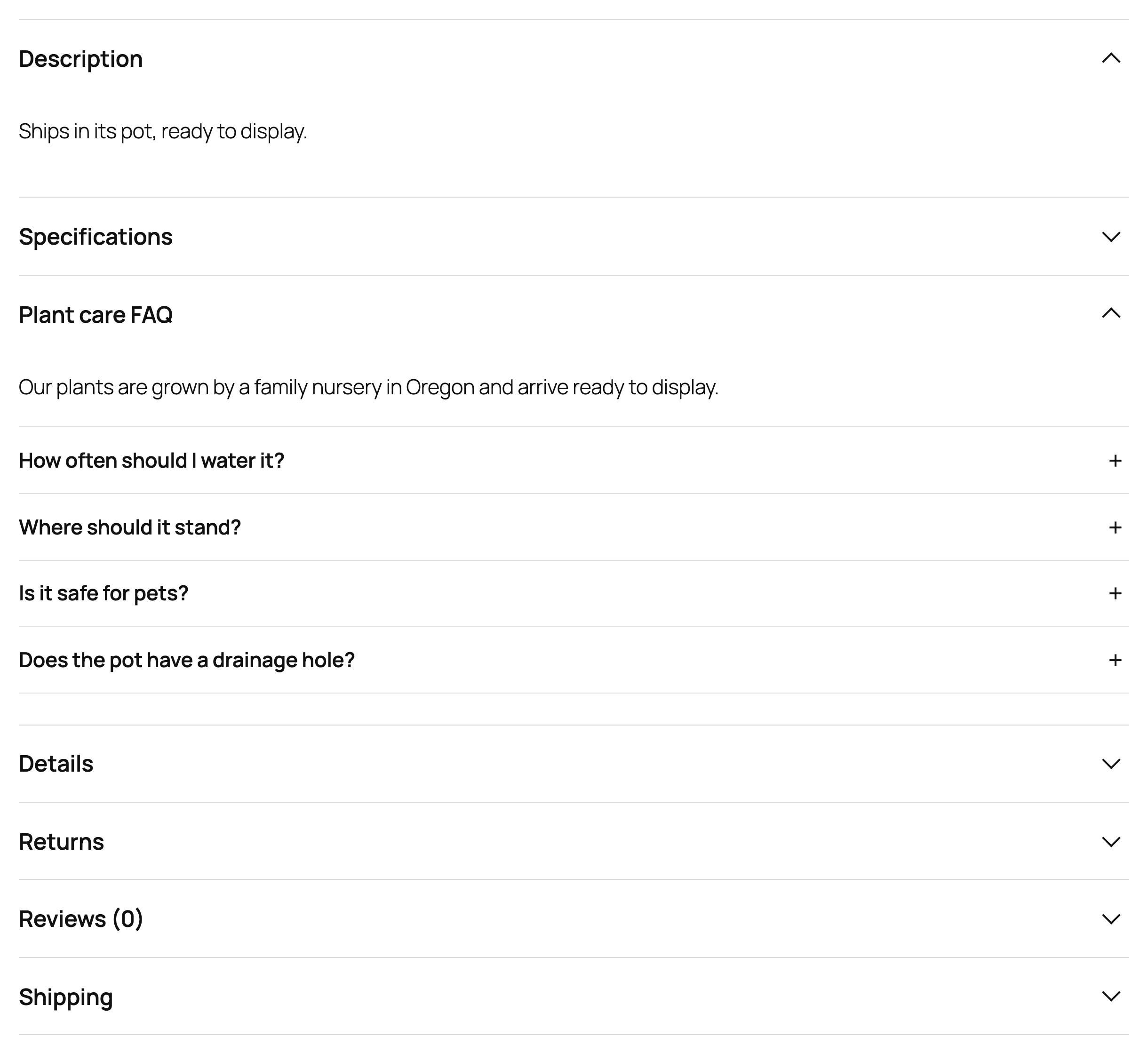
Show tabs as your theme does, or as sections that open and close one below the other, which reads better on phones. Links to “#reviews” open the right section.
Settings
| Setting | What it does |
|---|---|
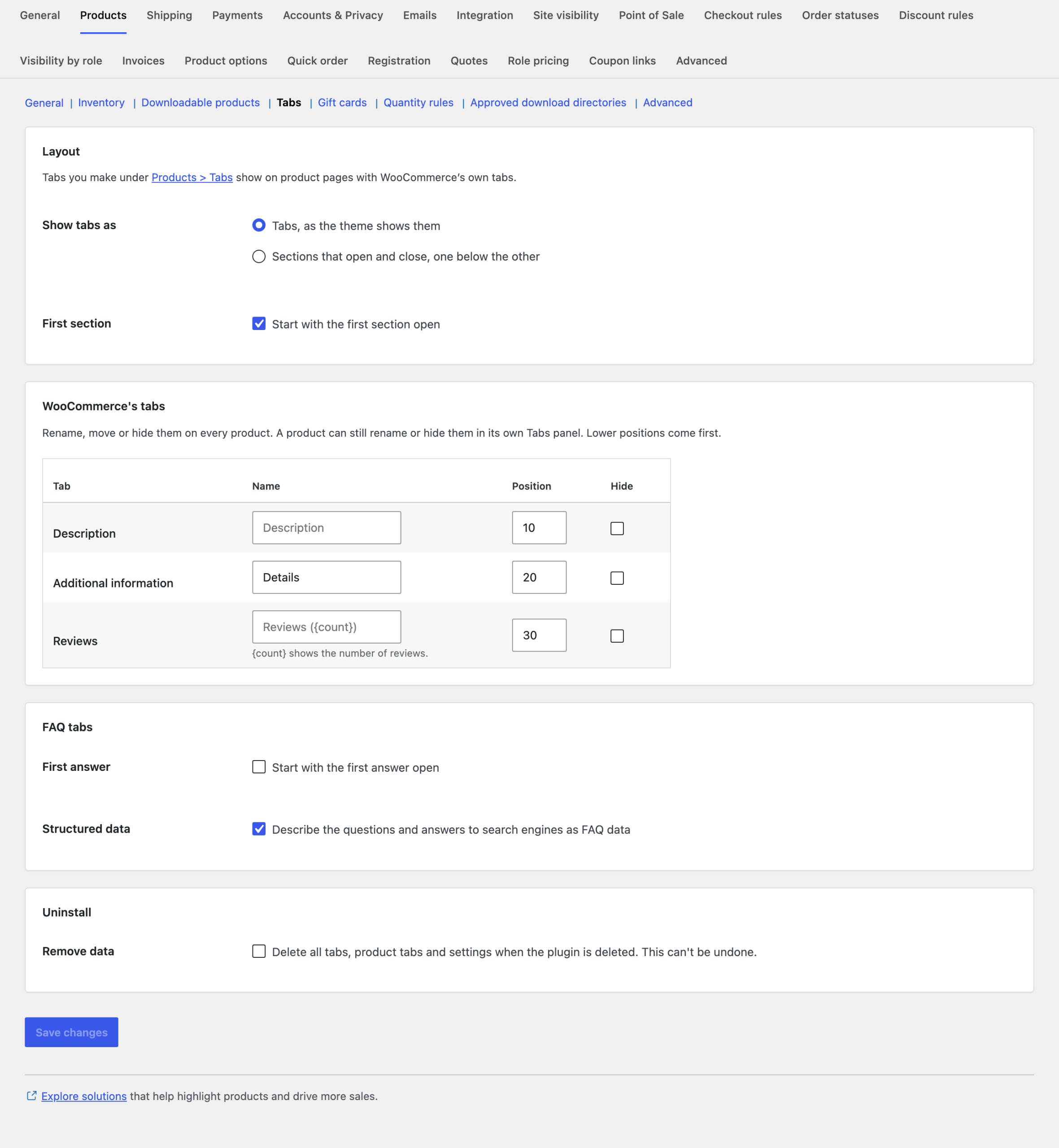
| Show tabs as | Tabs, as the theme shows them, or sections that open and close. |
| First section | Start with the first section open. |
| WooCommerce’s tabs | Names, positions and hiding of Description, Additional information and Reviews. |
| First answer | Start FAQ tabs with the first answer open. |
| Structured data | Describe the questions and answers to search engines as FAQ data. |
| Remove data | Deletes all tabs, product tabs and settings when the plugin is deleted. |
For developers
| Hook | Use |
|---|---|
cptf_product_tabs | The tabs of a product, after the plugin’s changes. |
cptf_published_tabs, cptf_tab_covers_product | The shared tabs, and whether a tab covers a product. |
cptf_tab_content | The content of a tab. |
cptf_faq_schema | The FAQ structured data. |
cptf_before_text_tab, cptf_before_faq_tab, cptf_before_specs_tab and the after hooks | Run around each kind of tab. |
Copy any file from public/templates/ to yourtheme/custom-product-tabs-faq/ to change how tabs look.
Frequently asked questions
Will the FAQ show as rich results in Google?
The plugin adds valid FAQ structured data. Google decides which sites get FAQ rich results, and currently shows them for few sites, but the data still describes the page to search engines.
Does it work with block themes?
Yes, with templates that use the Product Details block, which shows WooCommerce’s tabs.
Changelog
1.6.2 · October 7, 2026
Maintenance
- Fixed a settings notice remaining visible after the configuration had been saved.
- Improved validation of saved settings during plugin updates.
1.6.0 · October 5, 2026
Compatibility update
- Updated compatibility checks for current WooCommerce releases.
- Improved translated notices and settings labels.
1.5.5 · June 13, 2026
Maintenance
- Fixed paragraph spacing being lost when a shared tab contained a list.
1.5.0 · May 27, 2026
Feature update
- Improved tab rendering with block-based product details.
- Improved shared tab content formatting and translation strings.
- Compatibility: updated integration checks for WooCommerce 10.x.
1.4.1 · March 9, 2026
Maintenance
- Fixed a custom tab position changing after an unrelated product edit.
1.4.0 · February 21, 2026
Feature update
- Added controls for renaming and ordering WooCommerce standard tabs.
- Added clearer ordering controls for shared and product-specific tabs.
1.3.3 · November 18, 2025
Maintenance
- Fixed an empty specification row leaving an unnecessary separator.
1.3.0 · November 5, 2025
Feature update
- Added specification tabs with labelled product information.
- Improved the display of longer specification values on small screens.
- Compatibility: updated integration checks for WooCommerce 10.x.
1.2.5 · July 11, 2025
Maintenance
- Fixed opening one FAQ answer unexpectedly closing an unrelated item.
1.2.0 · July 1, 2025
Feature update
- Added FAQ tabs with questions and expandable answers.
- Improved keyboard controls and focus indication for FAQ items.
1.1.5 · March 25, 2025
Maintenance
- Fixed a product exception being ignored when a category rule also matched.
1.1.0 · March 16, 2025
Feature update
- Added category and tag conditions for shared tabs.
- Added product-level exceptions to shared tab rules.
1.0.1 · December 7, 2024
Hotfix
- Fixed a custom tab appearing twice after its display conditions were saved.
1.0.0 · November 24, 2024
Initial release
- Initial release.
- Add reusable information tabs to WooCommerce product pages.